탐색으로 건너뛰기 주요 콘텐츠로 건너뛰기
Stealth Settings
메뉴
Stealth Settings
  • Home
  • Windows
  • macOS
  • Linux
  • Office
  • WordPress
  • AI

Tag Archives: Office Tips

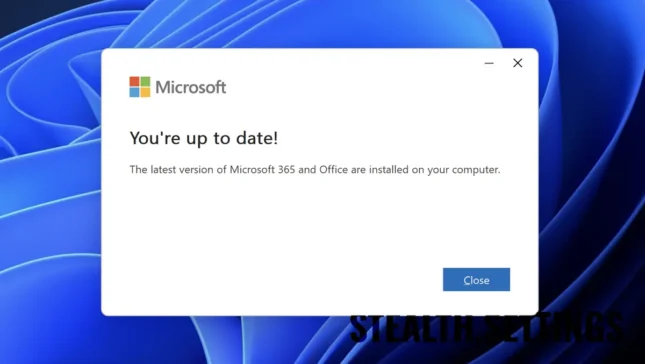
Windows 11에서 Microsoft Office를 업데이트하십시오
27 4월

Windows 11에서 Microsoft 365 및 Office 2021로 업데이트하는 방법

Microsoft 365와 Office 2021은 PC 사용자가 가장 많이 사용하는 생산성 애플리케이션 제품군 중 두 가지입니다. 에...
계속 읽기
30 1월

Office Suite 2013의 시작 화면을 끄는 방법

Daca sunteti utilizator al suitei Microsoft Office 2013, sunteti deja familiarizat cu noul Start Screen (feature similar cu Start Scree...
계속 읽기
19 준

Office 2013에서 클라우드 기능을 비활성화하는 방법

최근 몇 년 동안 클라우드가 온라인의 중요한 부분이 되면서 온라인 스토리지 서비스가 점점 대중화되고 있습니다.

계속 읽기
14 8월

MS Word 2010/2013에서 라인 측정 단위를 어떻게 변경할 수 있습니까?

Atunci cand lucram la anumite documente Word, este necesar sa masuram marginile sau tab-urile sau paragrafele din respectivele document...
계속 읽기
18 5월

손상된 단어, Excel 또는 Power Point 파일을 수리하는 방법

Uneori, atunci cand incercam sa deschidem un fisier MS Office, este afisat un mesaj de eroare care ne anunta ca fisierul este corupt si...
계속 읽기
12 2월

Microsoft Office Suite 2013에서 Microsoft Office 사진 관리자를 설치하는 방법

Daca folositi suita Microsoft Office 2013, probabil deja ati observat ca programul Microsoft Office Picture Manager nu este inclus in p...
계속 읽기
29 9월

Excel에서 스프레드 시트의 요소를 식별하는 방법

스프레드시트에서 정보는 선과 열로 구성된 그래픽 인터페이스로 표시됩니다. 기둥이 붙어있습니다...

계속 읽기
03 1월

연락처, 메일, 메모, 작업을 수출합니다 & 약속 DIN Outlook Office 2003, 2007 & 2010. 사무실 추가

Zilele trecute am avut nevoie sa export contactele din Microsoft Office 2010 pe un telefon Sony-Ericsson cu sistem de operare propriu. ...
계속 읽기
© 2025 Stealth Settings. 정보 기술의 튜토리얼과 새로운 기능.
RomânăEnglishFrançaisDeutschItalianoEspañolPortuguês日本語한국어Lietuvių kalbaNorskNederlandsPolskiDanskSuomiEesti keelLatviešu valodaБългарскиУкраїнськаSvenskaČeština
개인 정보 보호 정책 | 쿠키에 대해 | 연락하다 | 우리에 대해
  • Home
  • Windows
  • macOS
  • Linux
  • Office
  • WordPress
  • AI