
Windows 7
Windows 7에서 IPv6을 어떻게 비활성화 할 수 있습니까?
응용 프로그램의 IPv6 프로토콜은 무엇이며 연결 문제가있는 경우 Windows 7에서 IPv6을 비활성화하는 방법.
Windows 7 [Ad-Hoc Network]의 두 컴퓨터간에 무선 인터넷 연결을 어떻게 만들 수 있습니까?
라우터에 일시적인 문제가 발생하여 스위치가 갑자기 작동하지 않아 단일 PC에 인터넷 연결이 남아 있다고 가정해 보겠습니다.

Windows 사이드 바 기기를 더 이상 시작할 수없는 경우 가제트를 삭제 / 제거하는 방법 (응답하지 않음).
저는 두 개의 튜토리얼에서 Windows Gadget Platform과 Windows Sidebar Gadgets에 설치된 가젯을 제거하는 방법을 보여주었습니다.

2010 FIFA 월드컵 테마 pentru Windows 7
EA Sports에서 개발한 2010 FIFA 월드컵™ 축구 게임의 팬은 이제 운영 체제용 그래픽 테마도 즐길 수 있습니다.

Windows 7 복구 디스크 [무료 다운로드]
이 운영 체제의 DVD나 설치 이미지를 가지고 있는 Windows 7 사용자는 디스크가 필요하지 않을 것입니다...
Sterge "Shared Folder Synchronization" din 상황에 맞는 메뉴(오른쪽 클릭)
"Shared Folder Synchronization" apare in Context Menu (meniul care apare la click-dreapta pe Desktop) pe sistemele care au instalate Mi...
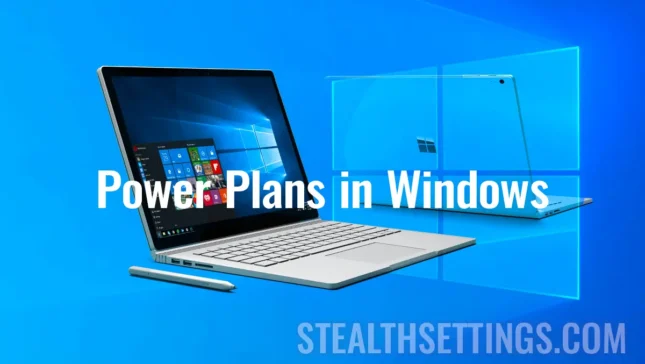
Windows에서 새로운 전원 계획을 변경하거나 만드는 방법.
Windows에서 새 전원 계획을 수정하거나 생성하는 방법을 보여주는 간단한 튜토리얼입니다. 단점 사이의 균형에 매우 유용합니다.
Windows 7 Taskbar의 웹 주소에 바로 가기를 어떻게 추가합니까?
즐겨찾는 웹 주소를 갖고 싶지만 여러 가지 이유로 홈페이지로 설정하고 싶지 않다면...
Windows 7의 USB 스틱 (플래시 메모리) USB 스틱 (플래시 메모리) USB 스틱 (Parroleaza) Decripteaza / Cripteaza (Parroleaza) USB 스틱 (Flash Memory) [암호 해독 / 암호화 Bitlocker 방법]
BitLocker는 내부 하드 드라이브, 하드 드라이브에 중요한 데이터를 저장하는 사용자에게 Windows 7의 매우 환영받는 기능입니다.
DVD에 Windows 7 설치에서 오류 코드 0x80070017 – [해결됨]
DVD에서 Windows 7 운영 체제를 설치할 때 오늘까지 발생하지 않은 오류입니다. 그 전까지는 모든 것이 정상적으로 진행되었습니다.