
Your source of IT tutorials, useful tips and news.

Catalina macOS – Plus of Security with Dedicated Read-Only volume (Macos Data)
At the presentation event of the future operating system for Mac, macOS Catalina, Apple brought to the fore the increase in security.m...

Fix [HTTP Error] client intended to send too large body [Media Upload WordPress]
"HTTP Error" este o eroare frecventa in randul utilizatorilor de WordPress care folosesc metoda clasica de upload poze, documente si al...

How we solve the BSOD error (Blue Screen) Driver_irql_not_ Less_or_equal on Windows 10
Sistemele de operare Windows au cea mai mare acoperire pe calculatoarele din intreaga lume. Si tot cea mai mare "acoperire" o au si atu...

Scranos, a new virus (rootkit malware) capable of stealing your passwords and spying / Windows 7 & Windows 10
After the worldwide crisis produced by ransomware viruses, designed to irreversibly encrypt data and documents from the computer...
How to see if the warranty period for Mac, MacBook or Imac [Update 2023] has expired
This tutorial is updated in 2023 for macOS Ventura operating systems (and newer versions). Following the steps of this tutorial a...
How do you block access to certain Windows websites?
Sometimes, for various reasons, we may need to prevent some websites from being accessed from a computer or laptop. Method...
How do you delete or hide the message “Activate Windows – Go to Settings to Activate Windows” in Windows 10
If it stresses you out to see the watermark message in the lower right corner of the screen, in this tutorial you will see how to delete or hide...
Windows Defender Application Guard (Install & How-To)
Windows Defender Application Guard is a module functionality of Windows 10, available to users through Windows Features...

[FIX] NGINX start failed CentOS 7 – nginx: [emerg] open() “path” failed (13: Permission denied)
As far as web server administration is concerned, many unpleasant surprises can appear. Especially when switching from a version m...
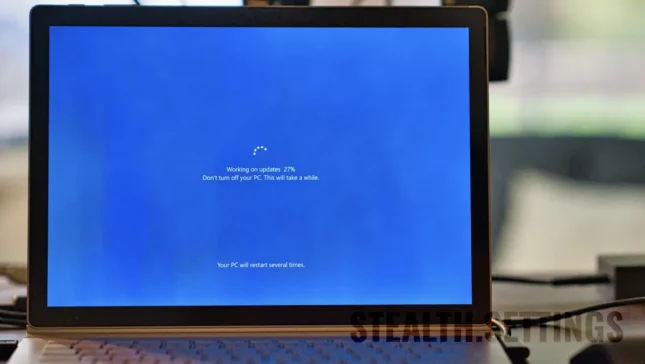
How can you upgrade free to Windows 10 or Windows 11
Starting with January 20, 2020, Microsoft decided to stop support for security updates (security patches) of Wind...