

 확실히 대부분의 사용자는 xp, 만족하지 못한 사람 클래식 테마 (무표정하게) 그게 무슨 뜻인지는 이미 알아요 창문블라인드.
WindowBlinds는 Windows 사용자가 새로운 스킨을 적용하여 Windows 인터페이스의 모양과 느낌을 완전히 바꿀 수 있는 독특한 유틸리티입니다.
저번에 팀에서 스타독 버전 출시를 발표했습니다. 6.4 운영 체제와도 호환되는 버전인 WindowBlinds Windows Vista. 이 버전에서는 다음을 제공합니다. 더 많은 제어 변화에 스킨 (조정 투명도 그리고 수준 흐림, 변화 글꼴, 배경 변경)이 포함되어 있습니다. 객체 데스크탑 (이전의 유틸리티 그것은 별도로 구매됩니다 WindowBlind).
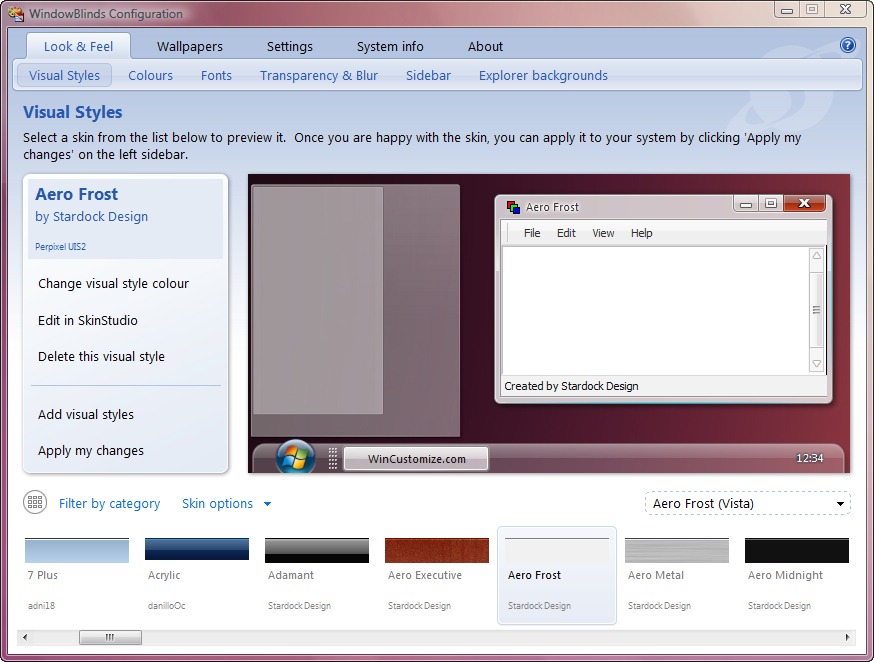
이전 버전과 비교하여 WindowBlinds 6.4에는 다음과 같은 기능도 제공됩니다.
* Windows Vista에서 유리 메뉴 표시줄 지원
* 시작 메뉴 오른쪽에 다른 마우스 오버 이미지 지원
* 시작 메뉴의 배경색 제어 & “프로그램” 목록
* 이제 Windows Vista에서는 픽셀당 창의 왼쪽 상단을 두 번 클릭하면 닫힙니다.
* 검색창 텍스트 색상 제어 & 세례반
* 시작 메뉴 글꼴에 대한 더 나은 제어 & 그림 물감
* 사용자 정의 마우스 오버 이미지를 허용하는 새로운 섹션 “프로그램” Vista의 링크와 레거시 단색 비교
* 시작 버튼 오버레이가 이제 애니메이션을 지원합니다.
게다가 이 버전을 사용하면 PC의 성능을 저하시키지 않습니다 귀하의 것입니다. 왜냐하면 이 앱은 최신 기능을 사용하기 때문입니다. 가속하다 구성 요소의 하드웨어 그리고 시스템 파일을 수정하지 마십시오 그것은.


당신은 또한에 관심이있을 수 있습니다 ...
