

 Certainly most users XP, who were not satisfied with classic theme (and expressionless) of it, I already know what it means WindowBlinds.
WindowBlinds is a one-of-a-kind utility that allows Windows users to completely change the look and feel of the Windows interface by applying a new skin.
The other day, the team Stardock announced the release of the version 6.4 of WindowBlinds, a version that is also compatible with the operating system Windows Vista. This version offers more control on the change skins (adjustment transparency and the level of blur, the change Fonts, changing the backgrounds) and has included Object Desktop (utility that before it is bought separately the WindowBlinds).
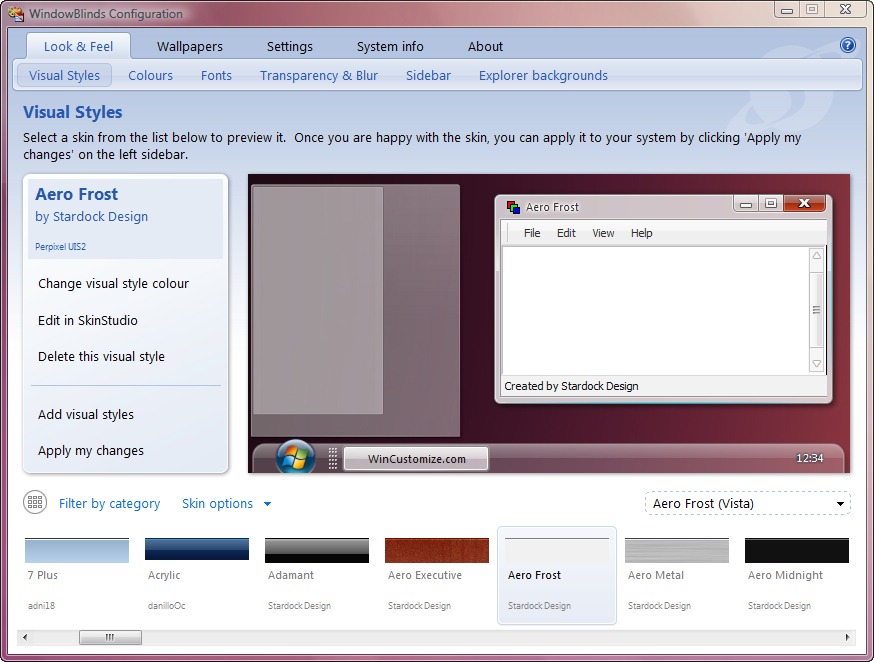
Compared to previous versions, WindowBlinds 6.4 also comes with the following features:
* Support for glass menu bars on Windows Vista
* Support for a different mouseover image on the right hand side of the Start Menu
* Control over the background color of the Start Menu & “Programs” list
* Double clicking the top left of a per pixel window will now close it on Windows Vista
* Control over the search box text color & font
* Better control over the Start Menu fonts & colors
* New section to allow a custom mouseover image used on the “Programs” link on Vista versus the legacy solid color
* Start button overlay now supports animation
In addition, using this version does not decrease the performance of the PC yours, because it uses the latest features in terms of accelerate of the components hardware and do not modify system files its.


You may also be interested in...
