

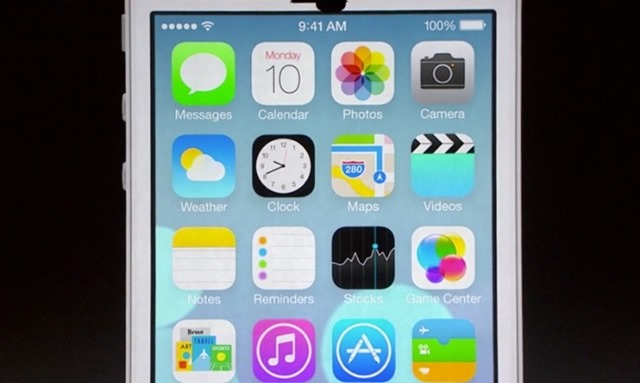
Direct na wat Appel onthuld wat het zal zijn het ontwerp En Functiesites nieuwe iOS 7, veel gebruikers iPhone ze wilden absoluut testen Bèta -variant hiervan mobiel besturingssysteem pe APPARATEN uit de schenking. Maar omdat het slechts een bètaversie is, komt dit uiteraard niet eens in de buurt functie en/of stabiel als een van definitieve versies Maar iOS 6.
Dus hoe kunnen we de iPhone downgraden van iOS 7 Bèta terug naar iOS 6?
- waar je allereerst op moet letten download de juiste iOS 6-versie voor uw apparaat (anders iTunes zal niet toestaan restauratie het systeem): voor iPhone 5, de juiste versie is iOS 6.1.4, en voor de andere apparaten (iPhone 4, 4S En iPodTouch5) zal downloaden iOS 6.1.3
- na iOS6 downloaden, verbonden iPhone-ul de computer ja stop het synchronisatieproces met iTunes in cazul in care acesta se declanseaza automat, pentru a evita suprascrierea backup-urilor anterioare ale iOS 6 cu un eventual backup al iOS 7 Beta (acest lucru poate afecta restaurarea aplicatiilor, setarilor si fisierelor asa cum erau folosite pe iOS 6 dupa reinstalarea sistemului)
- om te reinstala iOS 6 pe dispozitivul din dotare, este suficient sa apasati tasta Verschuiving (voor Windows) sau butonul Alt/Option (voor Mac) si sa dati click pe Herstel de iPhone (nu este necesar sa bagati dispozitivul in modul DFU - Download Firmware Update), apoi selectati fisierul .ipsw Cu versiunea iOS 6 descarcata anterior
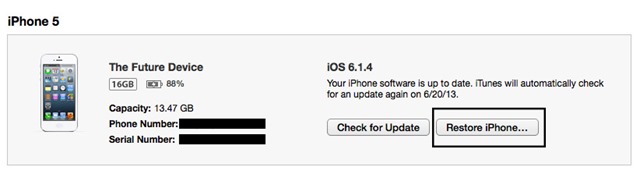
- na reinstalarea iOS 6, selectati din iTunes restaurarea celui mai recent backup facut pentru acest sistem
Si gata. Ati reusit sa faceti downgraden (impropriu spus) de la iOS 7 Beta inapoi la iOS 6.
Download iOS 6.1.4 pentru iPhone 5 GSM.
Download iOS 6.1.4 pentru iPhone 5 CDMA.
Download iOS 6.1.3 pentru iPhone 4S.
Download iOS 6.1.3 pentru iPhone 4 GSM.
Download iOS 6.1.3 pentru iPhone 4 CDMA.
Download iOs 6.1.3 pentru iPod Touch 5.
Nota: Pentru a alege versiunea potrivita de iOS 6 pentru dispozitivul iPhone se va tine cont si de reteaua mobila folosita de operatorul mobil, GSM sau CDMA (puteti identifica relativ simplu reteaua in functie de modelul dispozitivului, afisat pe carcasa din spate a acestuia, folosind informatiile disponibile hier En hier).
Stealth -instellingen – How to downgrade from iOS 7 Beta back to iOS 6


Mogelijk bent u ook geïnteresseerd in...
