


La finalul lunii trecute Microsoft lançado Microsoft Download Manager. O aplicatie 100% gratuita care ne permite sa descarcam fisiere intr-un mod mai fiabil si mai placut decat prin Internet Browser. Microsoft Download Manager are o interfata usor de utilizat si permite o gestionare foarte buna a sesiunilor de download Si e fisierelor descarcate.
Iata cum functioneaza acest Microsoft Download Manager la primul test:
1. Am descarcat fisierul MSDownloadManager.msi (adica aplicatia Microsoft Download Manager)
2. Am instalat, m-am uitat prin optiuni, nu am modificat nimic si am facut primul test cu o link de download do “Example”
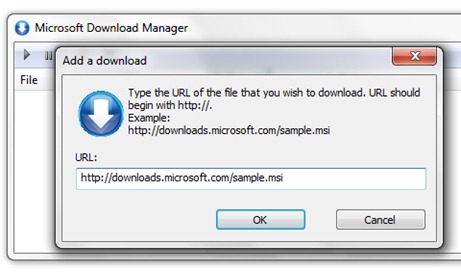
Nu ma asteptam ca link-ul sa fie valid, desi Microsoft ar fi putut sa puna un fisier de test valid. Totusi incercam sa vad cum reactioneaza Download Managerul in cazul unui link invalid. Rezultatul a fost urmatorul:
Microsoft Download Manager (Not Responding) mais “There was a problem with the Microsoft Download Manager“
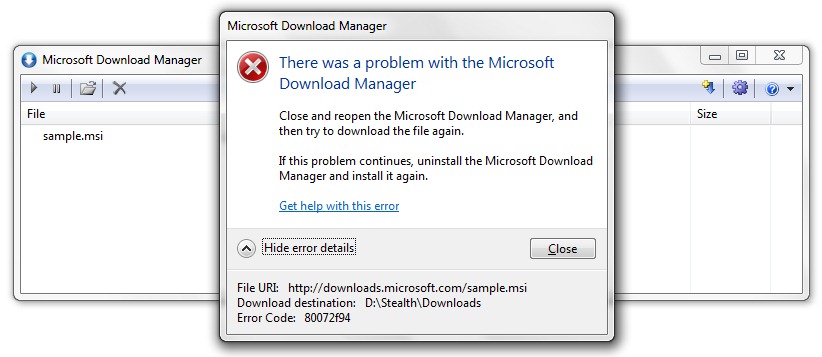
Error code: 80072f94 (Your search – 80072f94 – did not match any documents – by Google)
Ar fi fost ciudat sa fie un mensagem de erro pentru link-uri de download invalide.
3. Am repornit programul Microsoft Download Manager si i-am dat un link valid.
O resultado:
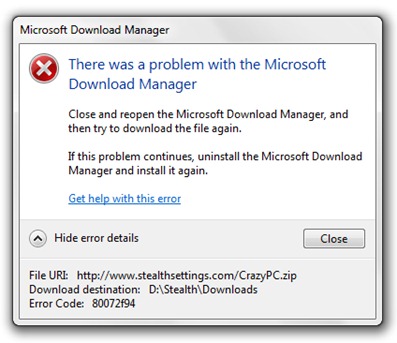
4. Uninstall Microsoft Download Manager.
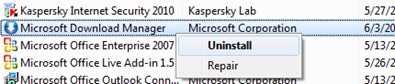
Cred ca o sa bata recordul la cel mai dezinstalat produs Microsoft.
Download – Microsoft Download Manager .


Você também pode estar interessado em...
