


Öffentliche Hubs DC++ – Vollständige Liste im Format xml A Nabekönnen mit Hilfe des Kunden eingesehen werden DC++ gebraucht.
Konfigurieren Sie DC++ / Öffentliche Liste der Anmeldungen und Hubs:
1. DC++ öffnen und konfigurieren ” Persönliche Informationen ” ( Datei — > Einstellungen … )
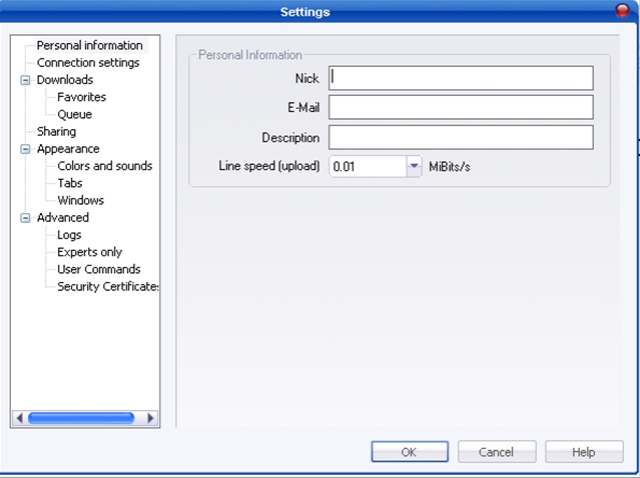
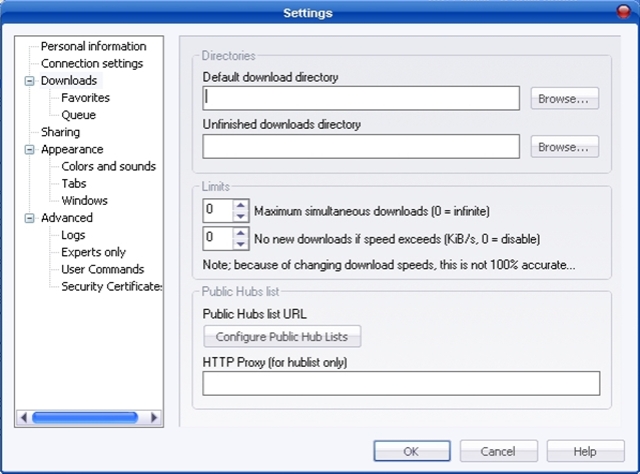
2. Gehen Sie zu ” Downloads ” und konfigurieren Sie die Download-Ordner für die Dateien beenden (vollständig heruntergeladen) und für die unvollendeten.
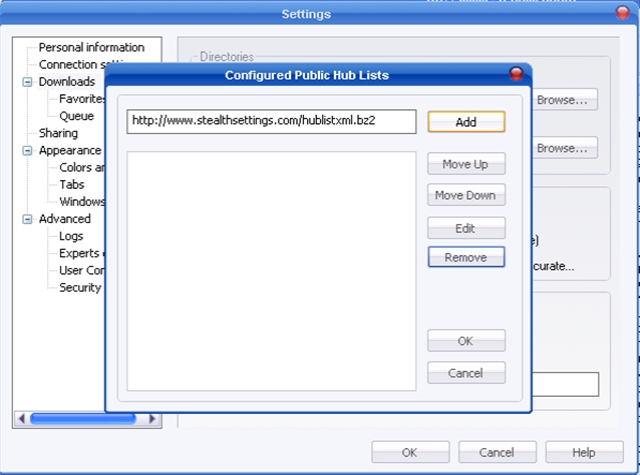
3. Klicken Sie auf PE “Konfigurieren Sie öffentliche Hub-Listen” und neben der Schaltfläche ” Hinzufügen ” Schreiben Sie die Adresse https://stealthsettings.com/hublist.xml.bz2 . Klicken Sie nach dem Schreiben der Adresse auf: Hinzufügen , OK und OK .
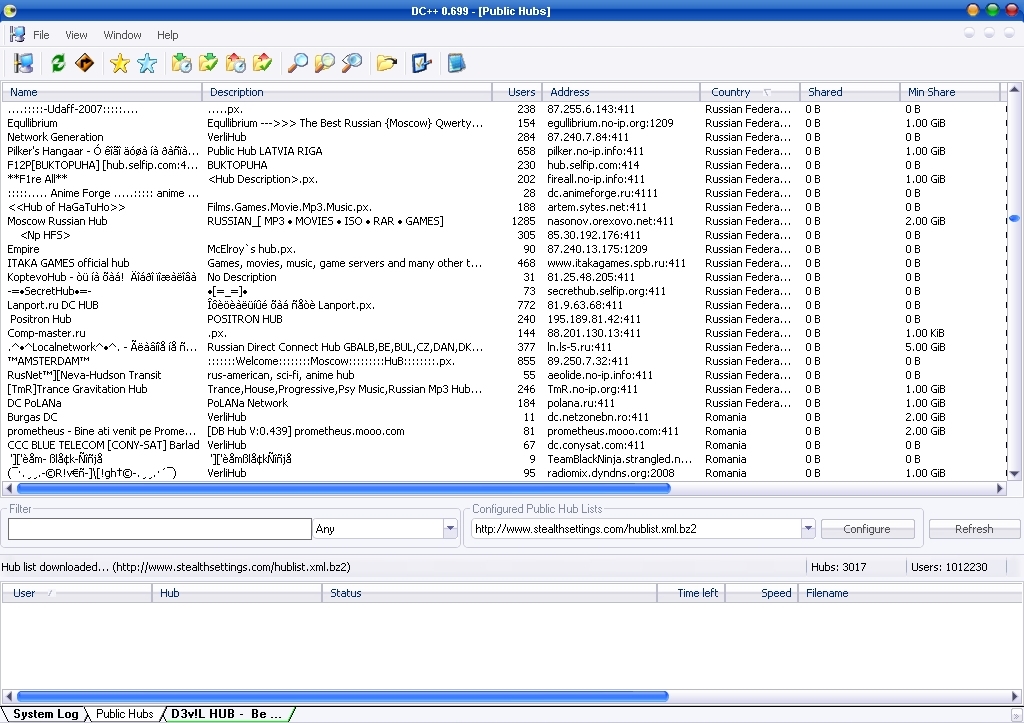
Das Ergebnis: Liste der öffentlichen Hubs
Liste der öffentlichen Hubs: https://stealthsettings.com/hublist.xml.bz2 (für Benutzer, die eine neuere Version von DC++ verwenden als 0.4033 )
Liste der öffentlichen Hubs: https://stealthsettings.com/hublist.config.bz2 (für DC++-Clients, die keine XML-Dateien erkennen)
Die Liste der Hubs wird regelmäßig aktualisiert, wobei die gleiche Adresse der Dateien erhalten bleibt.
Wie kann ich eine öffentliche Hublist hinzufügen?
In deinem DC++ Kunde klicken auf der Symbol für die öffentliche Hubliste Oder wählen Sie „Public Hubs“ aus dem Dateimenü aus und klicken Sie auf “Konfigurieren Sie öffentliche Hub-Listen” Taste; Fügen Sie in das Feld diese Adresse ein: https://stealthsettings.com/hublist.xml.bz2 oder https://stealthsettings.com/hublist.config.bz2, für Nicht XML aktivierte Clients und klicken Sie auf “Hinzufügen” Taste. Nun ist die Liste in Ihrem Client gespeichert. Nachdem Sie die Liste hinzugefügt haben, vergessen Sie nicht, auf zu klicken “Aktualisieren” Taste.
Öffentliche Hubs Rumänien


Vielleicht interessieren Sie sich auch für...
