


BENUTZER Android care sunt in cautarea unei tastaturi reliabile Und intuitive für touch le recomandam sa incerce si tastatura stock, oferita frei von Google. Google Keyboard include toate Feature -Sites necesare pentru o introducere/scriere de text (text input) optima, similare cu cele oferite de alte tastaturi populare (disponibile contra cost in Play Store), wie zum Beispiel Swipe, Smart Keyboard oder Swiftkey. Im Plus, layout-ul acesteia este unul destul de simplu si decent, cu taste bine definite si culori neutre care nu deranjeaza ochii.
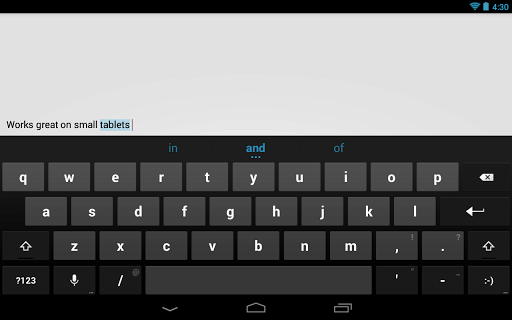
Cum foarte multi producatori von dispozitive cu sistem de operare Android (Smartphone-uri oder Tabletten) folosesc tastaturi customizate pentru acestea, multi utilizatori nu beneficiaza in mod default de tastatura stock (aceasta insa este disponibila implicit pe toate Nexus-Geräte). In cazul in care si dvs va numarati printre acestia si doriti sa va schimbati tastatura (sau cel putin sa aveti optiunea de a folosi alta tastatura pentru anumite aplicatii), puteti descarca gratuit si testa Google Keyboard.

Feature-urile si functionalitatea Google Keyboard sunt similare cu cele disponibile in Android 4.2 (Geleebohne), ceea ce face ca tastatura sa nu functioneze pe versiuni Android anterioare Ice Cream Sandwich. Dintre cele mai importante feature-uri ale Google Keyboard le enumeram pe urmatoarele:
- suport pentru tastare vocala (voice typing)
- dictionar inclus pentru 26 de limbi
- sugestii pentru urmatorul cuvand und für completarea cuvantului curent
- suport pentru Smartphone-uri Und Tabletten
- Swipe durch Gesture Typing

Google Keyboard este momentan disponibila doar pentru tarile in care se vorbeste Englische Sprache, insa Google a anuntat ca in curand vor fi incluse mai multe regiuni.
Laden Sie die Google-Tastatur für Android herunter (über Google Play).
Hinweis: Wenn die Anwendung nicht mit Ihrem Gerät kompatibel ist, obwohl Sie Android ICS oder neuere Versionen verwenden (höchstwahrscheinlich aufgrund von Einschränkungen für bestimmte Regionen), lesen Sie Dieser Artikel um herauszufinden, wie Sie die APK-Anwendung aus dem Play Store herunterladen können oder Dieser Artikel um herauszufinden, wie Sie eingeschränkte Android-Anwendungen herunterladen können.
Stealth -Einstellungen – Kostenlose Tastatur für Android: Standard-Google-Tastatur


Vielleicht interessieren Sie sich auch für...
