
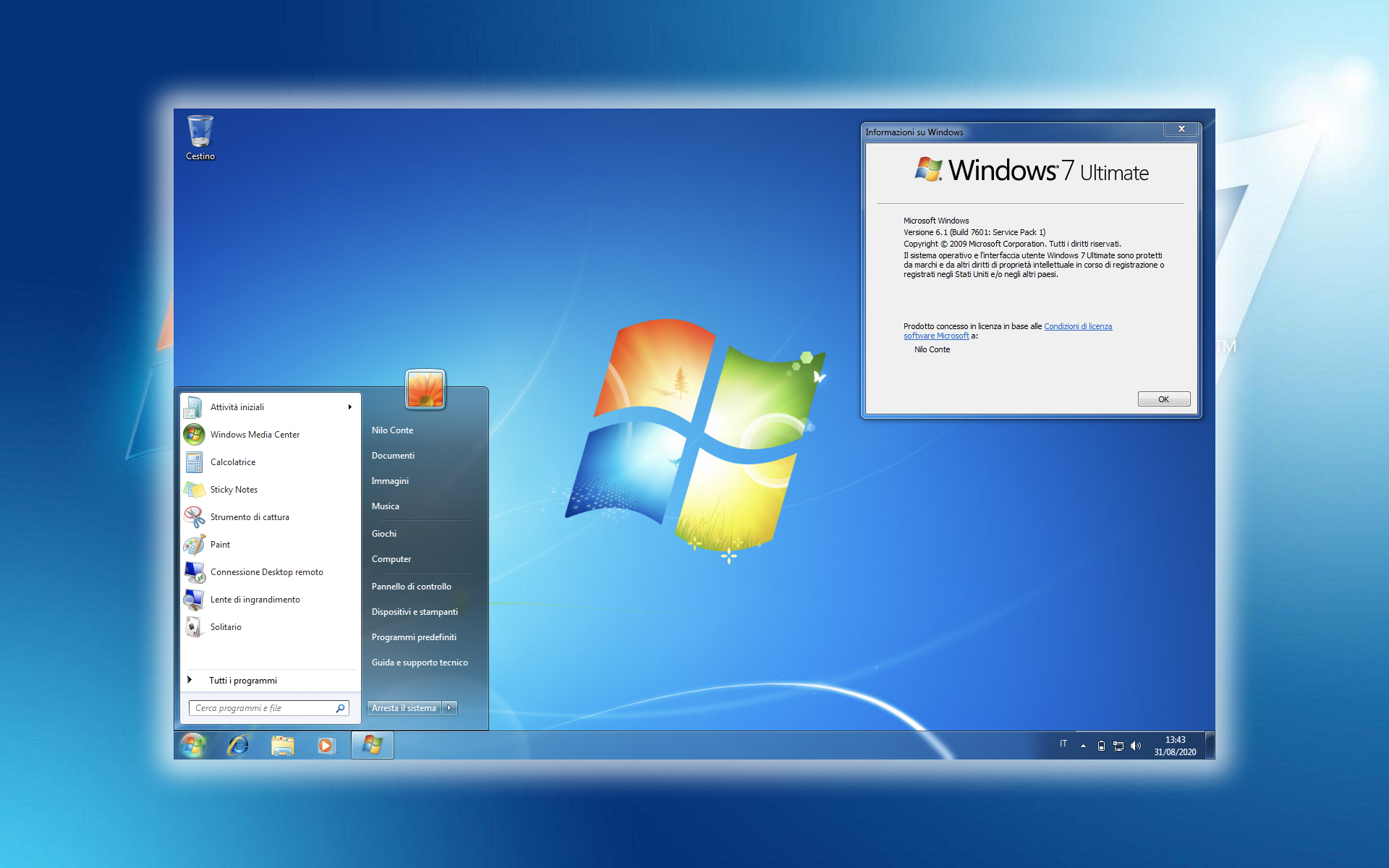

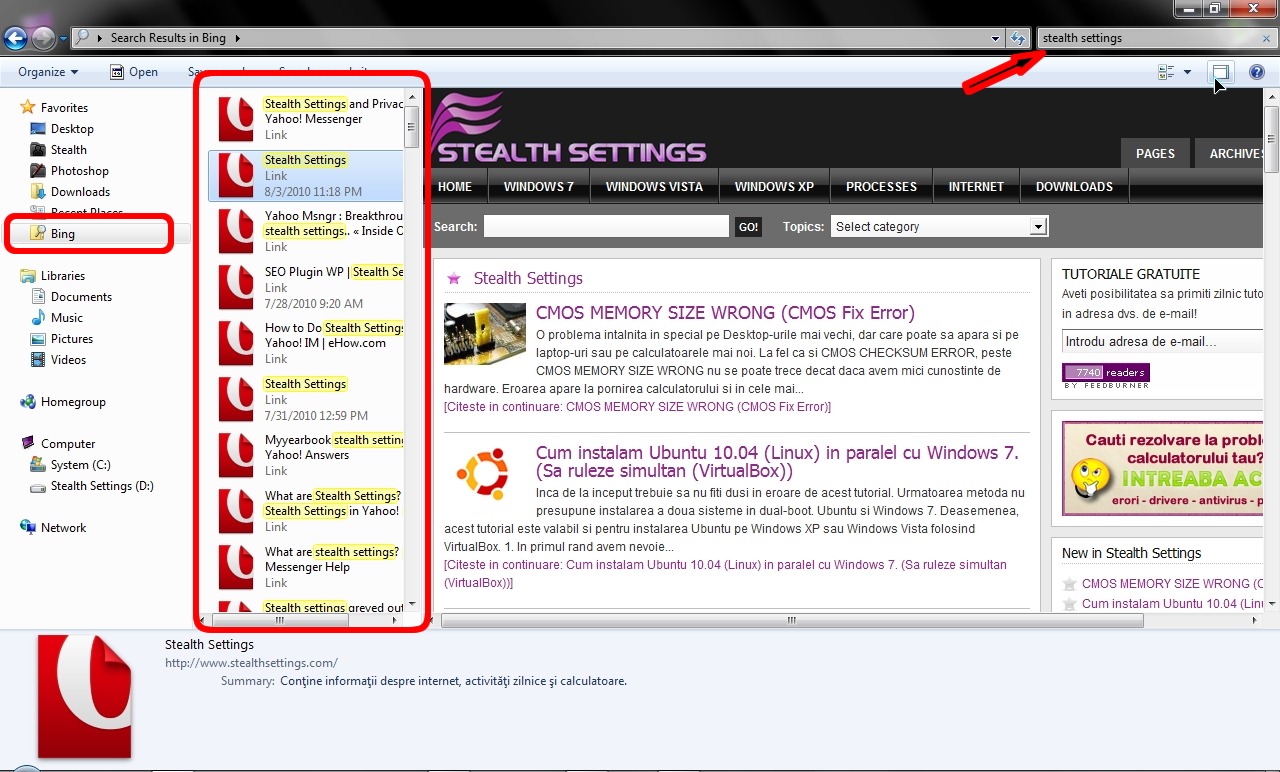
“Zoekconnector” is een minder bekend kenmerk van Windows 7, waarmee we kunnen zoeken YouTube, Flickr, Word kunst, Bing, Yahoo! Zoekopdracht, Amazone en op andere sites rechtstreeks vanaf Windows Explorer, zonder dat u er nog een hoeft te openen Internetbrowser.
Maak een zoekconnector voor Windows 7.
Alles staat in een bestand .osdx, die kan worden bewerkt met een teksteditor (Kladblok). Voor Bing-zoekconnector in Windows Verkenner de inhoud van het bestand .osdx het zal er ongeveer zo uitzien:
<?xml-versie="1.0" codering="UTF-8"?>
<OpenSearchDescription xmlns="http://a9.com/-/spec/opensearch/1.1/">
<Korte naam>Bing</KorteNaam>
<Beschrijving>Gebruik de Bing Decision Engine om op internet te zoeken.</Beschrijving>
<URL-type="text/html" sjabloon="http://www.bing.com/search?q={searchTerms}&FORM=MO0001"/>
<URL-type="application/rss+xml" sjabloon="http://api.bing.com/rss.aspx?source=web&query={zoektermen}&web.count={telling}&web.offset={startIndex}&market={taal}&FORM=MO0000&version=2.0" indexOffset="0"/>
<Contact>[email protected]</Contact>
<SyndicatieRecht>Open</SyndicatieRechts>
<Invoercodering>UTF-8</Invoercodering>
<Uitvoercodering>UTF-8</Uitvoercodering>
<ms-ose:ResultsProcessing format="application/rss+xml" xmlns:ms-ose="http://schemas.microsoft.com/opensearchext/2009/">
<ms-ose: PropertyDefaultValues>
<ms-ose:Eigenschapsschema="http://schemas.microsoft.com/windows/2008/propertynamespace" naam="System.PropList.ContentViewModeForSearch">prop:~System.ItemNameDisplay;System.LayoutPattern.PlaceHolder;~System.ItemPathDisplay;~System.Search.AutoSummary;System.LayoutPattern.PlaceHolder;System.LayoutPattern.PlaceHolder;System.LayoutPattern.PlaceHolder</ms-ose:Eigenschap>
</ms-ose: PropertyDefaultValues>
</ms-ose: Resultatenverwerking>
</OpenSearchDescription>
Voor elke zoekmachine, portal of website kunnen wij een Search Connector maken. Voorwaarde is wel dat RSS is toegestaan voor de zoekresultaten. Om deze reden is er nog geen connector gemaakt Google Search.
Een zoekconnector installeren op Windows 7.
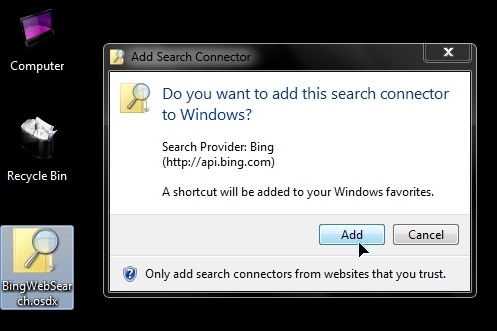
1. Dubbelklik op het .osdx-bestand en klik op de knop “Toevoegen” VAN “Zoekconnector toevoegen“.
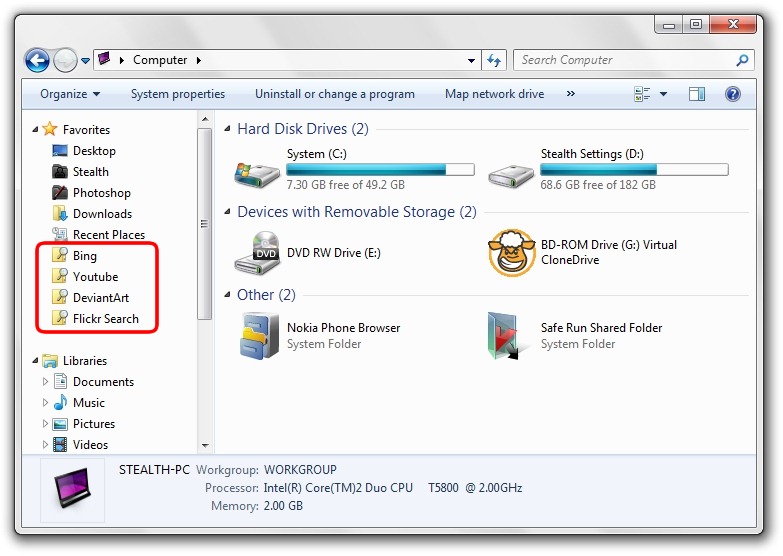
2. Nu kunnen we elke gewenste map openen. Aan de linkerkant hieronder Favorieten we zullen de link van de geïnstalleerde connector observeren.
3. Klik op pe-connector & zoekopdracht. Folosim Windows Verkenner-zoekvak.
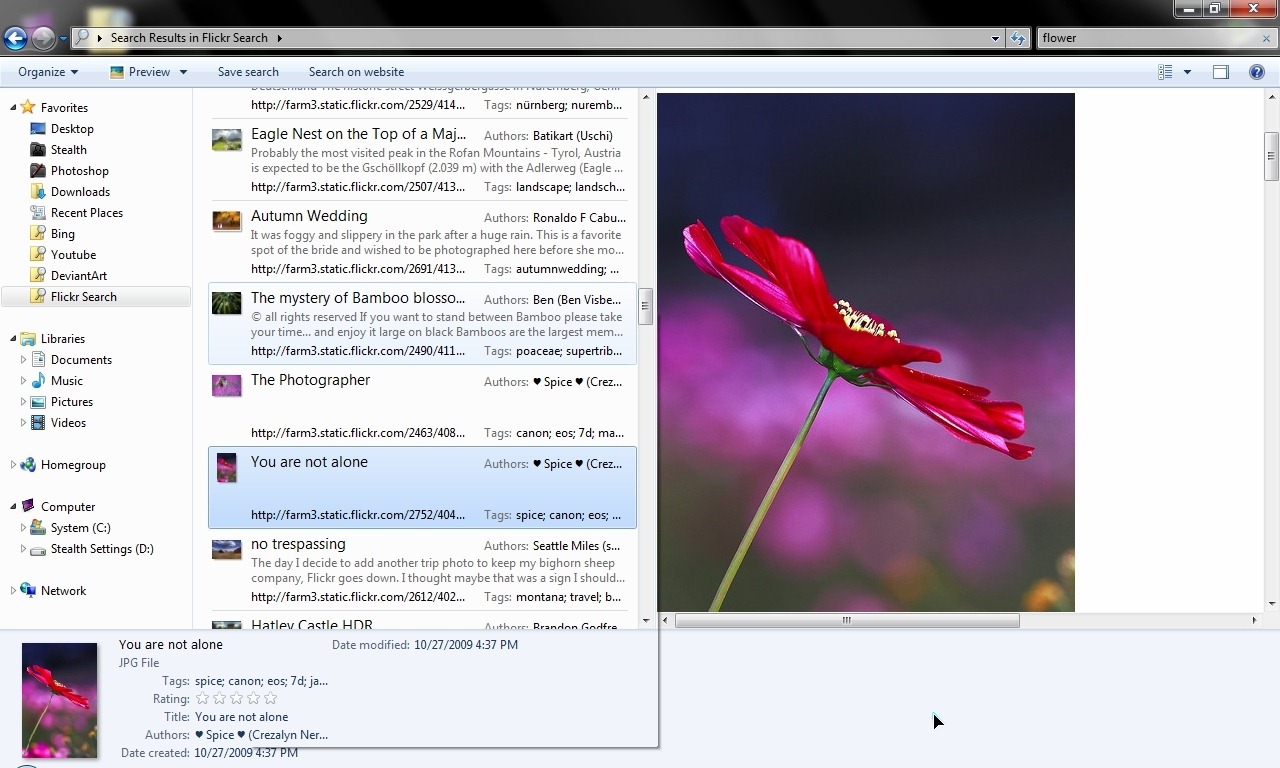
Download Windows 7 zoekconnectoren
Binnen in het archief web_search_connectors.zip er zijn .osdx-bestanden voor Bing!, Yahoo! Zoeken, Flickr, Youtube en DeviantArt.


Mogelijk bent u ook geïnteresseerd in...
