

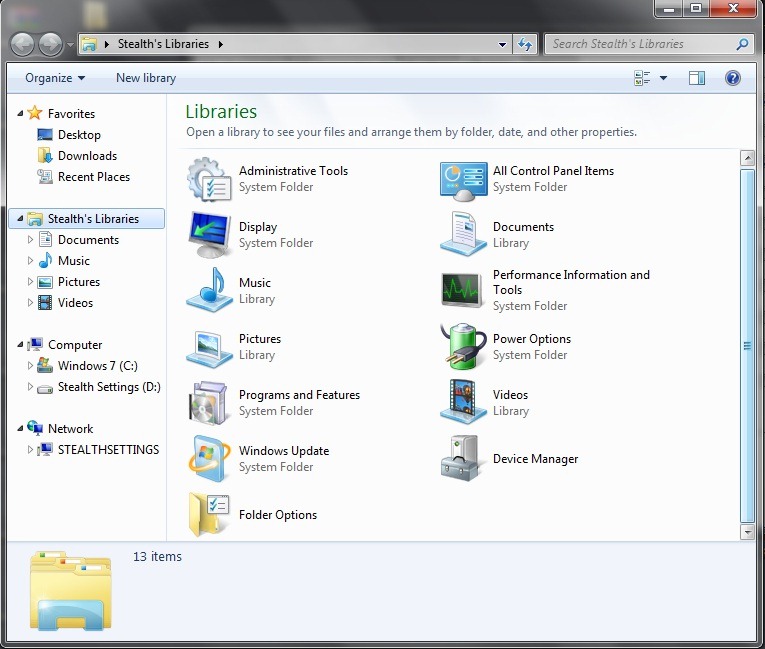
Systeemmapaanpasser Het is o Freeware -aanvraag die gebruikers toestaat Windows 7 op systeemmappen aanpassen ((Windows Explorer, Bibliotheken, Mijn computer, Bureaublad) door er wat aan toe te voegen snelkoppeling aan verschillende tool-uri, instellingen en native applicaties Maar van ramen.
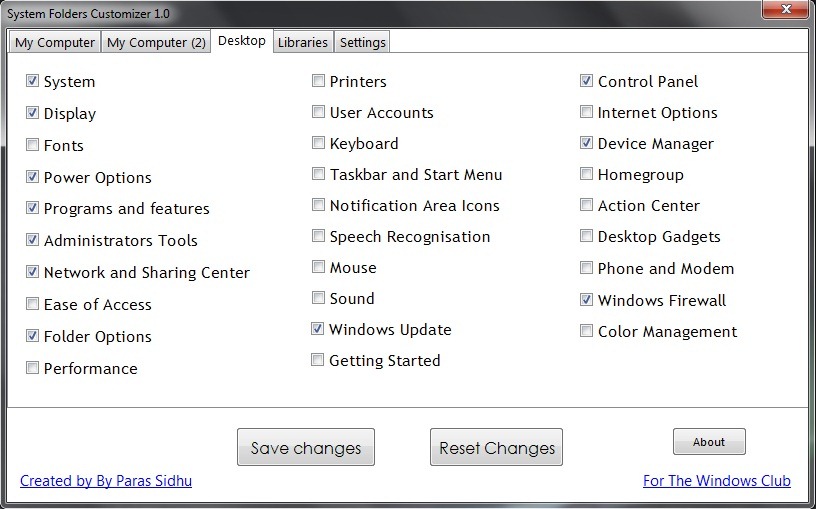
Met Systeemmapaanpasser kunt u snelkoppelingen toevoegen aan Administratieve tools, Mapopties, Stroomopties, Programma en functies, Taakbalk en Startmenu, Gebruikersaccounts, Apparaatbeheer, Prestatie, Actiecentrum, Windows -update En anderen Windows-hulpprogramma's rechtstreeks op het bureaublad, in bibliotheken (Windows Verkenner) of in Deze computer voor o snellere toegang van hen.
De applicatie helpt Windows 7 -gebruikers om kostbare tijd te besparen wanneer ze een van deze tools of systeemapplicaties nodig hebben. Ook jij hebt de mogelijkheid daartoe schakel Mijn computer uit vanaf het tabblad Instellingen.
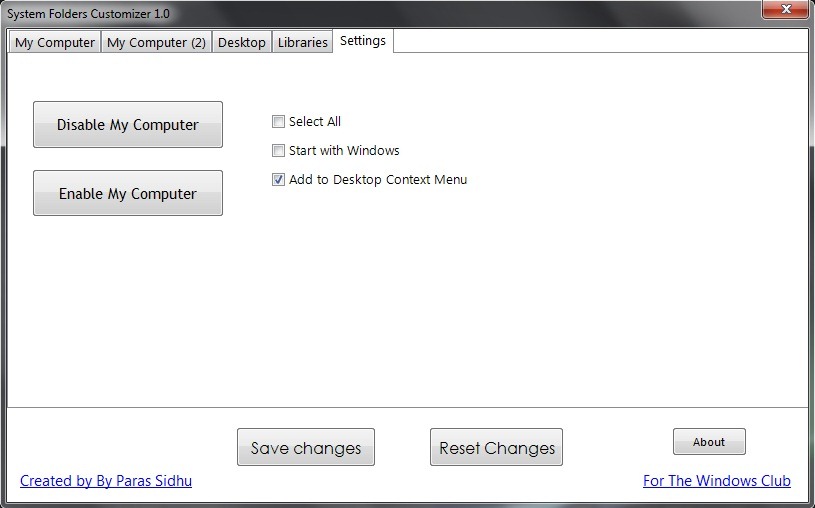
Systeemmapaanpasser este Draagbare toepassing (vereist geen installatie), wat betekent dat het overal vandaan kan worden uitgevoerd, zelfs vanaf externe apparaten zoals USB-stickurile. Bovendien kunnen alle instellingen die met de Systeemmapaanpasser zijn gemaakt, worden gewijzigd opnieuw instellen (dat wil zeggen, het systeem keert terug naar de instellingen voordat de applicatie wordt gebruikt).
Systeemmapaanpasser downloaden.
Let op: Compatibel met alle versies van Windows 7, 32 en 64 bits.
Stealth -instellingen – Systeemmappen aanpassen in Windows 7 (Systeemmapaanpasser)


Mogelijk bent u ook geïnteresseerd in...

3 gedachten over “Pas de systeemmap aan in Windows 7 (Systeemmapaanpasser)”