

Lipsa unor componente de sistem / bibliotekarier (fisiere .Dll) pot opri Installation unor aplicatii pe Windows XP eller på Windows 7 (x86, x64). O fel intalnita frecvent este “The program can`t start because MSVBVM50.DLL is missing from your computer. Try reinstalling the program and fix this problem.”.
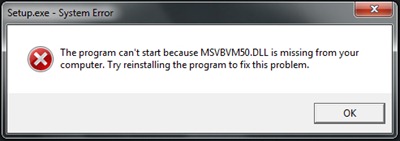
Rezolvarea erorii este foarte simpla. Microsoft pune la dipozitie utilitarul Msvbvm50.exe care are rolul de a pune fisierul MSVBVM50.DLL la locul lui in sistem.
Download Msvbvm50.exe – Länk nedladdning @Microsoft.
Inchideti installerul in care a dat eroarea “The program can`t start because MSVBVM50.DLL is missing from your computer“, rulati fisierul decarcat mai sus (Msvbvm50.exe) apoi reluati instalarea aplicatiei la care a aparut erorea. Totul ar trebui sa mearga fara probleme.
Erori asemanatoare:
- The program can`t start because MSVCRT10.dll is missing from your computer. – FIX ERROR.
- The program can`t start because MSVBVM60.DLL is missing from your computer. FIX ERROR.
Stealth Settings – FIX ERROR “MSBVM50.DLL is missing – Windows 7 32-bitars & 64-bitars.


Du kanske också är intresserad av...
