

Vor einiger Zeit habe ich einen geschrieben Post darüber, wie du es kannst installieren Windows 7 ohne zu verwenden die Installations-DVD, Menge Bild auf eins DVD virtuell. Allerdings ist mir aufgefallen, dass viele Leute fragen, ob es installiert werden kann Windows 7 aus USB-Stick. Wir sagen, dass es möglich ist (bei Versuchen :P). Sie benötigen lediglich das Image der Version, die Sie installieren möchten (32bit oder 64-Bit) und eins USB-Stick mit 4 GB (da die Bilder 2,5 bzw. 3,15 GB groß sind).
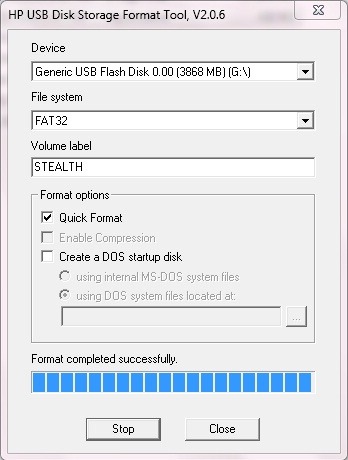
Zunächst einmal müssen Sie Stick-ul FAT32 neu formatieren es zu tun Bootabil, und mounten Sie dann das Image auf einer virtuellen DVD.
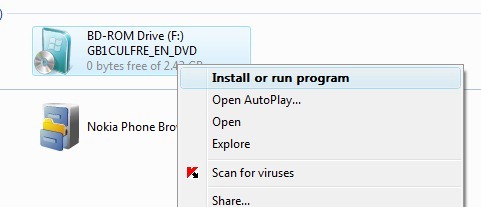
Dann öffnen Sie es Eingabeaufforderung cu Administratorrechte und kopieren Sie den Inhalt des Windows 7-Images (.ISO) auf dem USB-Stick mit dem Befehl
- xcopy f: g: /f /g (wobei f: die virtuelle DVD und g: der USB-Stick ist)
Die Windows 7-Installationsdateien werden auf den USB-Stick kopiert. Mit diesem Stick können Sie dann Windows 7 auf allen PCs installieren, auf denen es installiert ist USB-Boot-Option.


Vielleicht interessieren Sie sich auch für...

10 Gedanken dazu “So installieren Sie Windows 7 von einem USB-Stick”