

In urma cu ceva vreme am scris un posta despre cum poti installera Windows 7 fara a folosi installations-DVD:n, montand bild på ena DVD virtual. Am observat insa ca foarte multi intreaba daca se poate instala Windows 7 från sticka USB. Noi spunem ca se poate (pe probate :P). Tot ce aveti nevoie este imaginea versiunii pe care vreti sa o instalati (32bit eller 64bit) si un stick USB de 4GB (deoarece imaginile sunt de 2.5 respectiv 3.15 GB).
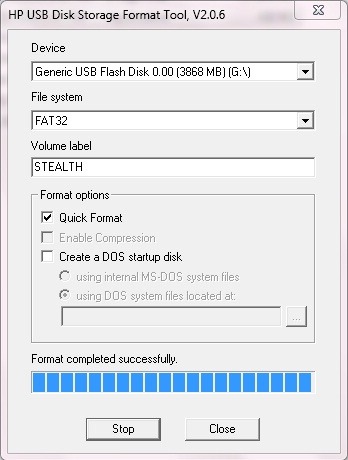
Mai intai de toate, trebuie sa reformatati stick-ul FAT32 pentru a-l face stövel, apoi montati imaginea pe un DVD virtual.
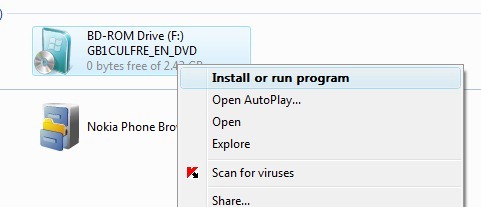
Apoi deschideti Kommandotolken cu administratörsrättigheter si copiati continutul imaginii Windows 7 (.iso) pe USB stick folosind comanda
- xcopy f: g: /f /g (unde f: este DVD-ul virtual iar g: este stick-ul USB)
Fisierele de instalare Windows 7 vor fi copiate pe stick-ul USB. Apoi, folosind acest stick, veti putea instala Windows 7 pe toate pc-urile care au optiunea de bootare de pe USB.


Du kanske också är intresserad av...

10 tankar om “Hur man installerar Windows 7 från ett USB-minne”