


Internet Explorer 9 es ist definitiv das stabilste Internetbrowser ins Leben gerufen von Microsoft. Nach längerer mäßiger Nutzung ist immer noch ein Fehler aufgetreten.
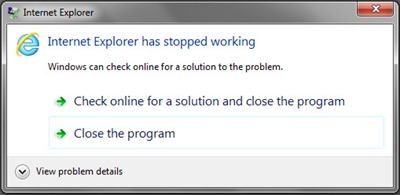
Dialogfeld “Der Internet Explorer funktioniert nicht mehr” stellt nicht unbedingt eine dar Fehler wegen des Browsers. Möglicherweise liegt ein Konflikt mit a vor Treiber oder mit einem Skript (Java, Actionscript, Ajax usw…)
In unserem Fall geht es um das Modul nvumdshim.dll was nicht sein kann “verdauen” von IE9 beim Zugriff auf Webseiten, die eine Anfrage stellen GPU. Es ist ein typischer Fehler von Computern und Laptopdiejenigen, die haben Grafikkarten nVidia und die sie festlegen Grafikkarte- um die GPU für Internet Explorer zu verwenden.
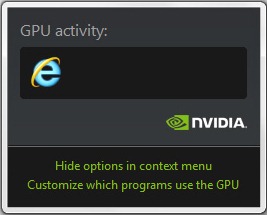
Lösung “Der Internet Explorer funktioniert nicht mehr” – Fehlermodulname: nvumdshim.dll
Öffnen Sie die GPU-Einstellungen (passen Sie an, welche Programme die GPU verwenden). > 3D-Einstellungen verwalten > Wir wählen “Microsoft Internet Explorer” und stellen Sie die Verwendung der integrierten Grafikkarte ein.
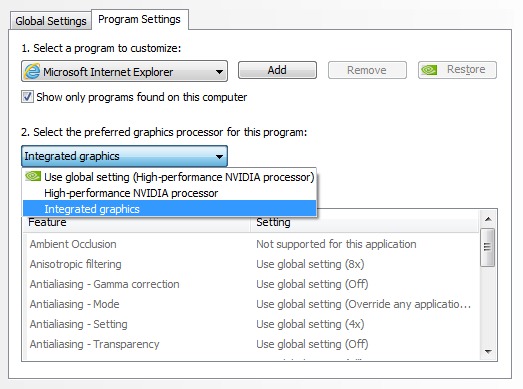
Wenn wir nur eine dedizierte Grafikkarte haben, müssen wir die 3D-/CUDA-GPU-Module für die Internet Explorer-Anwendung deaktivieren.
Stealth Settings – Behebung des Internet Explorer 9-Fehlers (Internet Explorer funktioniert aufgrund von nvumdshim.dll nicht mehr)


Vielleicht interessieren Sie sich auch für...

7 Gedanken zu “(Fix -Fehler) Internet Explorer hat nicht mehr funktioniert. / IE9 / Modul: nvumdshim.dll”