
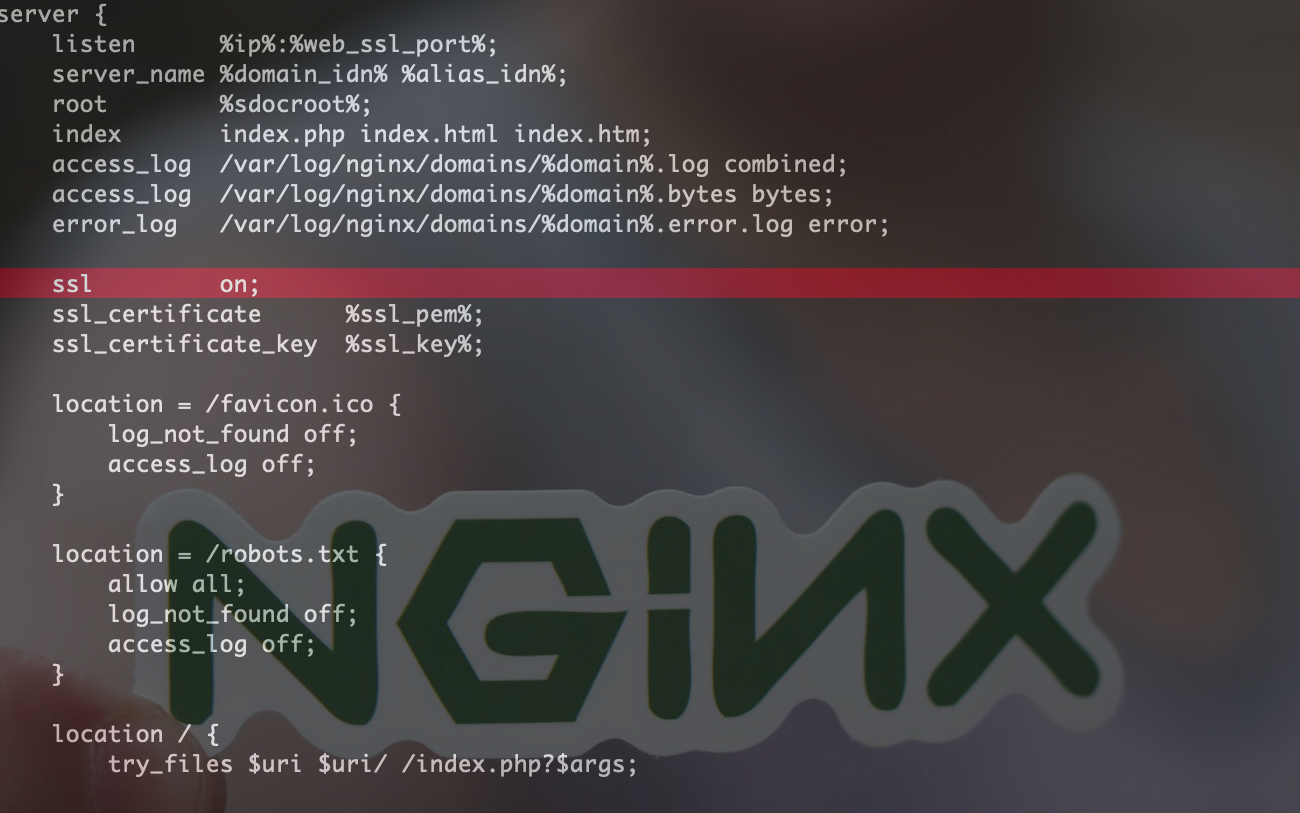

“nginx: [warn] the “ssl” directive is deprecated, use the “listen … ssl” directive instead in example.com.nginx.ssl.conf“ ist eine häufige Warnung auf Webservern mit alten Nginx-Konfigurationen oder mit VestaCP.
Inhalt
nginx -t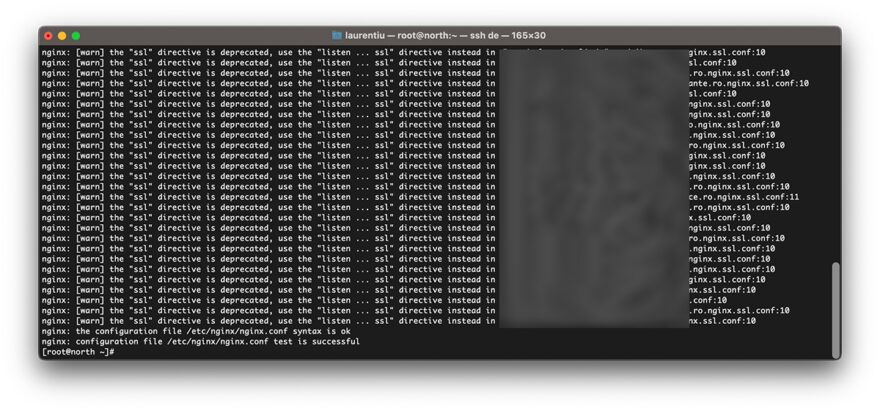
Diese Warnung erscheint am häufigsten auf Servern, auf denen VestaCP vor einigen Jahren in der Konfiguration installiert wurde nginx Die Richtlinie war notwendig “ssl on“.
So beheben Sie das Problem “SSL” Die Direktive ist veraltet in Nginx / VestaCP
Methode 1. Bearbeiten Sie die Datei nginx.conf für die Domäne
Für uns ist es am einfachsten, die Direktive mit # abzubrechen. “SSL an” für die Domain, in der wir Nginx-Warnungen haben.
sudo nano /home/vestacpuser/conf/web/example.com.nginx.ssl.conf# ssl on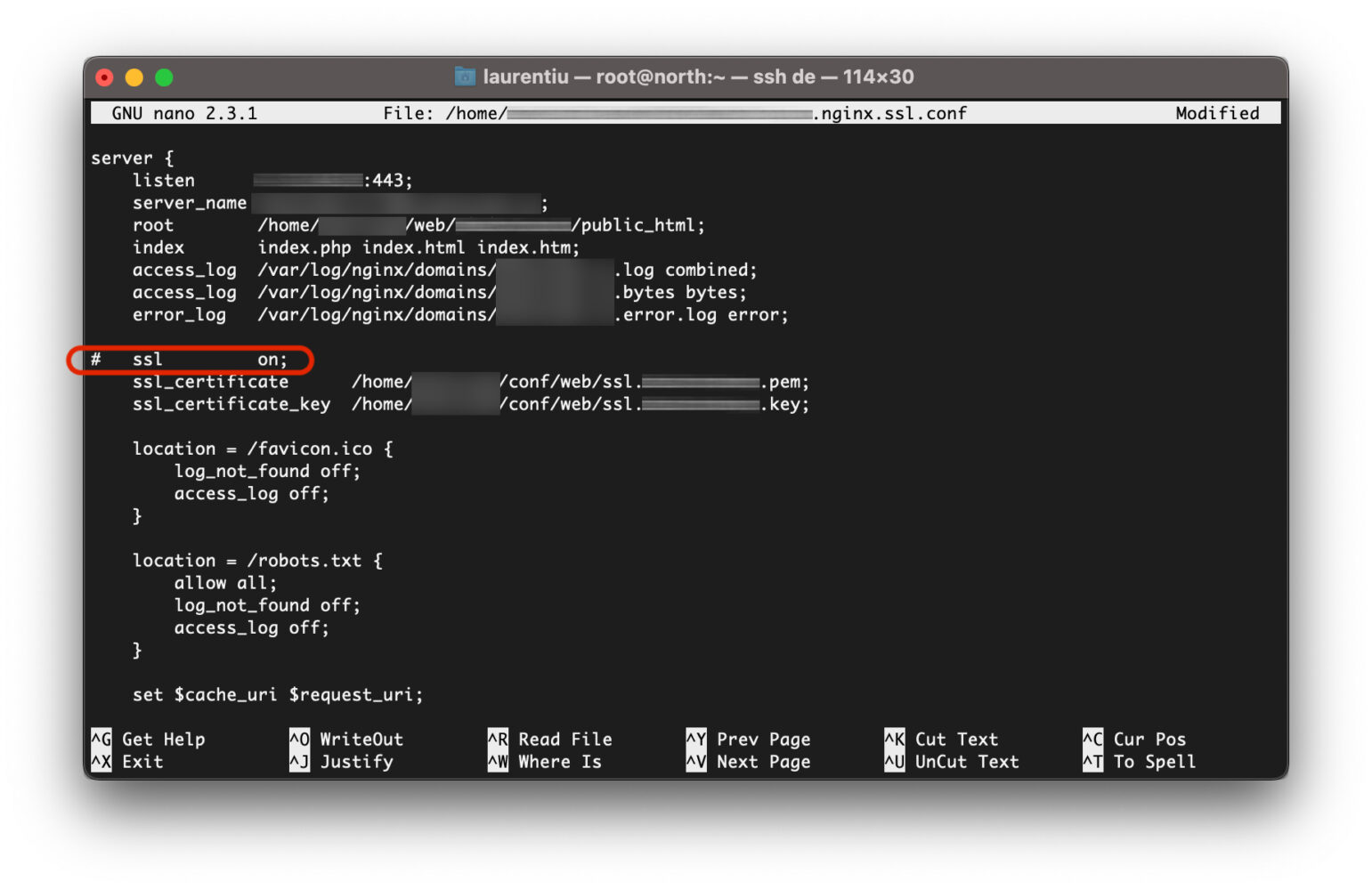
Wir speichern die Datei und führen sie dann erneut aus nginx -t. Fehler nginx: [warn] the “ssl” directive is deprecated…” wird nicht mehr vorhanden sein.
nginx -tDurch diese Methode wird der Fehler nicht dauerhaft behoben. Die neuen Domänen berücksichtigen die Konfigurationsdatei des Pakets, das dem Konto auf VestaCP zugewiesen ist.
Methode 2. Bearbeiten VestaCP Web Template für Nginx.
Bevor wir eines hinzufügen Benutzer In Vestacp, wir müssen Pakete erstellen. VestaCP Packages. Diese Pakete enthalten mehrere Konfigurationen für verschiedene CMS oder Skripte. Web Template (Nginx), Backend Template (PHP-FPM), DNS Template (NAMED).
Wenn wir a hinzufügen FELD auf eins Benutzer VestaCP, die Standard-Nginx-Konfiguration der neu hinzugefügten Domäne wird durch angegeben Web Template (Nginx) ausgewählt für das BenutzerpaketZu.
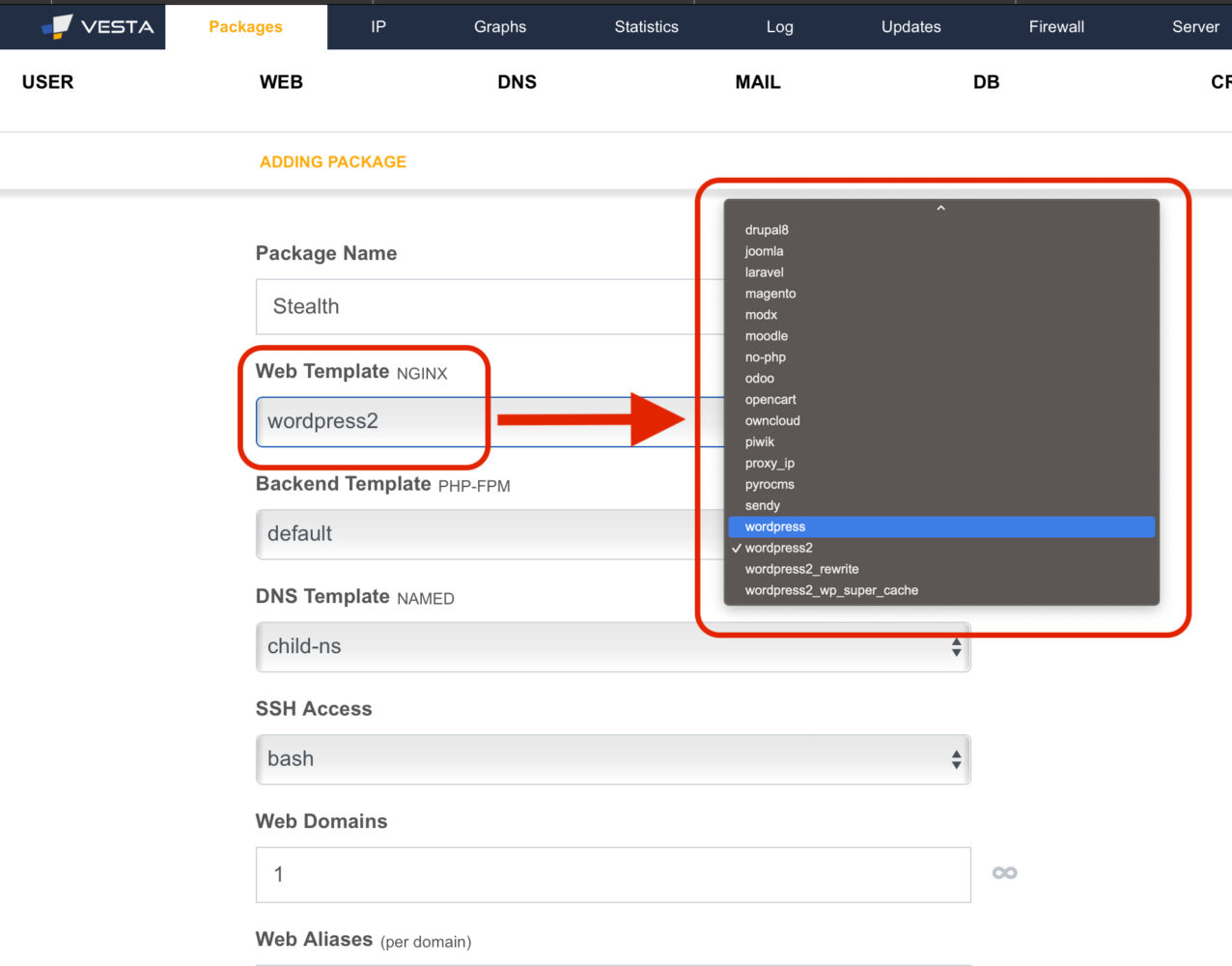
Wir nehmen das Szenario, in dem wir hinzufügen Vesta Package Name: Stealth mit Web Template NGINX: wordpress2. Wenn die Vorlage “wordpress2” enthält die Direktive “ssl on”, für die neuen Domänen, die mit dieser Vorlage hinzugefügt werden, ist diese veraltete Anweisung konfiguriert. Also ist es das Beste sa ändern Web Template In Vestacp. Daher werden die neu hinzugefügten Domains nicht mehr empfangen “SSL an” in der Nginx-Konfiguration.
Als es veröffentlicht wurde Web Template VestaCP zu beseitigen “ssl” directive is deprecated” ?
Die Vorlagen, die die Konfigurationsdateien der hinzugefügten Domänen schreiben, befinden sich in:
/usr/local/vesta/data/templates/web/nginx/php-fpmDiese haben zwei Enden. .tpl für Domains ohne SSL Und.stpl für Domänen mit aktiviertem SSL.
[root@north php-fpm]# pwd
/usr/local/vesta/data/templates/web/nginx/php-fpm
[root@north php-fpm]# ls -all
total 224
drwxr-xr-x 2 root root 4096 Jul  3 23:51 .
drwxr-xr-x 3 root root 4096 Apr 25  2017 ..
-rwxr-xr-x 1 root root 1737 Feb 27 07:12 cms_made_simple.stpl
-rwxr-xr-x 1 root root 1638 Feb 27 07:12 cms_made_simple.tpl
-rwxr-xr-x 1 root root 1770 Feb 27 07:12 codeigniter2.stpl
-rwxr-xr-x 1 root root 1671 Feb 27 07:12 codeigniter2.tpl
-rwxr-xr-x 1 root root 6528 Feb 27 07:12 datalife_engine.stpl
-rwxr-xr-x 1 root root 6429 Feb 27 07:12 datalife_engine.tpl
-rwxr-xr-x 1 root root 1601 Feb 27 07:12 default.stpl
-rwxr-xr-x 1 root root 1502 Feb 27 07:12 default.tpl
-rwxr-xr-x 1 root root 2176 Feb 27 07:12 dokuwiki.stpl
-rwxr-xr-x 1 root root 2076 Feb 27 07:12 dokuwiki.tpl
-rwxr-xr-x 1 root root 2280 Feb 27 07:12 drupal6.stpl
-rwxr-xr-x 1 root root 2177 Feb 27 07:12 drupal6.tpl
-rwxr-xr-x 1 root root 2508 Feb 27 07:12 drupal8.stpl
-rwxr-xr-x 1 root root 2415 Feb 27 07:12 drupal8.tpl
-rwxr-xr-x 1 root root 1949 Feb 27 07:12 joomla.stpl
-rwxr-xr-x 1 root root 1850 Feb 27 07:12 joomla.tpl
-rwxr-xr-x 1 root root 1667 Feb 27 07:12 laravel.stpl
-rwxr-xr-x 1 root root 1562 Feb 27 07:12 laravel.tpl
-rwxr-xr-x 1 root root 5590 Feb 27 07:12 magento.stpl
-rwxr-xr-x 1 root root 5488 Feb 27 07:12 magento.tpl
-rwxr-xr-x 1 root root 1928 Feb 27 07:12 modx.stpl
-rwxr-xr-x 1 root root 1828 Feb 27 07:12 modx.tpl
-rwxr-xr-x 1 root root 2446 Feb 27 07:12 moodle.stpl
-rwxr-xr-x 1 root root 2411 Feb 27 07:12 moodle.tpl
-rwxr-xr-x 1 root root 1303 Feb 27 07:12 no-php.stpl
-rwxr-xr-x 1 root root 1204 Feb 27 07:12 no-php.tpl
-rwxr-xr-x 1 root root 1990 Feb 27 07:12 odoo.stpl
-rwxr-xr-x 1 root root 1891 Feb 27 07:12 odoo.tpl
-rwxr-xr-x 1 root root 1724 Feb 27 07:12 opencart.stpl
-rwxr-xr-x 1 root root 1624 Feb 27 07:12 opencart.tpl
-rwxr-xr-x 1 root root 2796 Feb 27 07:12 owncloud.stpl
-rwxr-xr-x 1 root root 2701 Feb 27 07:12 owncloud.tpl
-rwxr-xr-x 1 root root 2081 Feb 27 07:12 piwik.stpl
-rwxr-xr-x 1 root root 1982 Feb 27 07:12 piwik.tpl
-rw-r--r-- 1 root root  189 Feb 27 07:12 proxy_ip.tpl
-rwxr-xr-x 1 root root 2124 Feb 27 07:12 pyrocms.stpl
-rwxr-xr-x 1 root root 2021 Feb 27 07:12 pyrocms.tpl
-rwxr-xr-x 1 root root 2478 Feb 27 07:12 sendy.stpl
-rwxr-xr-x 1 root root 2390 Feb 27 07:12 sendy.tpl
-rwxr-xr-x 1 root root 1952 Feb 27 07:12 wordpress2_rewrite.stpl
-rwxr-xr-x 1 root root 1859 Feb 27 07:12 wordpress2_rewrite.tpl
-rwxr-xr-x 1 root root 1842 Feb 27 07:12 wordpress2.stpl
-rwxr-xr-x 1 root root 1743 Feb 27 07:12 wordpress2.tpl
-rwxr-xr-x 1 root root 2701 Feb 27 07:12 wordpress2_wp_super_cache.stpl
-rwxr-xr-x 1 root root 2596 Feb 27 07:12 wordpress2_wp_super_cache.tpl
-rwxr-xr-x 1 root root 1601 Feb 27 07:12 wordpress.stpl
-rwxr-xr-x 1 root root 1502 Feb 27 07:12 wordpress.tpl
[root@north php-fpm]#
Wir nehmen das obige Szenario, in dem wir die Vorlage haben “wordpress2.stpl”. Wir bearbeiten diese Datei auf dem Webserver und löschen die Zeile mit der Direktive “SSL an”.
nano /usr/local/vesta/data/templates/web/nginx/php-fpm/wordpress2.stpl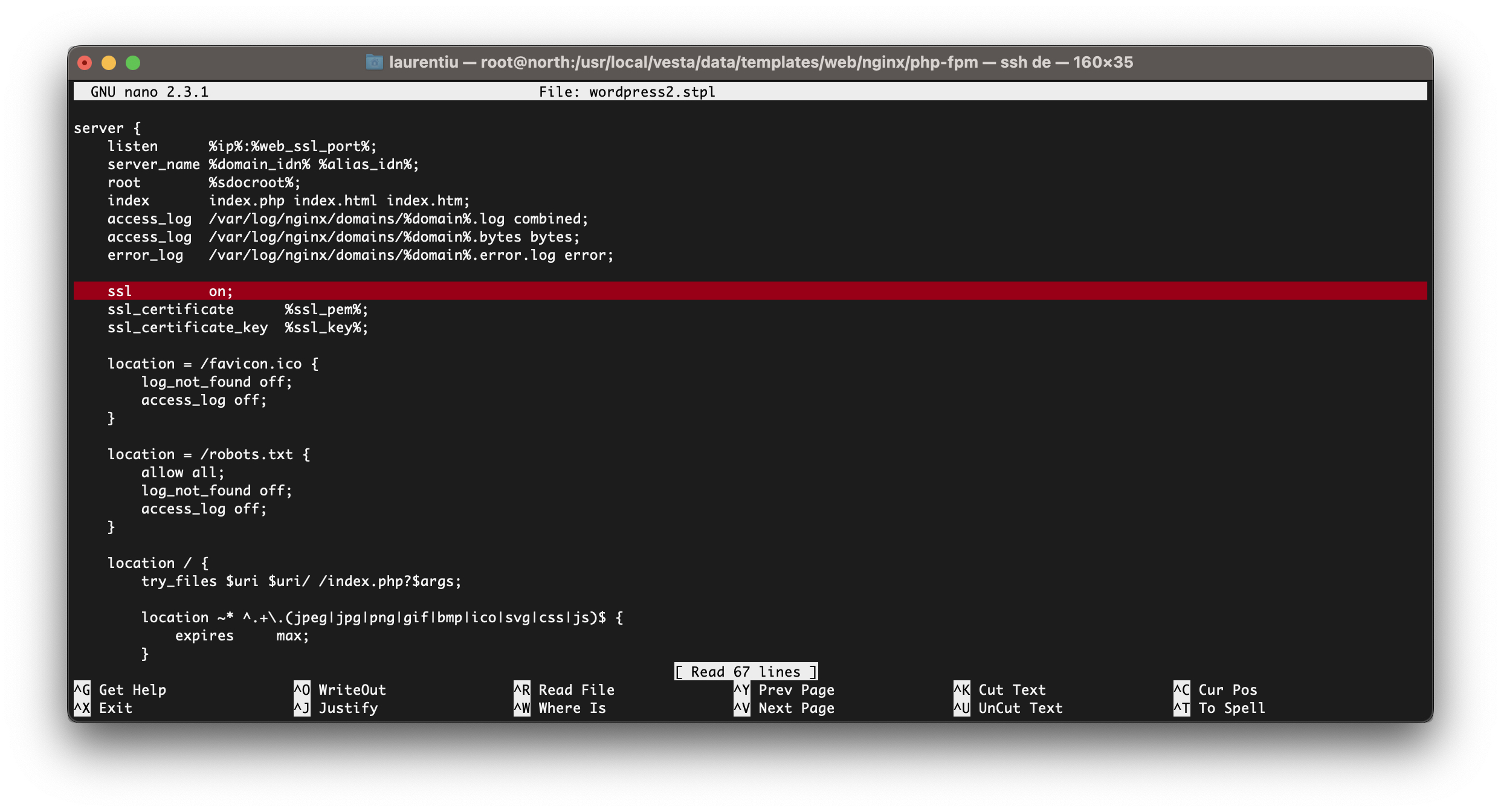
Nach dem Entfernen der Leitung “SSL an” Speichern Sie die Datei aus der Vorlage. Die folgenden Domänen, die mit dieser Vorlage hinzugefügt werden, verfügen nicht mehr über die veraltete Anweisung. “SSL” Die Direktive ist veraltet, Beim Testen von Nginx wird es nicht mehr angezeigt.
Auf die gleiche Weise können alle VestaCP-Webvorlagen geändert oder neue erstellt werden, um benutzerdefinierte Nginx- und PHP-FPM-Konfigurationen einzuschließen.


Vielleicht interessieren Sie sich auch für...
