


一連のインストール後、 プラグイン-uriと ブラシ-sの Adobe Photoshop CS4、プログラムの開始時に、 Photoshop.exe 次のエラーが発生しました:
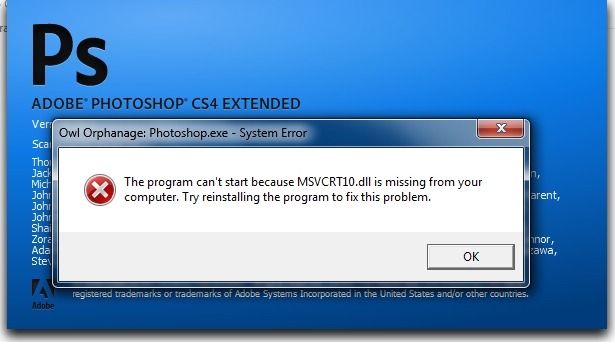
「コンピューターに MSVCRT10.dll がないため、プログラムを開始できません。 この問題を解決するには、プログラムを再インストールしてみてください。」
この問題は、Photoshop CS4 を再インストールするよりもはるかに簡単に解決できます。
MSVCRT10.dllエラーを修正:
1. エラー メッセージを閉じます。 「OK」ボタンを押しても閉じない場合は開いてください。 タスクマネージャー、「」を選択しますプロセス」、選択 Photoshop.exe そして「」ボタンをクリックしてください終了プロセス」。
2. 次のアーカイブをダウンロードし、その中から ファイルをコピーする: MSVCRT10.dll フォルダー内 プログラム ファイルAdobeAdobe Photoshop CS4 (Adobe Photoshop CS4 がインストールされているフォルダー)。
3.Photoshop CS4を再起動し、…これからも頑張ってね! :)


あなたも興味があるかもしれません...

Adobe Photoshopをデフォルト設定にどのようにリセットしますか(デフォルト)
Mac ユーザーでも Windows ユーザーでも、Adobe Photoshop をデフォルト設定にリセットする方法。