


Yahoo! Messenger Skins Download & Zainstalować
Y! M VISTA Skin
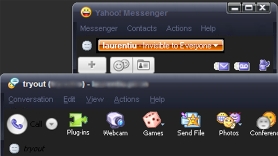
Pobierać Yahoo! Messenger Vista Skin – Y! Vista.zip
Y! M Black Window Skin
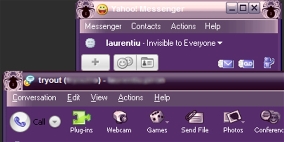
Pobierać Yahoo! Messenger Black Window Skin – Black Window.zip
Y! M “A Lil Bit Girly“
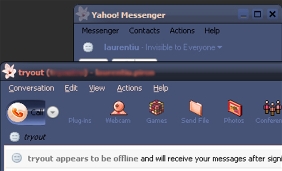
Pobierać Wieśniak! Posłaniec “A Lil Bit Girly” Skóra – A Lil Bit Girly.zip
Y! M Blue Jeans Skin
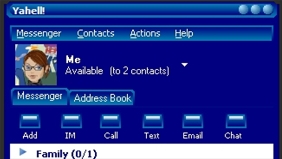
Pobierać “Blue Jeans” , Y!M Skin – Blue Jeans.zip
Installation Yahoo! Messenger Skins :
Open your skins folder (My computer\C:\Program Files\Yahoo\Messenger\Skins) or (C:\Program Files\Yahoo!\Shared\Graphics) once in your skins folder you need to create a “nowy folder” to do so click on “plik” then on “nowy” then “nowy folder”once you have created the new folder you need to rename it…to rename it..right click on the folder then click on “rename” tittle it with a name that describes the skin. Something that you’ll remember (if downloaded a Vista skin then name it Vista). Now go back to the window that has the unzipped file on it and ciągnąć & upuszczać each file into the new folder you just made (files are in one window…new folder is in another….you can resize both those windows so that they both appear on your screen).
Once you have all the files in the folder sign into Yahoo Messanger (if you weren’t signed in already) now click on “Login” on your messenger window, then click on “Preferencje” a new window will open and in that window on the left side click on “appearance” click on the arrow pointing down next to “current theme” and you’ll see the new skin in the list that is in the pull down window.(ex. Vista) click on it then click on “apply” which is located at the bottom of that window and click on “OK” .


Może zainteresują Cię także...

20 thoughts on “Wieśniak! Skórki Messengera (Y!M Vista, Czarne Okno & więcej)”