


For those using linux operating systems or for web server administrators, Checking the registration data of one IP or one Internet domain, is something on the order of the day.
jWhois It is a tool that can be installed very simply and with which you can request information related to registration, nameservere, directly from SSH.
Jwhois installation on Fedora / Rhel / Redhat / Centos / Scientific Linux, from SSH.
1. After logging in with root on the server, the next command line will install the jwhois.
# yum -y install jwhois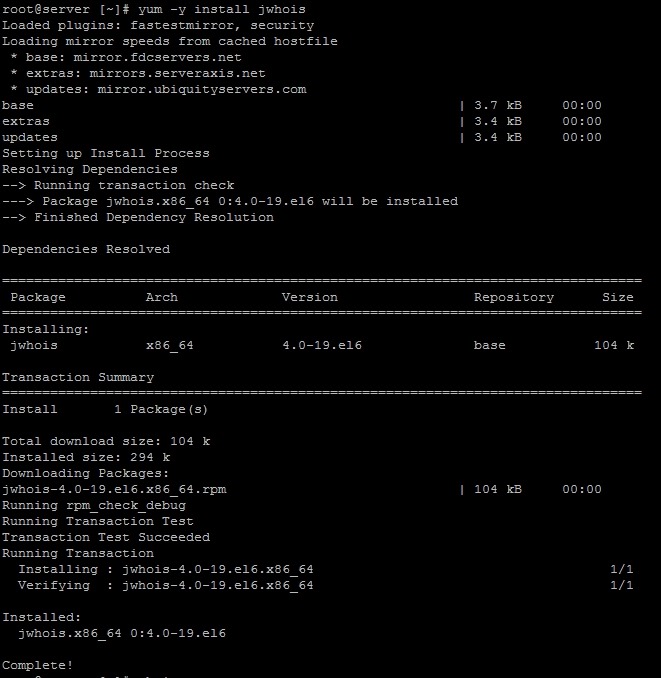
After completing the installation use the command “whois nume-domeniu.com” or “whois IP” to check the installation.
ex: whois google.com
whois –help
[root@server ~]# whois –help
jwhois version 4.0, Copyright (C) 1999-2007 Free Software Foundation, Inc.
This program is free software with ABSOLUTELY NO WARRANTY; you may
redistribute it under the terms of the GNU General Public License.
Usage: jwhois [OPTIONS] [QUERY]
–version display version number and patch level
–help display this help
-v, –verbose verbose debug output
-c FILE, –config=FILE use FILE as configuration file
-h HOST, –host=HOST explicitly query HOST
-n, –no-redirect disable content redirection
-s, –no-whoisservers disable whois-servers.net service support
-a, –raw disable reformatting of the query
-i, –display-redirections display all redirects instead of hiding them
-p PORT, –port=PORT use port number PORT (in conjunction with HOST)
-r, –rwhois force an rwhois query to be made
–rwhois-display=DISPLAY sets the display option in rwhois queries
–rwhois-limit=LIMIT sets the maximum number of matches to return
Stealth Settings : Jwhois installation on Fedora / Rhel / Redhat / Centos / Scientific Linux, from SSH.


You may also be interested in...
