

Ohne eins TV tuner instalat pe laptop, Windows Media Center nu prea este de folos. Am incercat sa accesez cateva calane de sport si de news online (Internet TV), dar nu am avut noroc.
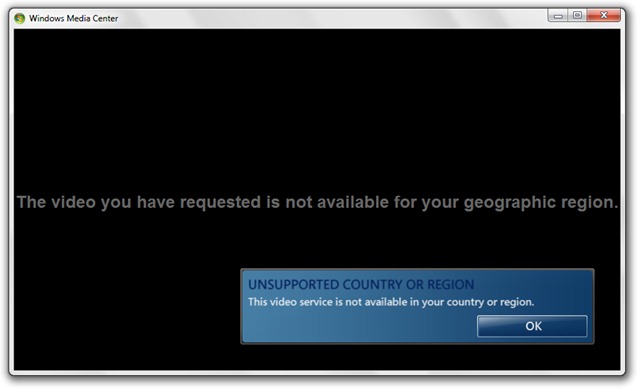
The video you have requested is not available for your geographic region.
Pentru fisierele Video ja Audio stocate pe calculator sunt alte playere care consuma mai putine resurse si isi fac treaba mult mai bine decat Windows Media Center. Nu vreau sa-i fac o reclama proasta acestui feature al Windows 7, insa in opinia mea iTunes este o alternativa serioasa (nu sunt fan iTunes).
Entfernen & Uninstall Windows Media Center (WMC) in Windows 7.
Für Benutzer von Windows 7 Ultimate, Windows Media Center se poate dezinstala foarte simplu din Windows -Funktionen.
1. Deschidem Windows Features.
Bedienfeld > Programme > Schalten Sie Windows-Funktionen ein oder aus .

2. in Windows -Funktionen offen Media Fetures apoi facem click sa debifam Windows Media Center. Apasam Yes pentru a confirma.
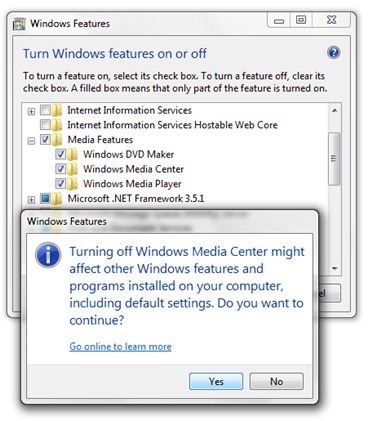
3. Click pe OK si asteptam pana se termina dezinstalarea.
4. You must restart your computer to apply these changes. Jetzt neu starten.


Vielleicht interessieren Sie sich auch für...

2 Gedanken dazu “Windows Media Center in Windows 7 deinstallieren / entfernen”
comment bloquer media center.
comment desinstaller windows media center sur windows7