


With the release of the version WordPress 2.8.2, or series of plugin-s, could no longer be accessed by blog administrators.
For example, those who use the plugin AdSend Deluxe, when they wanted to change something in the settings, they were greeted by the message “You do not have sufficient permissions to access this page.”
Rezolvarea : You do not have sufficient permission to access this page.
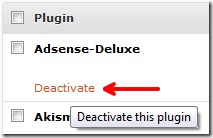
1. Go to Dashboard -> Plugins -> Disable the Adsense-Deluxe plugin.
2. Go to the plugin editor, and to the file adsense-deluxe.php, search and replace admin_head cu admin_menu. (click on the image below)
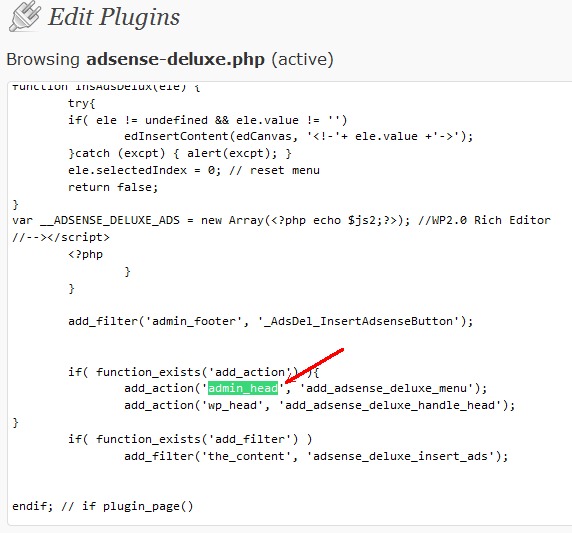
3. Save the change (Update File) and reactivate the Adsense Deluxe plugin.
Now you will no longer be greeted by the message: “You do not have sufficient permission to access this page”, when you want to make changes in the plugin settings.


You may also be interested in...
