

I think Y!Messenger she started to go crazy for a while. In the last week I had to reset password by Yahoo! 4-5 times.
Without making a mistake or someone changing my password, I would wake up with the message “Your account has been locked” when I try to log in on Y!Messenger, and on Yahoo! Mail was telling me that I made a wrong password.
As far as I knew, the message “Your account has been locked” appears after several failed login attempts. Probably someone is trying to crack my Y!M password or prevent me from logging into my Yahoo! account.
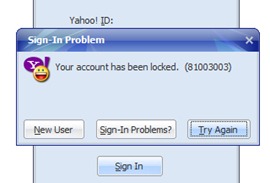
Solving the problem “Your account has been locked“
In the account of Yahoo! can be set o Alternate email address. The alternative e-mail address we use at Password reset, even when I forget personal data or the answers to the secret questions, set when I created the Yahoo! account.
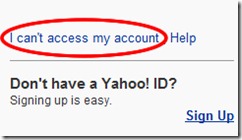
1. Click pe “I can`t access my account“.
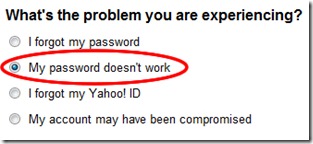
2. Check the box “My password doesn`t work“
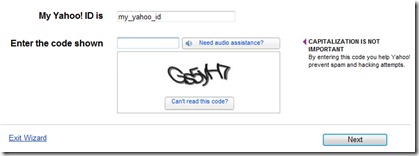
3. We introduce IDfor which we want to recover nonsense and security code from the picture.
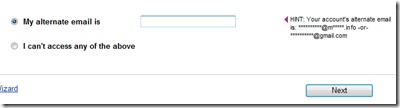
4. We enter the alternative e-mail address. To which, of course, we need to know the password.
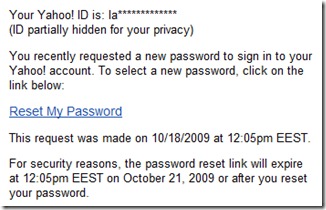
5. We check the alternative e-mail address and click on the password reset link. Reset My Password.
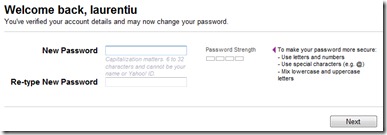
6. In the page that opens, you will have to enter your password. This can be your current password (the one that was no longer accepted) or a new password.
Now you can log in on Messenger or Yahoo! Mail without problems. This is a password recovery method, but it also works if you have a blocked ID. It is a effective solution to unlock the password of Yahoo! Messenger / Mail & etc Yahoo!.
Unlock Yahoo! Account Password – Yahoo ID Unlock!


You may also be interested in...
