
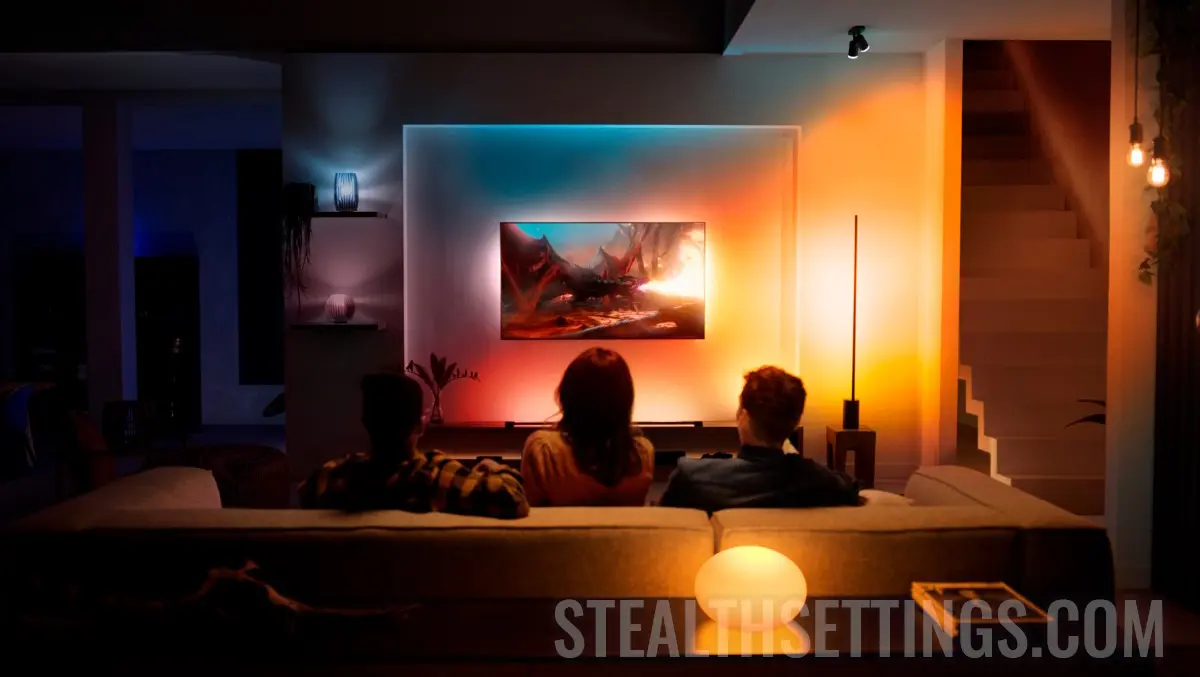

If for various reasons you no longer want a lamp, lustra, ceiling or bulb Philips Hue Not to be associated with the control console, this tutorial teaches you step by step, how you eliminate a smart Hue light from Hue Bridge.
In my configuration I have five smart lights Philips Hue: 2x Hue Play, ceilings Hue Bulb Flourish, lamp Hue Flourish, plus a lamp Hue Bloom. All this is connected to the console Philips Hue Bridge, from which I want to remove Hue Bloom.
How to eliminate a smart Hue light from Hue Bridge
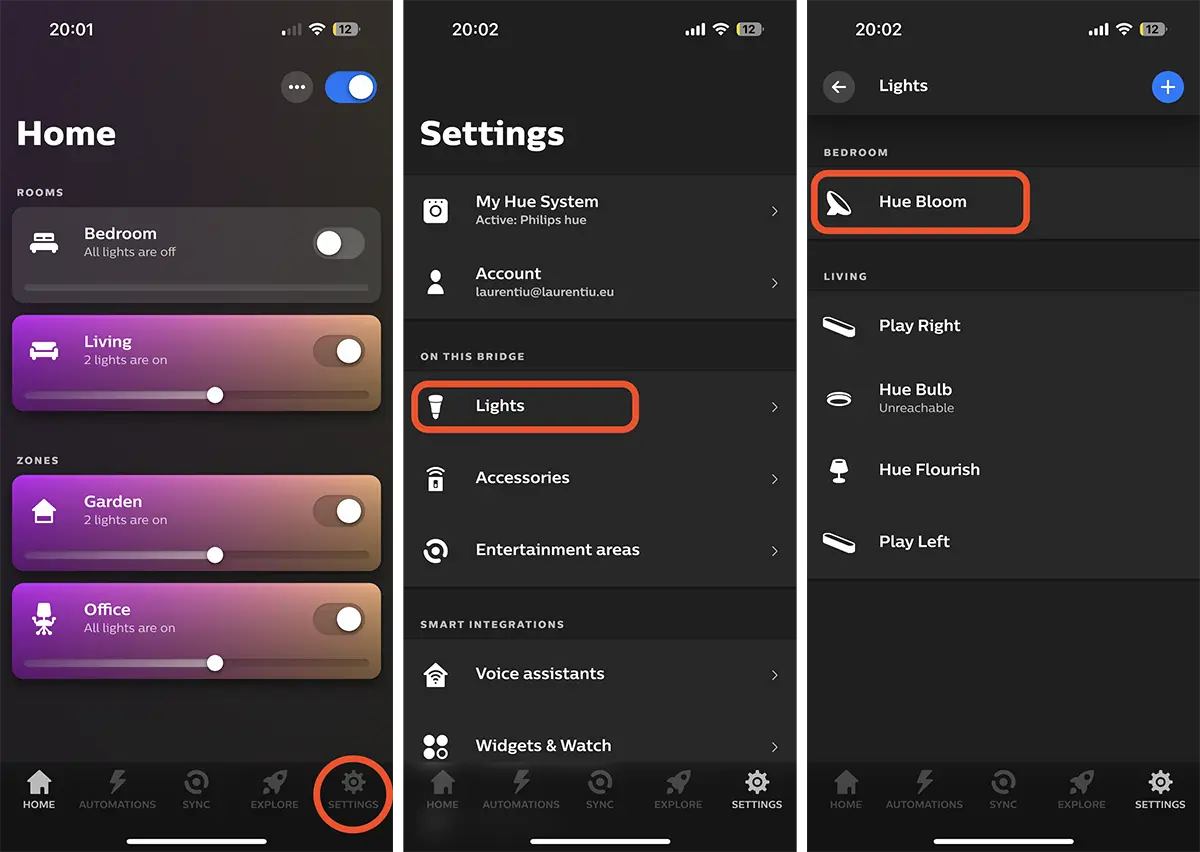
To delete / disassemble a smart hue light from Hue Bridge, open the app “Hue“, then go to: Settings > Lights, where you select the device you want to delete from the association. “Hue Bloom” For this example.
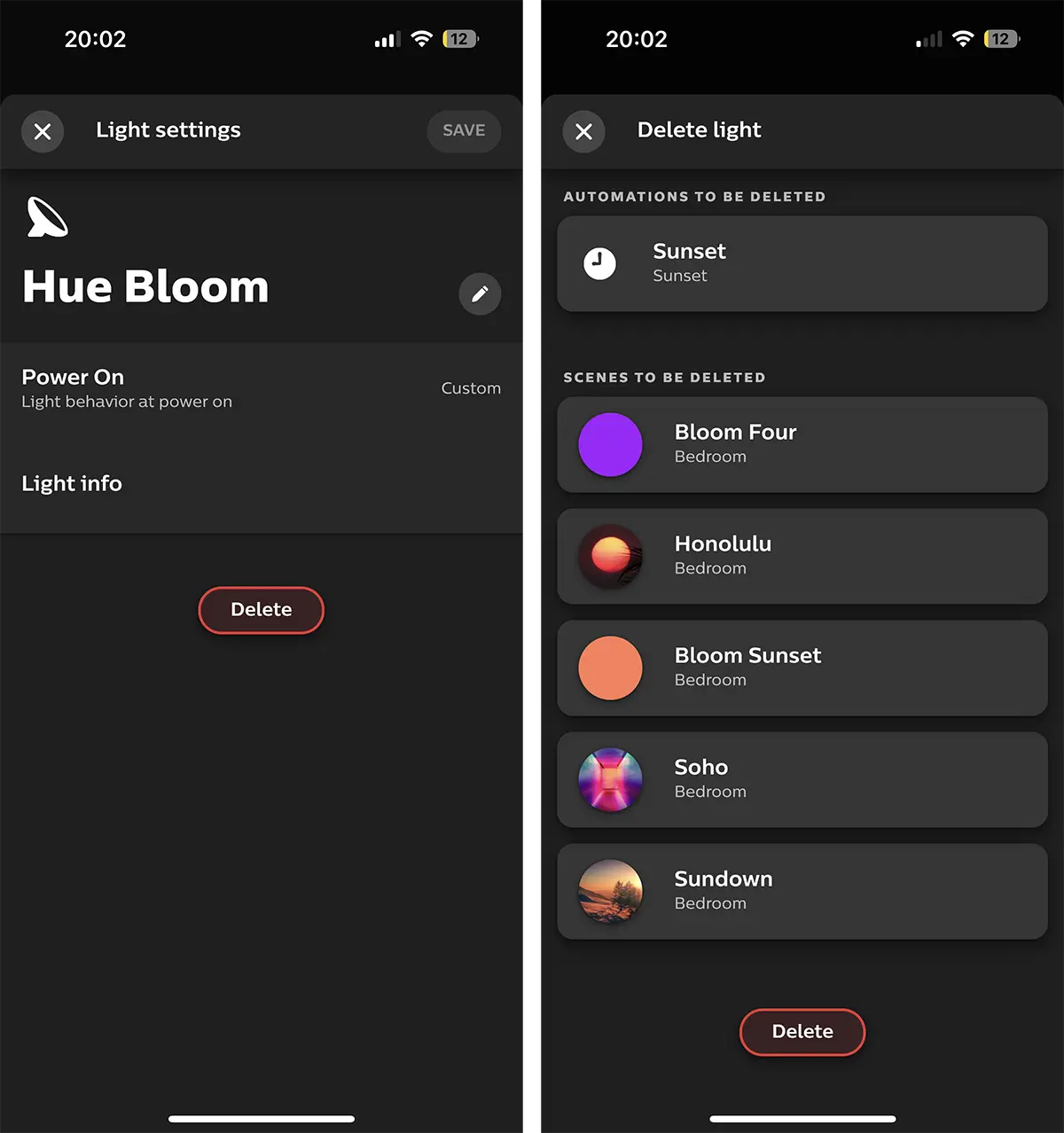
Next, press the button “Delete” to remove the lamp from Philips Hue Bridge.
You must keep in mind that they will be automatically deleted and all light shots of which it belongs.
Once the bulb, lamp, ceiling, LED tape or any other device is deleted from the association with Philips Hue Bridge, it will no longer be controlled from the app Hue installed on your mobile phone. In this way you eliminate a smart light Hue from Hue Bridge.
Related:
- How to connect intelligent Hue Lights to Philips Hue Bridge
- How do you install the Philips Hue Bridge console? Tutorial step by step.
If you have iPhone or iPad, the disposable device will no longer be unavailable in either HomeKit (app Home).


You may also be interested in...
