
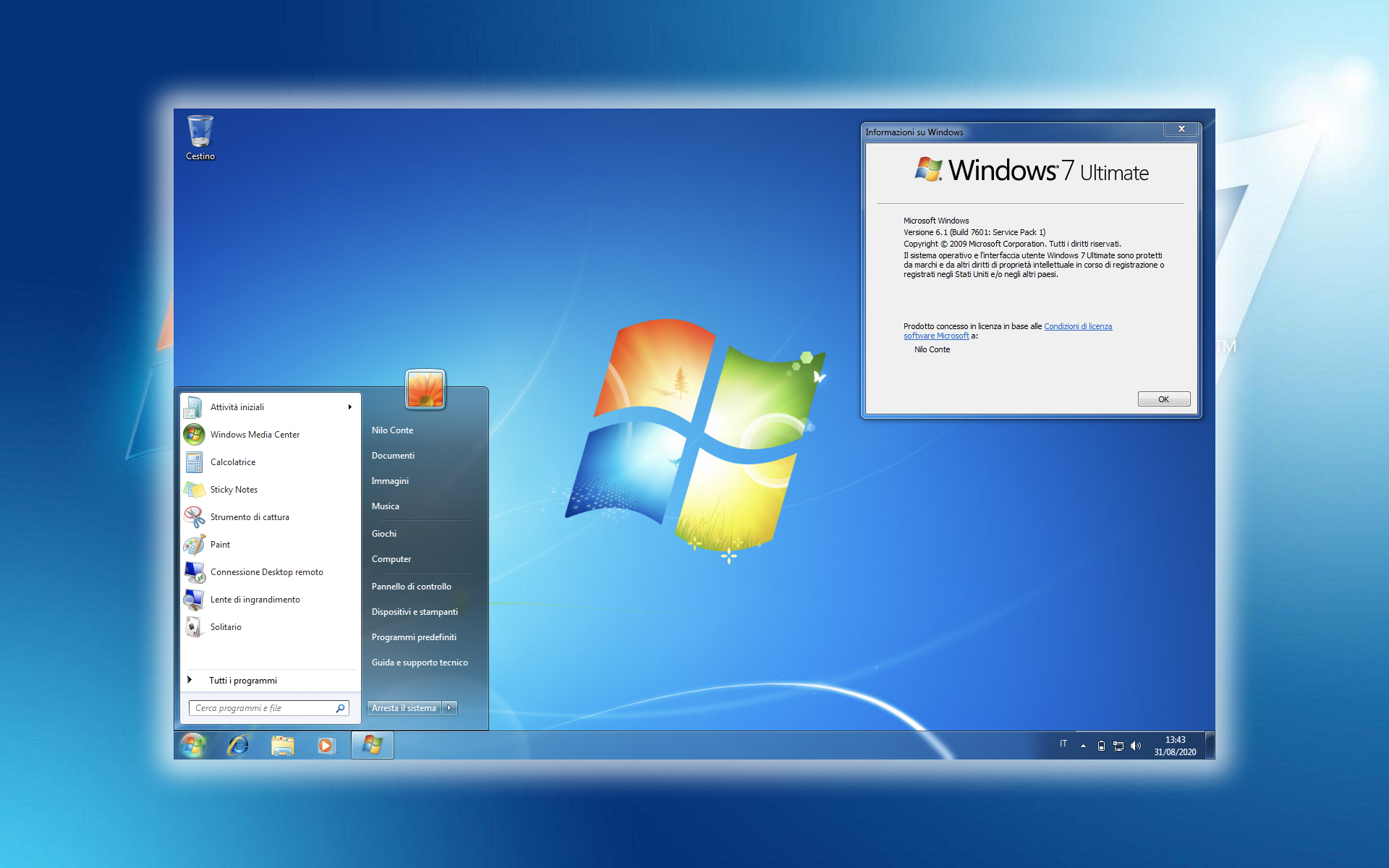

운영 체제 Windows 7 are foarte multe noutati fata de sistemele lansate anterior de Microsoft (Windows XP & Windows Vista) . Diferente de interfata grafica, functionalitate, administrare procese, etc… Pana si la 지름길-urile pe taste diferentele sunt considerabile. In Windows 7, Microsoft a decis sa foloseasca din plin combinatiile de taste si sa puna Ctrl 키-ul, 옮기다및 대체-ul la treaba.
Iata cateva 키보드 단축키 disponibile in Windows 7 :
Win+UP Arrow | Maximize the current window
Win+Down Arrow | If the current window is maximized, restore it; if the current window is restored, minimize it
Win+Up | Maximize Window
Win+Down | Minimize Window
Win+Left | Snap Window to left
Win+Right | Snap Window to right
Win+Shift+Left | Jump to left monitor
Win+Shift+Right | Jump to right monitor
Win+Home | Minimize / Restore all other windows
Win+T | Focus the first taskbar entry, similar to ALT +TAB
Win+Shift+T | Same as above in reverse order
Win+Space | Peek at the desktop
Win+G | Bring Gadgets to the top
Win+ [Num] | Launches the numbered app running in the Super bar
Win+P | Connecting displays to computers and switching from single monitor to dual|display
WIN+X | Mobility Center
Win + + | Zoom in and out of Windows
Win + | Zoom in and out of Windows
Alt+P | Show/hide Preview Pane in Explorer
Win + Tab | Windows Aero Task Switcher
Shift + Click on icon (Taskbar) | Open a new instance
Middle click on icon(Taskbar) | Open a new instance
Ctrl + Shift + Click on icon (Taskbar) | Open a new instance with Admin privileges
Shift + Right|click on icon (Taskbar) | Show window menu (Restore / Minimize / Move / etc)
Shift + Right|click on grouped icon (Taskbar) | Menu with Restore All / Minimize All / Close All, etc.
Ctrl + Click on grouped icon | Cycle between the windows (or tabs) in the group
Va aratam la inceputul lunii cum se personalizeaza meniul “Send To” ~에 Windows Vista. Este optiunea care va permite sa copiati / trimiteti un fisier sau un folder dintr-o locatie in alta, printr-un simplu 클릭 오른쪽.
Screenshot “Send To” in Windows Vista :
Dupa cum puteti observa in imaginea de mai sus, destinatiile oferite in Windows XP si in Windows Vista nu sunt foarte multe. Nici in Windows 7 nu ar fi mai multe…
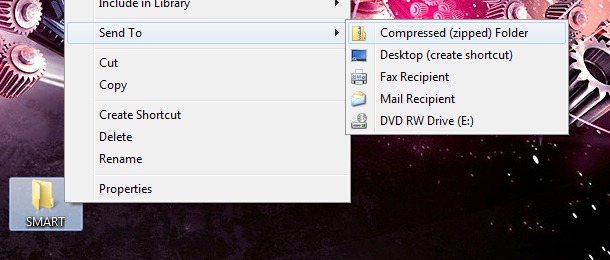
..dar daca tineti apasata tasta Shift in timp ce dati 클릭 오른쪽 pe fisier/folder o sa observati ca numarul destinatiilor catre care puteti fisierul sau folderul selectat de dvs. este mult mai mare…
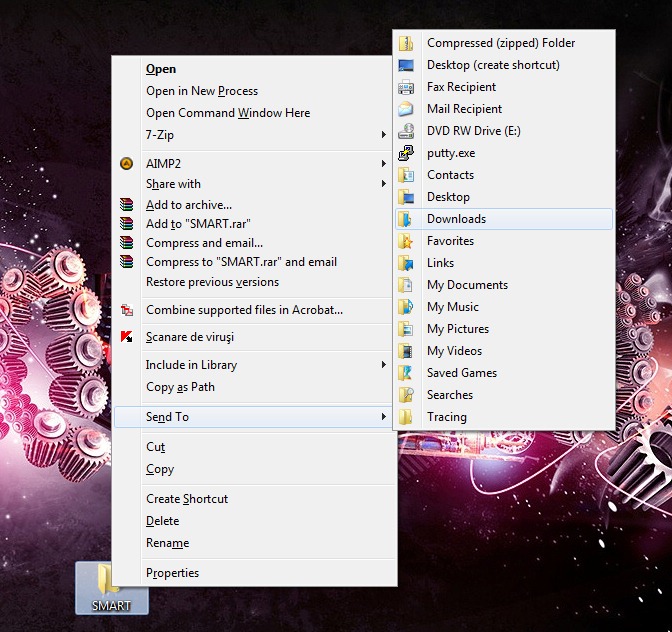
Nu prea imi dau seama cum as putea sa trimit eu folderul “SMART” (luat drept cobai pentru acest exemplu) pe fax sau in putty.exe, dar trebuie sa intelegem ca Windows 7 este momentan intr-un stadiu de dezvoltare Beta. :)
Ah..si in imaginea de mai sus mai puteti observa doua optiuni noi care mi-au aparut atunci cand am folosit combinatia Shift + click-dreapta.
Copy as Path - Copiaza locatia (calea) fisierului sau folderului PE HDD. In cazul exemplului de mai sus, folderul SMART este pe Desktop. Dupa ce am dat “Copy as Path”, in clipboard mi-a fost salvat “W:UsersStealth SettingsDesktopSMART”
Open in New Process – Deschide continutul folderului intr-un nou proces. (ex. explorer.exe). Aceasta noutate este foarte importanta in administrarea de resurse sistem.


당신은 또한에 관심이있을 수 있습니다 ...
