

Yesterday Apple released the update iOS 7.1, less than 6 months after launch mobile operating system with a completely changed design compared to its predecessors, iOS 7. This is the most significant software update received by iOS 7 until now, and it comes bundled with new features and some subtle changes to the interface, but also with fix-uri for certain system bugs and with improved performance.
If you haven't received it yet update alert pe iOS devices from the endowment (they must bear iOS 7 operating system to be compatible with the new update) or you prefer to be informed about it before installing it, you must know that iOS 7.1 include multiple UI tweaks, such as the new one design for the keys Shift and Caps Lock or the new icons for applications Phone, FaceTime and Messages, but also appearance changes in Phone App yes in the shutdown screen. In addition, the update comes bundled with a we are manual, improved, for Siri, but also the possibility of its users control how long Siri has to listen to their commands (now users have to hold down the Home button to allow the system to listen to their commands, and compared to previous versions, where Siri detects automatically when the user finishes speaking, often resulting in the erroneous interpretation of the commands, users decide when Siri stops listening to commands, releasing the Home button).
What are the most important new features included in iOS 7.1?

- Car Play - allows the use of applications such as Phone, Music, Messages, Maps in the car (if it is compatible with CarPlay and allows the device to be connected to the car); also, users can interact with the iOS device through Siri, but also through the buttons and controls included in the car's equipment
- Siri – in addition to controlling Siri's listening time by pressing and releasing the device's Home button, Siri now includes new, more natural voices (male and female) for certain languages such as British English, Australian English, Mandarin Chinese and Japanese
- Calendar - the new calendar offers users the option to display monthly events (Month view), and also automatically marks specific holidays for various regions/countries
- iTunes Radio – now allows easier creation of radio stations based on users' favorite song or artist; In addition, they can now purchase albums directly from the song playback screen
- Accessibility – new options for displaying the shape of the buttons; possibility of darkening the colors in applications; the inclusion of messages, weather information and animations for the multitasking interface in the Reduce Motion option
- Camera - automatic activation of the HDR option for iPhone 5S devices
- Touch ID - improvement in terms of fingerprint recognition
- Fixture for the sudden interruption of the homescreen operation and for the erroneous display of the number of unread messages on the Mail application icon when it is greater than 10,000
Also, iOS 7.1 brings improvements in regards to performance and system responsiveness for device users iPhone 4. For those interested to receive information about the new update for iOS 7 straight from the source, Apple also launched a dedicated web page ITS, where users can read about key features and the improvements included in iOS 7.1
Update-ul iOS 7.1 is available for download via OTA (Over The Air) for devices iPhone 4, iPhone 4S, iPhone 5, iPhone 5S, iPhone 5C, iPad 2, iPad 3rd Generation, iPad 4th Generation, iPad Air, iPad mini and iPod touch 5th Generation. To install the update, go to Settings > General > Software Update.
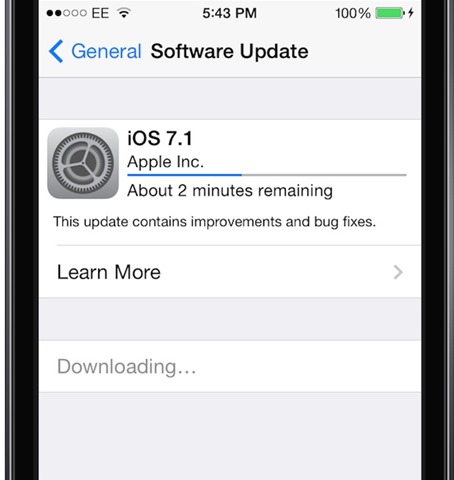
STEALTH SETTINGS – iOS 7.1 brings new features and performance improvements


You may also be interested in...
