


I den här handledningen kommer du att lära dig hur activezi TLSv1.3 eller NGINX. Vad betyder det TLSv 1.3, vad hjälper det och varför du behöver på webbservern som TLS kan aktiveras. För servrar med ledningssystem Vestacp (CentOS eller Ubuntu) är lite svårare för att aktivera TLS 1.3 än på en cPanel-server, men det är inte omöjligt.
innehåll
Varför är TLS 1.3 bättre än TLS 1.2?
TLS (Transport Layer Security) Det är en kryptografiskt protokoll som säkerställer anslutningssäkerhet mellan datorn och ett nätverk som den är en del av. TLS det används i applikationer som: e-post, budbärare, röst- och videosamtal (VoIP), men särskilt kl HTTPS. Säkerställ säker kommunikation mellan användarens dator eller smartphone och webbservern för den åtkomst till sidan.
TLS 1.3 erbjuder a högre hastighet klientinloggning – server och en plus säkerhet genom att eliminera vissa algoritmer. Skillnaderna mellan TLSV1.2 och TLSV1.3.
Om HTTPS, SSL (Secure Sockets Layer) Jag sa också i andra artiklar:
- Hur vi installerar SSL (HTTPS -anslutning) certifierad för en Hostat -webbplats på en NGINX -server utan CPANEL eller VESTACP
- Recompilare OpenSSL 1.1 & Ningin 1.25 för TLS 1.3 (CentOS 7)
- Hur man flyttar en blogg eller WordPress -webbplats från http till https (nginx)
- Radera gamla domäner certifikatcertifikat (låt oss kryptera certifikat)
Hur man aktiverar TLS 1.3 på NGINX. Server med VestaCP / CentOS-hantering
Innan du tittar på hur man aktiverar TLSv1.3 på NGINX finns det några minimikrav att överväga TLS 1.3.
- NGINX 1.13.x eller senare
- Ett giltigt TLS-certifikat
- Aktivt domännamn med korrekt konfigurerad DNS – vara tillgänglig på Internet
- Ett giltigt TLS/SSL-certifikat. Det kan det också vara Let’s Encrypt.
På VestaCP installerat för länge sedan har vi bara protokollet tillgängligt TLS 1.2. Jag har sett i många tutorials att det räcker som i nginx.conf lägg till följande rad för att aktivera TLS 1.3:
server {

  listen 443 ssl http2;
  listen [::]:443 ssl http2;

  server_name example.com;
  root /var/www/example.com/public;

  ssl_certificate /path/to/your/certificate.crt;
  ssl_certificate_key /path/to/your/private.key;

  ssl_protocols TLSv1.2 TLSv1.3;
Falsk. Om på en server CentOS cu-hantering Vestacp, NGINX kompilerades inte med minimiversionen OpenSSL 1.1.1.1, ssl_protocols TLSv1.2 TLSv1.3; i nginx.conf .. det hjälper inte alls.
[root@north ~]# nginx -V
nginx version: nginx/1.22.0
built by gcc 4.8.5 20150623 (Red Hat 4.8.5-44) (GCC)
built with OpenSSL 1.0.2k-fips  26 Jan 2017
TLS SNI support enabled
Så i exemplet ovan är Nginx 1.22.0 kompatibel med TLS version 1.3, men vårt bibliotek hjälper inte OpenSSL 1.0.2k-fips.
För att aktivera TLSv1.3 på Nginx måste du först installera de underordnade biblioteken och utvecklingspaketen. Development Tools. Kör kommandoraderna i CentOS 7:
yum install gcc gcc-c++ pcre-devel zlib-devel make unzip gd-devel perl-ExtUtils-Embed libxslt-devel openssl-devel perl-Test-Simple
yum groupinstall 'Development Tools'
1. Installera den senaste versionen OpenSSL
För närvarande är den senaste versionen OpenSSL 1.1.1p, men så vitt jag har sett fanns det redan OpenSSL 3. Du hittar källorna på OpenSSL.org.
cd /usr/src
wget https://www.openssl.org/source/openssl-1.1.1p.tar.gz
tar xvf openssl-1.1.1p.tar.gz
mv openssl-1.1.1p openssl
cd openssl
./config --prefix=/usr/local/openssl --openssldir=/usr/local/openssl --libdir=/lib64 shared zlib-dynamic
make -j4
make test
make install
Väldigt viktigt att springa make test innan du installerar biblioteket. Om testet har fel, kör inte make install tills felen är åtgärdade.
I nästa steg gör vi en säkerhetskopia av den aktuella binära filen openssl och vi lägger till symlink till den nya.
mv /usr/bin/openssl /usr/bin/openssl-backup
ln -s /usr/local/openssl/bin/openssl /usr/bin/openssl
I /usr/local/openssl/bin utföra ldd för att kontrollera openssl-beroenden. Vi kan möjligen också kontrollera versionen av openssl. Kommando openssl version.
[root@north bin]# ldd openssl
	linux-vdso.so.1 =>  (0x00007ffd20bd7000)
	libssl.so.1.1 => /lib64/libssl.so.1.1 (0x00007fab09b62000)
	libcrypto.so.1.1 => /lib64/libcrypto.so.1.1 (0x00007fab09675000)
	libdl.so.2 => /lib64/libdl.so.2 (0x00007fab09471000)
	libpthread.so.0 => /lib64/libpthread.so.0 (0x00007fab09255000)
	libc.so.6 => /lib64/libc.so.6 (0x00007fab08e87000)
	/lib64/ld-linux-x86-64.so.2 (0x00007fab09df5000)
[root@north bin]# openssl version
OpenSSL 1.1.1p  21 Jun 2022
Vi har för närvarande den senaste versionen installerad OpenSSL som består TLSv1.3. Vi kan kontrollera versionerna TLS / SSL stöds av bokhandlar OpenSSL efter beställning:
[root@north bin]# openssl ciphers -v | awk '{print $2}' | sort | uniq
SSLv3
TLSv1
TLSv1.2
TLSv1.3
[root@north bin]#
Detta betyder inte att webbplatser hostas med hjälp av chefen VestaCP de kommer att ha omedelbart TLS 1.3.
Även om vi har installerat OpenSSL 1.1.1p, Nginx kompileras med den gamla versionen OpenSSL 1.0.2k-fips.
[root@north bin]# nginx -V
nginx version: nginx/1.22.0
built by gcc 4.8.5 20150623 (Red Hat 4.8.5-44) (GCC)
built with OpenSSL 1.0.2k-fips  26 Jan 2017
TLS SNI support enabled
configure arguments: --prefix=/etc/nginx --sbin-path=/usr/sbin/nginx --modules-path=/usr/lib64/nginx/modules --conf-path=/etc/nginx/nginx.conf --error-log-path=/var/log/nginx/error.log --http-log-path=/var/log/nginx/access.log --pid-path=/var/run/nginx.pid --lock-path=/var/run/nginx.lock --http-client-body-temp-path=/var/cache/nginx/client_temp --http-proxy-temp-path=/var/cache/nginx/proxy_temp --http-fastcgi-temp-path=/var/cache/nginx/fastcgi_temp --http-uwsgi-temp-path=/var/cache/nginx/uwsgi_temp --http-scgi-temp-path=/var/cache/nginx/scgi_temp --user=nginx --group=nginx --with-compat --with-file-aio --with-threads --with-http_addition_module --with-http_auth_request_module --with-http_dav_module --with-http_flv_module --with-http_gunzip_module --with-http_gzip_static_module --with-http_mp4_module --with-http_random_index_module --with-http_realip_module --with-http_secure_link_module --with-http_slice_module --with-http_ssl_module --with-http_stub_status_module --with-http_sub_module --with-http_v2_module --with-mail --with-mail_ssl_module --with-stream --with-stream_realip_module --with-stream_ssl_module --with-stream_ssl_preread_module --with-cc-opt='-O2 -g -pipe -Wall -Wp,-D_FORTIFY_SOURCE=2 -fexceptions -fstack-protector-strong --param=ssp-buffer-size=4 -grecord-gcc-switches -m64 -mtune=generic -fPIC' --with-ld-opt='-Wl,-z,relro -Wl,-z,now -pie'
[root@north bin]# openssl version
OpenSSL 1.1.1p  21 Jun 2022
[root@north bin]#
2. Kompilera om Nginx för systemet VestaCP
I detta steg måste vi kompilera om för OpenSSL version av Nginx redan installerad på systemet CentOS / VestaCP. Som jag sa ovan, i mitt fall handlar det om nginx/1.22.0. Eftersom vi pratar om en webbserver som har VestaCP administrationssystem, innan vi börjar kompilera om är det bra att göra en säkerhetskopia av nginx-konfigurationsfilerna.
Säkerhetskopiera Nginx aktuell på systemet VestaCP
Arkivera och förvara katalogerna någonstans på servern “/etc/nginx” och “/usr/local/vesta/nginx“.
SIKT nginx -V och spara befintliga moduler till en fil.
configure arguments: --prefix=/etc/nginx --sbin-path=/usr/sbin/nginx --modules-path=/usr/lib64/nginx/modules --conf-path=/etc/nginx/nginx.conf --error-log-path=/var/log/nginx/error.log --http-log-path=/var/log/nginx/access.log --pid-path=/var/run/nginx.pid --lock-path=/var/run/nginx.lock --http-client-body-temp-path=/var/cache/nginx/client_temp --http-proxy-temp-path=/var/cache/nginx/proxy_temp --http-fastcgi-temp-path=/var/cache/nginx/fastcgi_temp --http-uwsgi-temp-path=/var/cache/nginx/uwsgi_temp --http-scgi-temp-path=/var/cache/nginx/scgi_temp --user=nginx --group=nginx --with-compat --with-file-aio --with-threads --with-http_addition_module --with-http_auth_request_module --with-http_dav_module --with-http_flv_module --with-http_gunzip_module --with-http_gzip_static_module --with-http_mp4_module --with-http_random_index_module --with-http_realip_module --with-http_secure_link_module --with-http_slice_module --with-http_ssl_module --with-http_stub_status_module --with-http_sub_module --with-http_v2_module --with-mail --with-mail_ssl_module --with-stream --with-stream_realip_module --with-stream_ssl_module --with-stream_ssl_preread_module --with-cc-opt='-O2 -g -pipe -Wall -Wp,-D_FORTIFY_SOURCE=2 -fexceptions -fstack-protector-strong --param=ssp-buffer-size=4 -grecord-gcc-switches -m64 -mtune=generic -fPIC' --with-ld-opt='-Wl,-z,relro -Wl,-z,now -pie'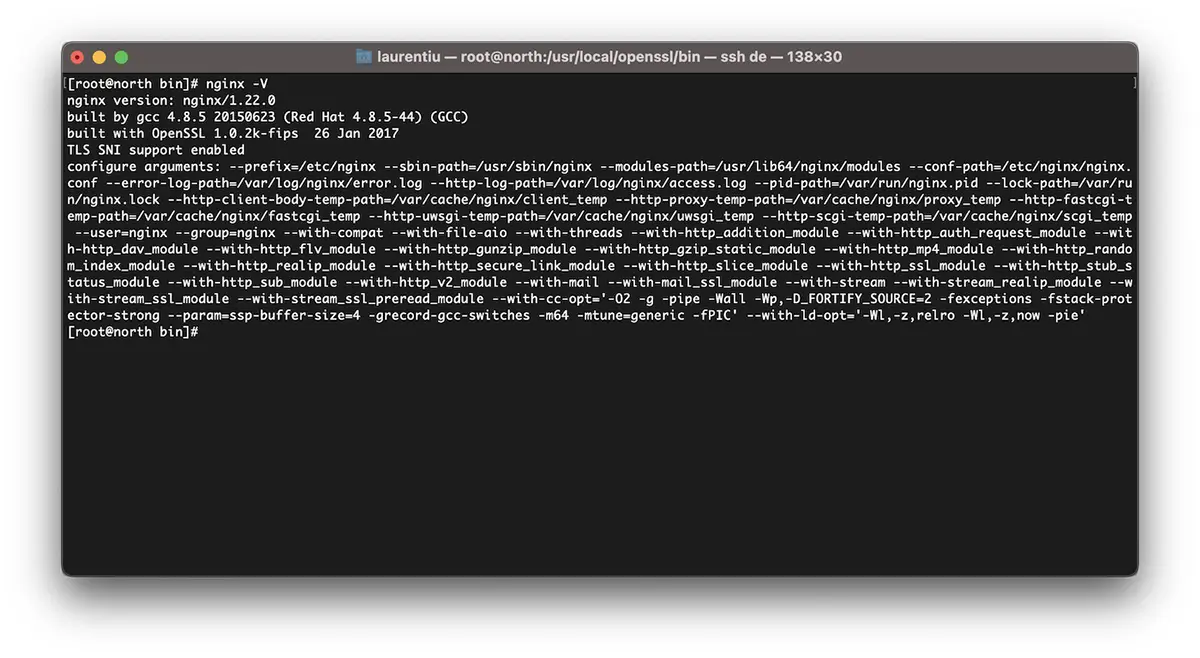
Hur man omkompilerar Nginx för OpenSSL / CentOS 7-uppgradering
Jag upprepar. Om du har Vestacp, ladda ner versionen av Nginx som du redan har installerat. Du kan hitta alla arkiv med Nginx-versioner på nginx.org.
cd /usr/src
wget https://nginx.org/download/nginx-1.22.0.tar.gz
tar xvf nginx-1.22.0.tar.gz
cd nginx-1.22.0
Vi kompilerar om nginx-modulerna:
./configure --prefix=/etc/nginx \
--sbin-path=/usr/sbin/nginx \
--modules-path=/usr/lib64/nginx/modules \
--conf-path=/etc/nginx/nginx.conf \
--error-log-path=/var/log/nginx/error.log  \
--http-log-path=/var/log/nginx/access.log  \
--pid-path=/var/run/nginx.pid  \
--lock-path=/var/run/nginx.lock  \
--http-client-body-temp-path=/var/cache/nginx/client_temp  \
--http-proxy-temp-path=/var/cache/nginx/proxy_temp  \
--http-fastcgi-temp-path=/var/cache/nginx/fastcgi_temp  \
--http-uwsgi-temp-path=/var/cache/nginx/uwsgi_temp  \
--http-scgi-temp-path=/var/cache/nginx/scgi_temp  \
--user=nginx  \
--group=nginx  \
--with-compat  \
--with-file-aio  \
--with-threads  \
--with-http_addition_module  \
--with-http_auth_request_module  \
--with-http_dav_module  \
--with-http_flv_module  \
--with-http_gunzip_module  \
--with-http_gzip_static_module  \
--with-http_mp4_module  \
--with-http_random_index_module  \
--with-http_realip_module  \
--with-http_secure_link_module  \
--with-http_slice_module  \
--with-http_ssl_module  \
--with-http_stub_status_module  \
--with-http_sub_module  \
--with-http_v2_module  \
--with-mail  \
--with-mail_ssl_module  \
--with-stream  \
--with-stream_realip_module  \
--with-stream_ssl_module  \
--with-stream_ssl_preread_module  \
--with-openssl=/usr/src/openssl  \
--with-cc-opt='-O2 -g -pipe -Wall -Wp,-D_FORTIFY_SOURCE=2 -fexceptions -fstack-protector-strong  \
--param=ssp-buffer-size=4 -grecord-gcc-switches -m64 -mtune=generic -fPIC'  \
--with-ld-opt='-Wl,-z,relro -Wl,-z,now -pie'
make -j4
make installVi har nu Nginx installerat och kompilerat med den senaste versionen av OpenSSL kan stödja TLSv1.3.
[root@north bin]# nginx -V
nginx version: nginx/1.22.0
built by gcc 4.8.5 20150623 (Red Hat 4.8.5-44) (GCC)
built with OpenSSL 1.1.1p  21 Jun 2022
TLS SNI support enabled
*om nginx redan var installerat på servern måste du avinstallera det. Kompilera fungerar inte på nginx-uppgradering.
Hur man aktiverar TLSv1.3 för domäner på VestaCP
I filen /etc/nginx/nginx.conf vi lägger till följande rader:
ssl_protocols TLSv1.2 TLSv1.3;
ssl_prefer_server_ciphers on;
ssl_ciphers 'ECDHE-ECDSA-AES256-GCM-SHA384:ECDHE-RSA-AES256-GCM-SHA384:ECDHE-ECDSA-CHACHA20-POLY1305:ECDHE-RSA-CHACHA20-POLY1305:ECDHE-ECDSA-AES128-GCM-SHA256:ECDHE-RSA-AES128-GCM-SHA256:ECDHE-ECDSA-AES256-SHA384:ECDHE-RSA-AES256-SHA384:ECDHE-ECDSA-AES128-SHA256:ECDHE-RSA-AES128-SHA256';
På domännivå ändrade jag något i mallarna VestaCP och för att aktivera HTTP/2. Så när jag lägger till en ny domän (example.com) med Let's Encrypt aktiverat, har jag följande konfigurationsfil för SSL:
cat /home/vestacpuser/conf/web/example.com.nginx.ssl.conf

server {
    listen      IP.IP.IP.IP:443 ssl http2;
    server_name example.com www.example.com;
    root        /home/vestacpuser/web/example.com/public_html;
    index       index.php index.html index.htm;
    access_log  /var/log/nginx/domains/example.com.log combined;
    access_log  /var/log/nginx/domains/example.com.bytes bytes;
    error_log   /var/log/nginx/domains/example.com.error.log error;

    ssl_certificate      /home/vestacpuser/conf/web/ssl.example.com.pem;
    ssl_certificate_key  /home/vestacpuser/conf/web/ssl.example.com.key;

....

ssl_protocols TLSv1.2 TLSv1.3;
ssl_prefer_server_ciphers on;
ssl_ciphers 'ECDHE-ECDSA-AES256-GCM-SHA384:ECDHE-RSA-AES256-GCM-SHA384:ECDHE-ECDSA-CHACHA20-POLY1305:ECDHE-RSA-CHACHA20-POLY1305:ECDHE-ECDSA-AES128-GCM-SHA256:ECDHE-RSA-AES128-GCM-SHA256:ECDHE-ECDSA-AES256-SHA384:ECDHE-RSA-AES256-SHA384:ECDHE-ECDSA-AES128-SHA256:ECDHE-RSA-AES128-SHA256';
Innan du startar om nginx är det bra att testa dess konfiguration först.
[root@north web]# nginx -t
nginx: the configuration file /etc/nginx/nginx.conf syntax is ok
nginx: configuration file /etc/nginx/nginx.conf test is successful
[root@north web]# systemctl restart nginx
Jag hoppas att du tycker att den här handledningen är användbar och om du har fastnat med något, lämna probleminformationen i kommentarerna.


Du kanske också är intresserad av...
