


Both operating systems Windows XP as well Windows Vista / Windows 7 are set to give restart automat when they appear fall major system or blue screen (Bsod). In some cases ERRORS may be correction And without restarting the operating system, but to do this we will have to set the operating system to not give restart automat In the case of a crash (system crash).
Disabling Automatic Reboot to Errors and Blue Screen (System Failure) in Windows XP / Windows 7 and Windows Vista.
The method is the same for all the operating systems mentioned above, the only difference being the way of access to the option of deactivating “Automatically Restart on System Failure“
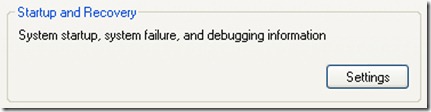
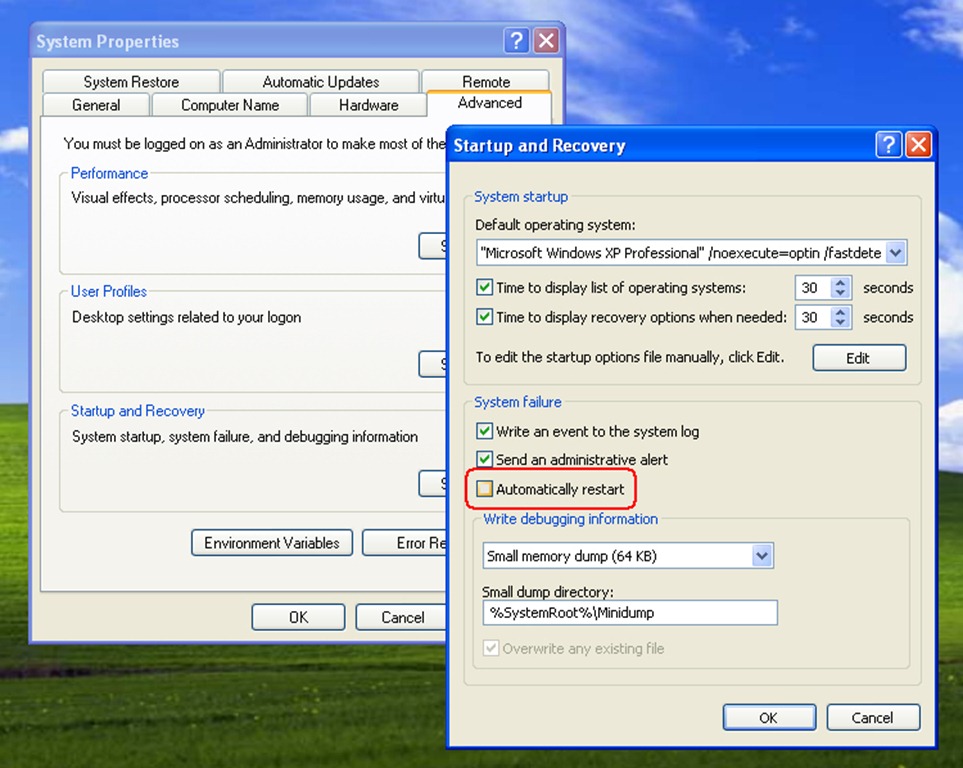
For those who have operating systems Windows XP, click-right on My Computer > click “Properties” > Click on the tab “Advanced” of the System Properties and click on the button “Settings” of the Startup and Recovery.
In Startup and Recovery We get the box out of the right Automatically Restart (under System Failure) and click OK to save the modification made.
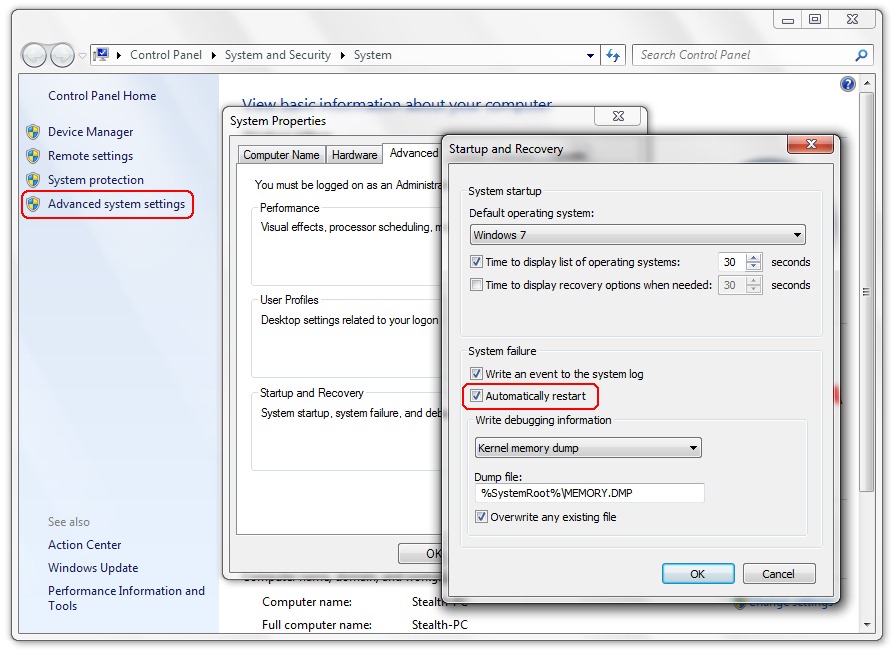
To operating systems Windows Vista and Windows 7 Click-right pe “My Computer” lead directly to one System Information / System Properties Something different than the XP, and the button / link to open the System Properties box > Startup and Recovery It is found on the side on the left.
When errors appear Blue Screen There are poor chances to pass over them without restarting the computer, but this option exempts us from entering Dump / Error Logs to see what generated the error. Very many times Blue Screenthe disappears very quickly and we had no time to read the error code. With this option, the Blue Screen Units will remain until we decide to restart / closure of the computer, so we always have to view the summary details of the System error.


You may also be interested in...

2 thoughts on “Disabling automatic restart to system errors in Windows 7 / XP / Vista – System Failure / BSoD”