


Many users who have installed on Windows XP or on Windows Vista, K7 TotalSecurity or K7 Antivirus, faced a problem when they wanted to give up this program online security & antivirus.
Following the standard procedure for uninstalling an application, i.e. via the Control Panel & Add / Remove Programs, software-urile K7 TotalSecurity and K7 Antivirus cannot be uninstalled. Once the button is pressed uninstall, a appears error which blocks the uninstallation process.
Even the company that produced these softwares came to the support of users facing this problem.
K7 TotalSecuirty Removal Tool & K7 Antivirus Removal Tool, is a very small application, which does not require installation, and which uninstalls your protection software: K7 Antivirus or K7 TotalSecuirty.
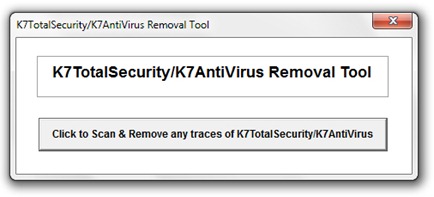
Download K7 TotalSecuirty Removal Tool & K7 Antivirus Removal Tool
Windows Vista / Windows 7 users will need to run the above application with Administrator privileges.
If we look a little behind, we have faced a similar problem before. Those who uninstalled AVG Antivirus, they could no longer install Kaspersky Anti-Virus / KIS. The problem is solved very easily with a change in the registries (Windows Registry).


You may also be interested in...

One thought on “Uninstall K7 TotalSecurity & K7 Antivirus [Windows XP / Vista]”