

Dupa cum spuneam si in この記事、 マイクロソフト a renuntat partial la feature-ul システムイメージのバックアップ 最新の オペレーティング·システム、つまり Windows 8.1. Din fericire, cei interesati sa creeze o astfel de バックアップを想像してください pot face acest lucru cu ajutorul コマンドプロンプト (または Windows パワーシェル). Insa cum putem 復元する そして バックアップ creat cu システムイメージのバックアップ で Windows 8.1?
Restaureaza o imagine de backup in Windows 8.1 cu System Image Recovery
Imaginile de backup 1 つの Windowsシステム nu pot fi restaurate din sistem, avand in vedere ca aceste rescriu intregul sistem. De aceea, pentru a putea restaura un astfel de backup utilizatorii au nevoie de un システムインストールDVD (または USB bootabil) または 1 つずつ Repair Disc。
するために restaura o imagine de backup cu System Image Recovery in Windows 8.1 以下の手順に従ってください。
- 入力 メディアデバイス cu インストールファイル ale sistemului (DVD sau USB bootabil) sau recovery disc-ul in computer
- cand este afisat インストール画面、リンクをクリックします コンピューターを修理する afisat in coltul din stanga-jos

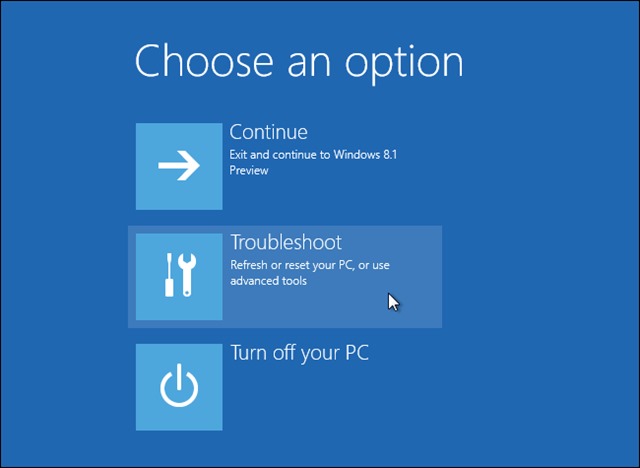
- 次に、クリックします トラブルシューティング in meniul afisat
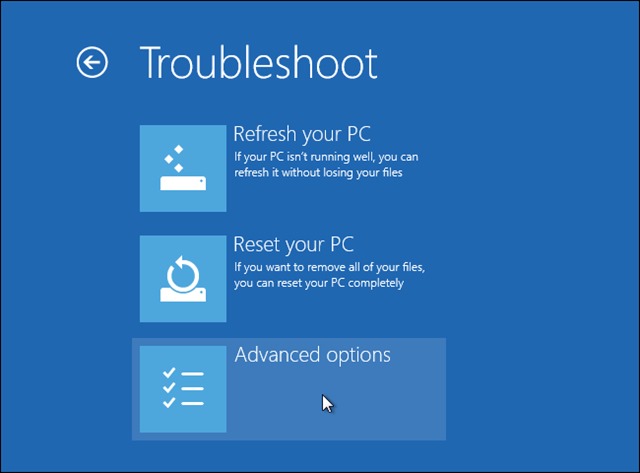
- 選択します 高度なオプション
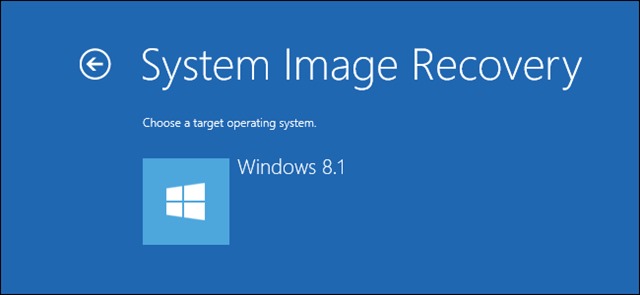
- 次に、クリックします System Image Recovery するために システムを復元する folosind o バックアップを想像してください
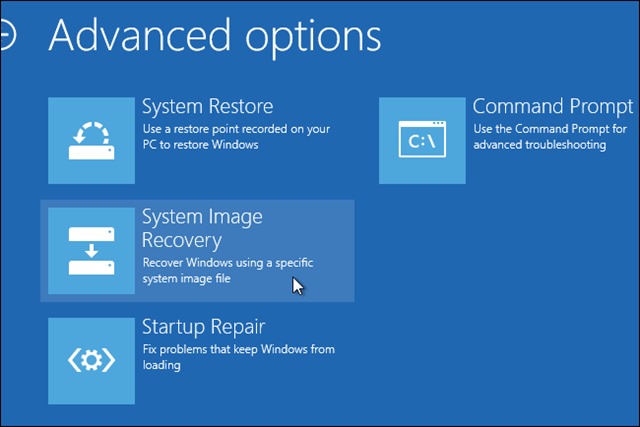
- conectati la computer dispozitivul extern de stocare pe care aveti salvata imaginea de backup pe care doriti sa o restaurati

- それから urmati pasii din wizard するために restaura sistemul de operare
成功!
Nota: Tutorial valabil si pentru Windows 8.
ステルス設定 – How to restore System Image Backup in Windows 8.1


あなたも興味があるかもしれません...
