


With the launch Windows Vista, in the operating system there was a new tool / application of security, kept by Microsoft and in the new Windows 7.
Windows Defender It is a Windows service to keep your system away from spyware attacks & Trojans. This service is advised to run on all PCs that do not have a anti virus installed or having a weak anti-virus.
USING Kaspersky Anti-Virus 2009, I realized that Windows Defender is a service that runs for nothing on my system, and I decided to I am permanently disable.
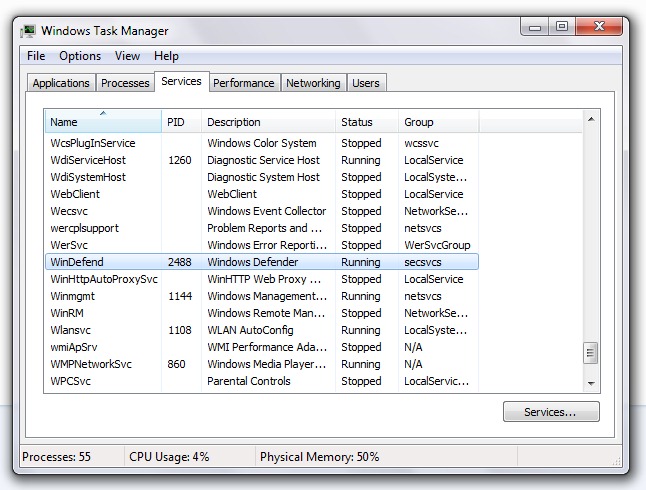
To check if Windows Defender runs on our PC, we open Windows Task Manger and search the tab “Services“, Winding.
 How to disable Windows Defender in Windows 7.
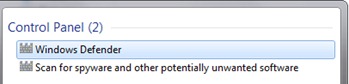
1. In Bara de Start -> “Search programs and files” taste “defender“, select Windows Defender and press ENTER.
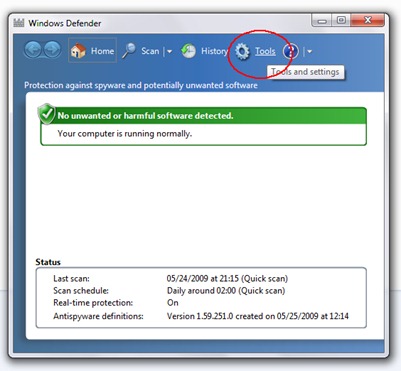
2. Click pe Tools.
3. Click pe Options.

4. In the next screen that opens, go to the left menu and click on Administrator , bid the box next to the right “Use this program” And press the button Save.

5. Windows Defender has been disabled.
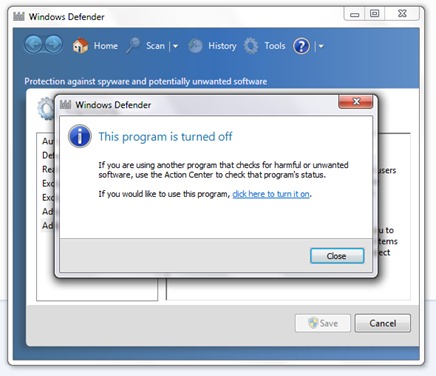
Close. :)


You may also be interested in...
