


If you use one antivirus good for system protection dvs. Vista, then Windows Defenderis not absolutely necessary. Especially since, when scanning, this one slows down the reaction rate of the computer. That is why it is recommended to disable automatic scanning, so as not to wake up with "millstones" when the world (or your PC) is dearer to you (dear :P).

To disable automatic scanning a Windows Defender, you have to follow the steps:
1. Tasted services in Search the bar from Start Menu Then give Enter;
2. From the list of displayed programs, select Windows Defender
3. Double click on it and open it Tools from the menu at the top of the window
4. Select Options from the displayed menu, then uncheck Automatically scan my computer
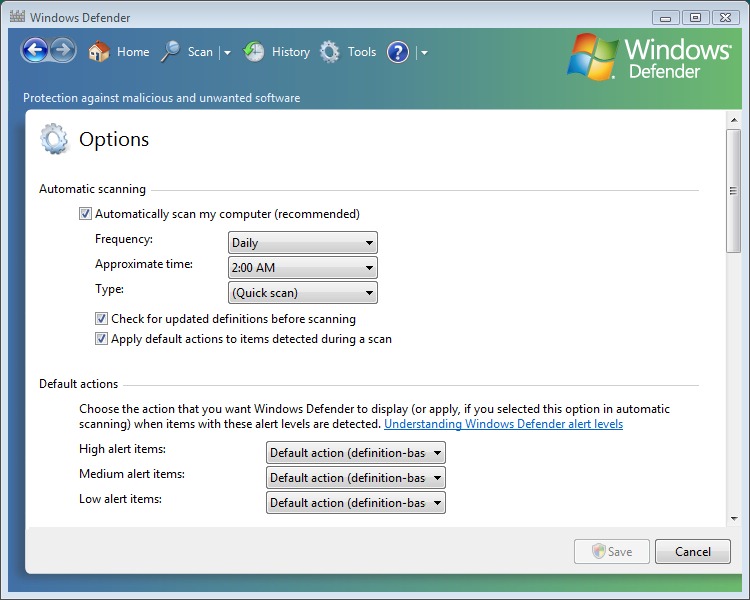
Then make sure that the antivirus you use really does its job (we recommend Kaspersky Antivirus). And from time to time, remember to ask Windows Defender for health. :)


You may also be interested in...

One thought on “Speed-Up Vista : Disable Automatic Windows Defender Operation”