

Windows 7 offers its users a wide variety of themes for customization ASPECT the operating system. And what cannot be modified with the help of the homework made available by Microsoft, can be customized through several open-source or freeware applications.
If you are Windows 7 user and you like to periodically change the appearance of the operating system, you certainly get used to it customize and the Windows Login screen. That's why we thought to present it to you freeware (portable) application which allows quick change of Windows 7 Logon Screen – whenever you want – with a simple right-click: Easy Login Screen Changer.
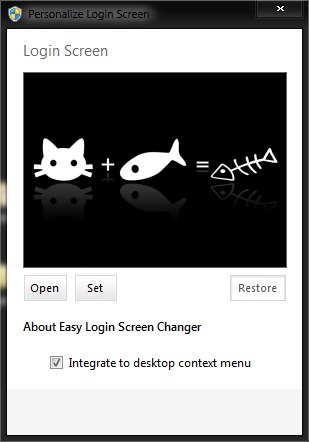
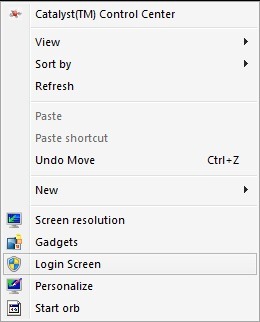
Easy Login Screen Changer allows the use of anyone wallpaper or any Photos stored in the computer as Logon screen. You can change anytime login screen background even from operating system interface, more precisely from the click-right menu (Context Menu).
In addition, the application does not require installation, so it does not modify the registries and leaves no traces in the system.
Note: Compatible with all versions of Windows 7, 32 or 64 bits.
Credit: yvidhiatama @deviantart
STEALTH SETTINGS – Easy customize Windows 7 Logon Screen from Contex Menu


You may also be interested in...

One thought on “Customizeaza Windows 7 Logon Screen din Context Menu”