

Although it only takes a few taps to update applications installed on iPhone or iPad, many users prefer to ignore updates, most of the time out of convenience, thus missing us feature-uri or fiber of the respective applications. For these users, the solution is simple (and as convenient as ignoring updates): Auto App Updater.
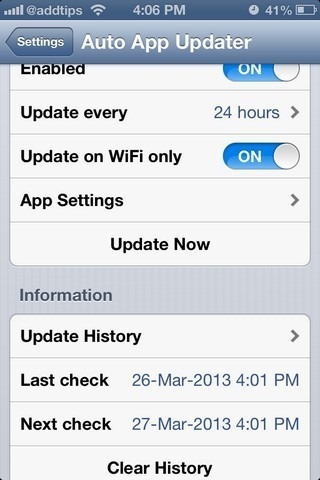
Auto App Updater It's O application for iOS that allows users iPhone or iPad on update automatically any application installed from Apple App Store. The update process is done in background, and more, it can be programmed for certain intervals. After completing it, users are notified by a notification how many updates have been installed.
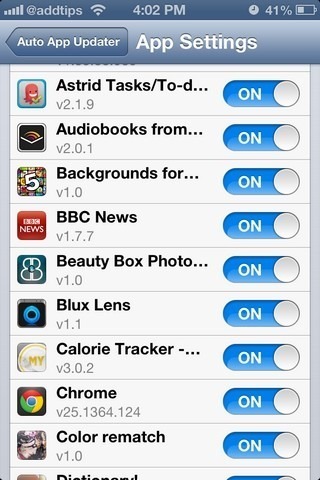
Also, users have the possibility to add in blacklist applications for which I do not want installing updates, and I can also set the Auto App Updater to run only when the device is connected to WiFi (in order to reduce data consumption).
Download Auto App Updater (its price is $2.99).
Note: The application is only compatible with iOS 6 (in previous versions of the system it was necessary to enter the Apple ID to perform updates) and is only available for jailbroken devices (for installation from Cydia).
STEALTH SETTINGS – Automatically update iPhone and iPad apps with Auto App Updater


You may also be interested in...
