


At the top of the „Yahoo!“ Pasiuntinys window lurks an often overlooked, but handy piece of the interface: the contact search bar. Aptly named, it lets you quickly find a friend in your contact list and start a conversation with them, whether it’s over IM, el. Paštas, SMS arba voice. And even if someone’s not in your contact list or address book, you can just enter a Yahoo! ID, phone number or email to get started.
Using the Contact Search Bar įjungta „Yahoo!“ Pasiuntinys
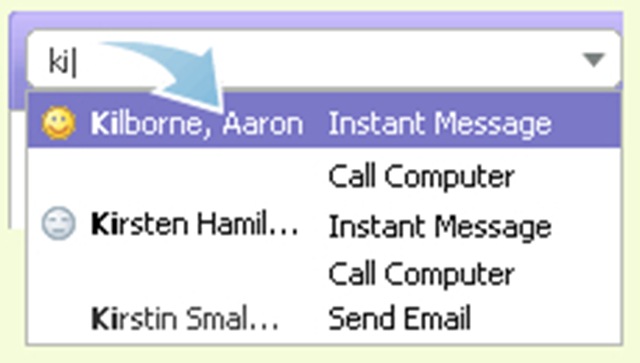
1. Start typing a couple characters into the Contact Search Bar, and a list of matching names, IDs, and phone numbers will appear below.
2. Use the arrow keys or the mouse to highlight a contact, and press the Enter key.
Read more : Get to know the contact search bar


Galbūt jus taip pat domina...

3 mintys apie “Kontaktų paieška / Yahoo! Messenger”