


På toppen af Yahoo! Messenger vinduet lurer en ofte overset, men praktisk del af grænsefladen: den kontakt søgelinje. Det passende navn giver dig mulighed for hurtigt at finde en ven på din kontaktliste og starte en samtale med vedkommende, uanset om den er slut Im, e-mail, SMS eller stemme. Og selvom nogen ikke er på din kontaktliste eller adressebog, kan du bare indtaste en Yahoo! ID, telefonnummer eller e-mail for at komme i gang.
Ved hjælp af Kontakt søgelinjen på Yahoo! Messenger
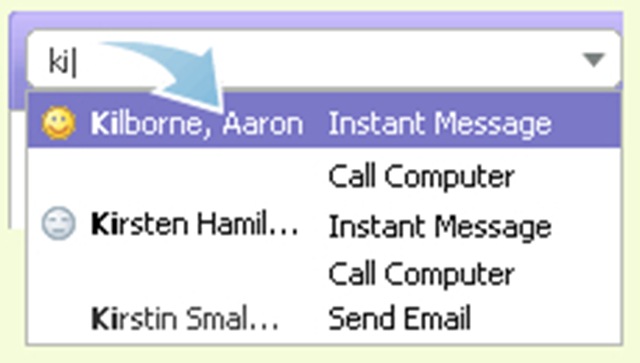
1. Begynd at skrive et par tegn i kontaktsøgelinjen, og en liste over matchende navne, id'er og telefonnumre vises nedenfor.
2. Brug piletasterne eller musen til at fremhæve en kontakt, og tryk på Enter-tasten.
Læs mere: Lær kontaktsøgelinjen at kende


Du kan også være interesseret i...

3 tanker vedr “Kontaktsøgning / Yahoo! Messenger”