


Augšpusē Yahoo! Kurjers logs slēpjas bieži aizmirstam, bet parocīgam interfeisa gabalam: the kontaktu meklēšanas josla. Piemērots nosaukums, tas ļauj ātri atrast draugu savā kontaktpersonu sarakstā un sākt ar viņu sarunu neatkarīgi no tā, vai tas ir beidzies. IM, e -pasts, SMS vai balss. Un pat tad, ja kāds nav jūsu kontaktpersonu sarakstā vai adrešu grāmatā, varat vienkārši ievadīt Yahoo! ID, tālruņa numurs vai e-pasts, lai sāktu.
Izmantojot Sazinieties ar meklēšanas joslu ieslēgts Yahoo! Kurjers
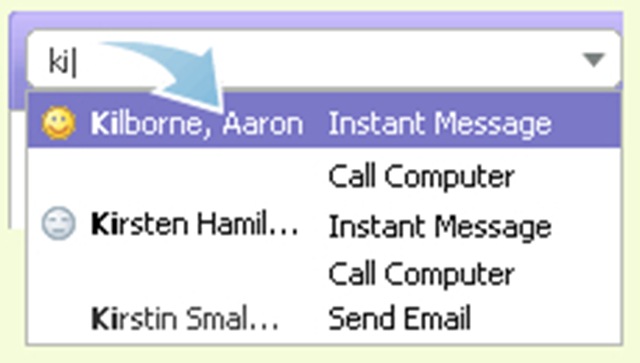
1. Sāciet rakstīt pāris rakstzīmes kontaktpersonu meklēšanas joslā, un tālāk tiks parādīts atbilstošo vārdu, ID un tālruņu numuru saraksts.
2. Izmantojiet bulttaustiņus vai peli, lai iezīmētu kontaktpersonu, un nospiediet taustiņu Enter.
Lasīt vairāk: Iepazīstieties ar kontaktu meklēšanas joslu


Iespējams, jūs interesē arī...

3 domas par “Kontaktpersonu meklēšana / Yahoo! Messenger”