


Yläosassa Yahoo! Lähettiläs ikkunassa piilee usein huomiotta jäävä, mutta kätevä osa käyttöliittymää: the yhteystietojen hakupalkki. Sopivasti nimetty sen avulla voit löytää nopeasti ystävän yhteystietoluettelostasi ja aloittaa keskustelun hänen kanssaan, olipa se ohi. IM, sähköposti, SMS tai ääni. Ja vaikka joku ei olisi yhteystietoluettelossasi tai osoitekirjassasi, voit kirjoittaa Yahoo! ID, puhelinnumero tai sähköpostiosoite aloittaaksesi.
Käyttämällä Ota yhteyttä hakupalkkiin päällä Yahoo! Lähettiläs
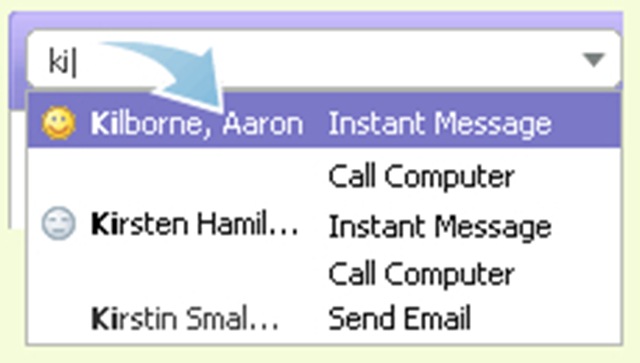
1. Aloita muutaman merkin kirjoittaminen Yhteystietojen hakupalkkiin, niin alla tulee näkyviin luettelo vastaavista nimistä, tunnuksista ja puhelinnumeroista.
2. Korosta yhteystieto nuolinäppäimillä tai hiirellä ja paina Enter-näppäintä.
Lue lisää: Tutustu yhteystietojen hakupalkkiin


Saatat olla kiinnostunut myös...

3 ajatusta aiheesta “Yhteystiedot Haku / Yahoo! Messenger”