

For many users Facebook, privacy settings (privacy settings) can cause confusion, primarily because the numerous updates of the social network which implicitly creates MODIFICATION and in these. If you are among those users who never know what information are available about them for the Facebook "audience"., and you wish you could manage privacy better personal account, then we recommend you use it Facebook Privacy Watcher.
Facebook Privacy Watcher It's a add-on Firefox which helps users to manage more efficiently Facebook's privacy settings.

How does Facebook Privacy Watcher work?
Facebook privacy settings they are quite "bushy" and in one continuous change. Along with the new one Timeline interface of the site, Facebook introduced a new one method of the administrator user privacy, each of them being able to select audience for each update done (visibility of updates on Timeline can be individually set for each separate update).
Facebook Privacy Watcher Color background-ul of each update depending on its visibility for the Facebook audience. Thus, users can immediately find out who is posting an update if it has one appropriate privacy settings or if they need to be modified.
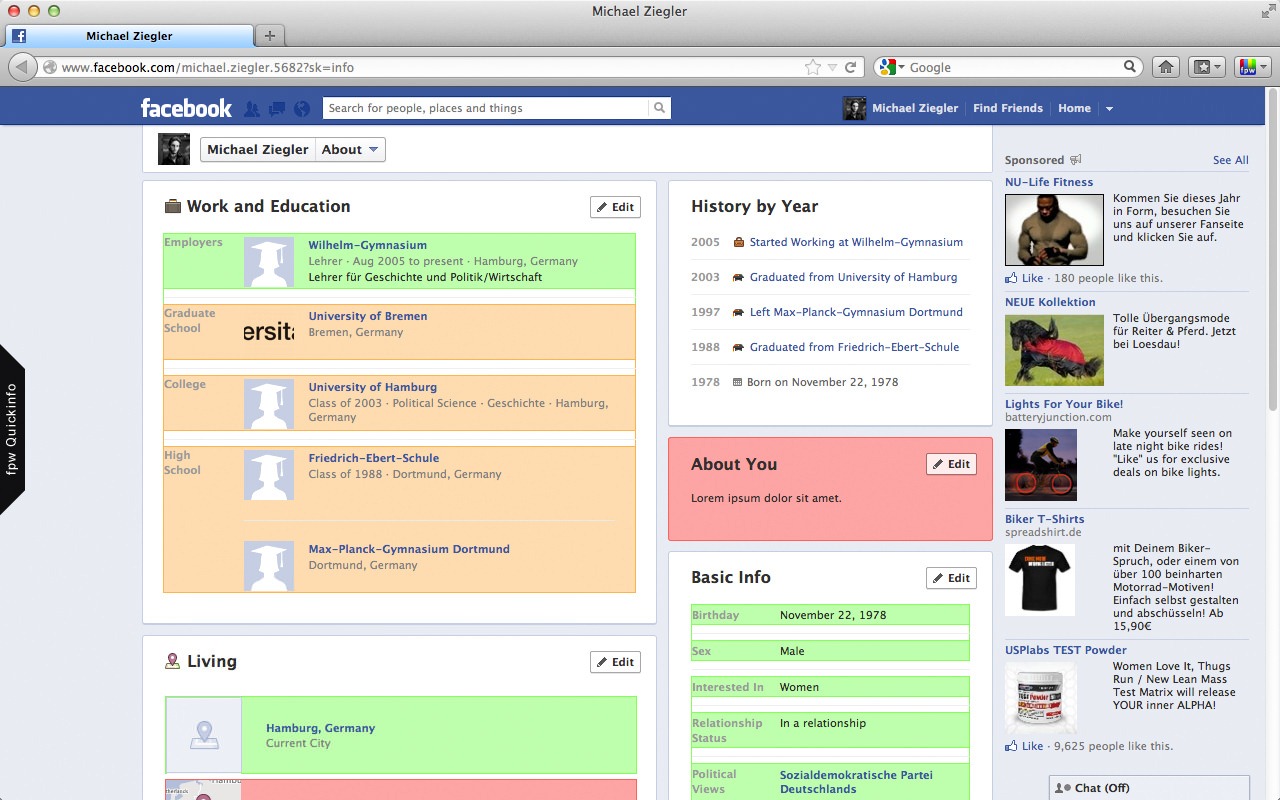
Each privacy setting corresponds to a certain color:
- Verde – the updates are visible to all Facebook users
- Orange – the updates are visible only to Facebook friends
- Red – the updates are visible only to the user who posted them
- Blue – the updates are visible only to selected contacts
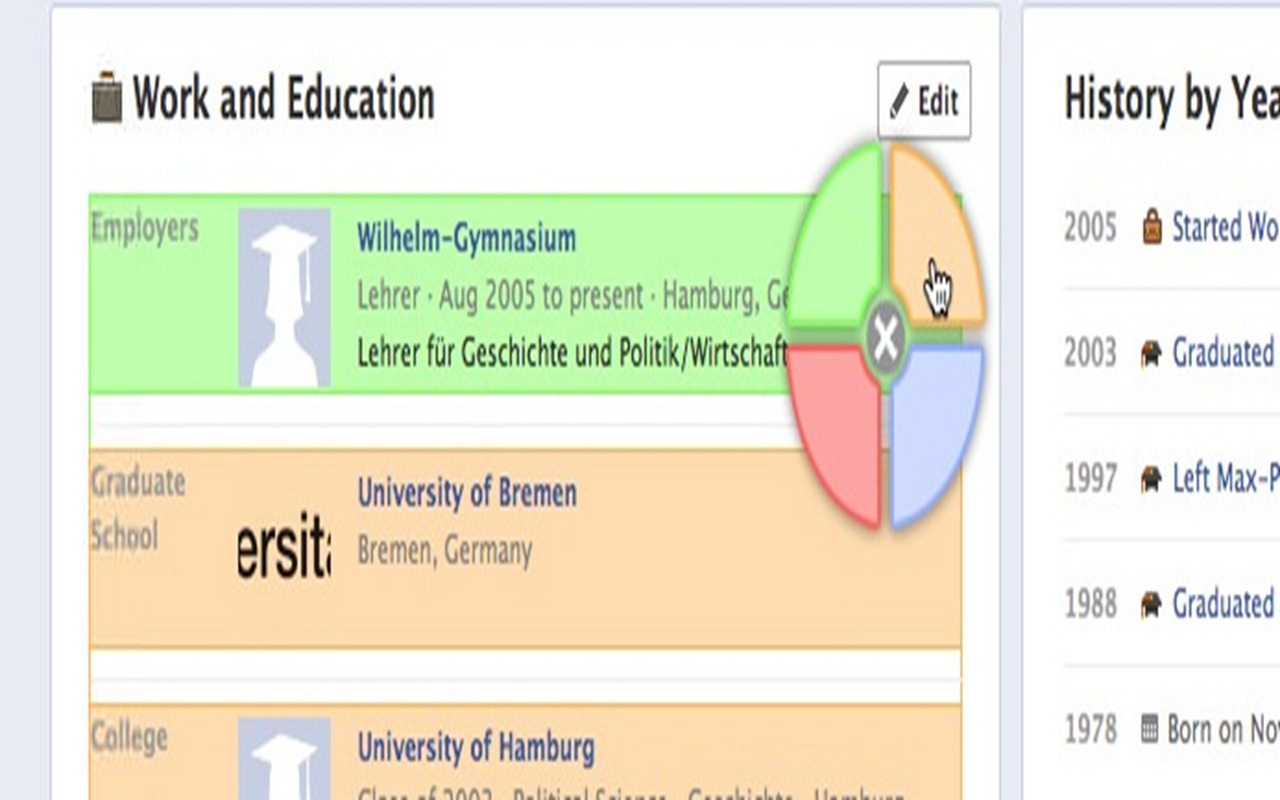
If the privacy settings for a certain update are not what the user wants, they can be changed immediately, giving click on the background of the update, then selecting the desired color (corresponding to the desired setting) to make the change.
To use Facebook Privacy Watcher, users must click on the icon fpw located in Toolbar, next to the icon of Bookmarks, then select Activate from the drop-down menu (as many times as you want check your privacy settings, you will have to follow these steps. If you open Facebook normally, the colors will not be displayed).
Download Facebook Privacy Watcher.
Note: This add-on is not yet available in the official Firefox gallery.
STEALTH SETTINGS – Manage Facebook privacy settings with Facebook Privacy Watcher


You may also be interested in...
