

In recent years, users Facebook they started to realize more and more how important they are Intimacy settings for personal accounts. Many of them do not realize that nothing of what is posted in social network it has no expiration date: practically Facebook keeps each one post/update made by users, ever since the first accounts were created 10 years ago. And some of these posts may be things that users would no longer post, or that have privacy settings different from those used now (if a few years ago you had set your updates to be publicly, even if you currently want only your friends to have access to them, most likely the respective updates can still be viewed by anyone).
Fortunately, however, the users Facebook have certain available feature-uri care permit reviewing older posts and Deleting or limiting visibility for these.
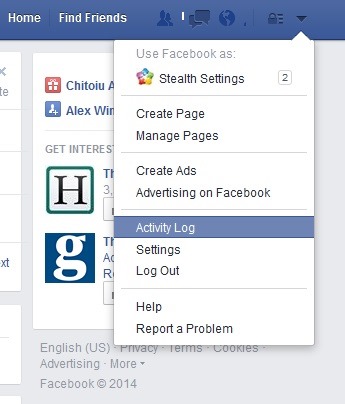
If you want to view all your activity on your personal account Facebook since its creation, you have at your disposal Activity Log.
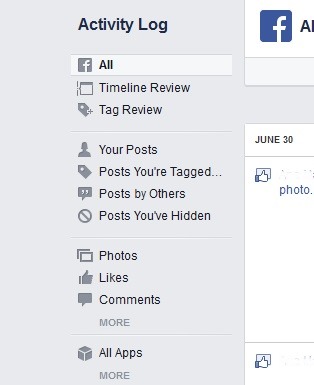
Although for users who have account of Facebook for years Activity Log it may seem overwhelming, they have at their disposal a series of filtered displayed on the left side of the page that can separate the activities according to their type (for example, Your posts only display posts made by you, Likes display all the given likes, Comments display the comments made, again Photos uploaded photos and images).
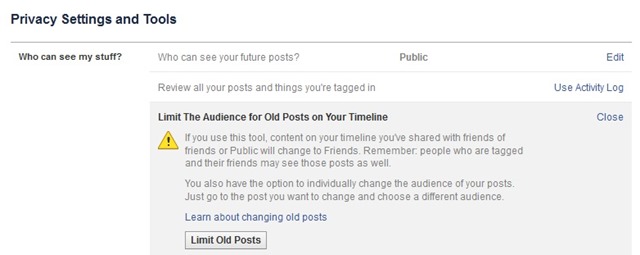
Using the respective filters, you can review previous activities from Facebook and to hide or limit their visibility using the options displayed next to them. If you want to limit all previous posts (if they are still publicly available), Facebook offers you a quick option: browse in Settings > Privacy, then on the right side, under Who can see my stuff You have the option Limit Past Posts (this option limits the visibility of older posts that were public so that only those from List of friends to still have access to them).
If you want to hide all older posts, unfortunately you will have to do it manual, for each individual post (from Timeline or Activity Log).
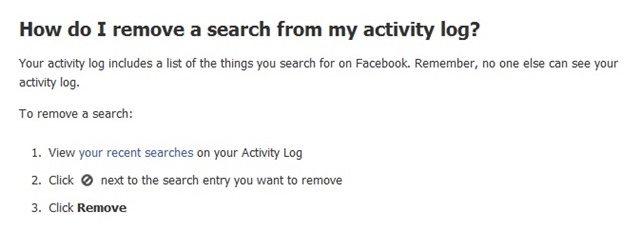
Another thing that most Facebook users don't know is that Facebook also keeps a search history carried out by them in the network. Although Facebook search history it is visible only to you, anyone who has access to your personal account has access to it as well (and most probably you also have searches that you want to keep private). Fortunately, Facebook allows it delete search history on Facebook (these can be deleted either individual by clicking on the circle displayed next to each search, or by clicking on Clear Searches, action that deletes all your history), although it does not give users the possibility to disable its registration (you will have to clean it periodically).
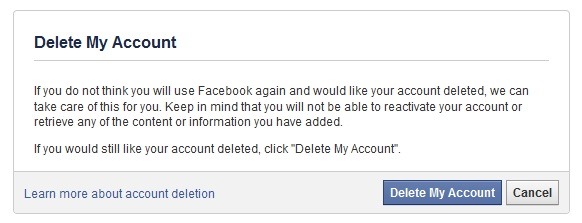
If you consider that the actions described above for cleaning the history of the Facebook account it's not worth the effort and you prefer to create a new account, or you simply want to give up Facebook temporarily or completely, you can make a backup of the account (and implicitly also of its history) which you can then download to your personal computer (go to Settings and click on the link Download a copy, then click on the button Start My Archive; when the backup is done, click the button Download Archive, then enter account password to start downloading it). Then in Settings > Security Click on the link Deactivate your account (in case you just want temporary deactivation of the Facebook account), or click on the link https://www.facebook.com/help/delete_account in order to delete permanently (and irrevocably) your Facebook account.
STEALTH SETTINGS – Delete or hide Facebook history


You may also be interested in...
