


If for different reasons you have activated Verbose mode but it is not helpful or useful, this tutorial will help you see how you disable Verbose Mode for MAC computers.
content
Verbose mode is most often activated by higher applications, especially those that bring major changes at the system level. Thus, many MAC devices users are surprised to see code lines or command lines when starting the MacOS operating system (Boot), in the log of the simple Apple logo.
So, if you see command lines when starting Mac, similar to the ones in the image below, it means that nothing has happened to your device, but it is only Verbose activated.

What is Verbose mode?
Verbose Mode is one of the start -up modes of MAC computers, used to detect the different problems of the devices. This mode is used in particular by experts in troubleshooting Mac computers to identify system problems. It should be noted that the Verbose mode remains activated after the reinstallation of the maccos operating system.
If a app as a OpenCore Legacy Patcher Activate Verbose mode, the best thing to do is disable it.
How do you disable Verbose Mode for Mac Computers
I don't know if Mac with face Apple M1 or Apple M2 (silicone) This method works, but Verbose Mode can be disabled on computers Mac Intel by a simple command line in the utility Terminal.
sudo nvram boot-args=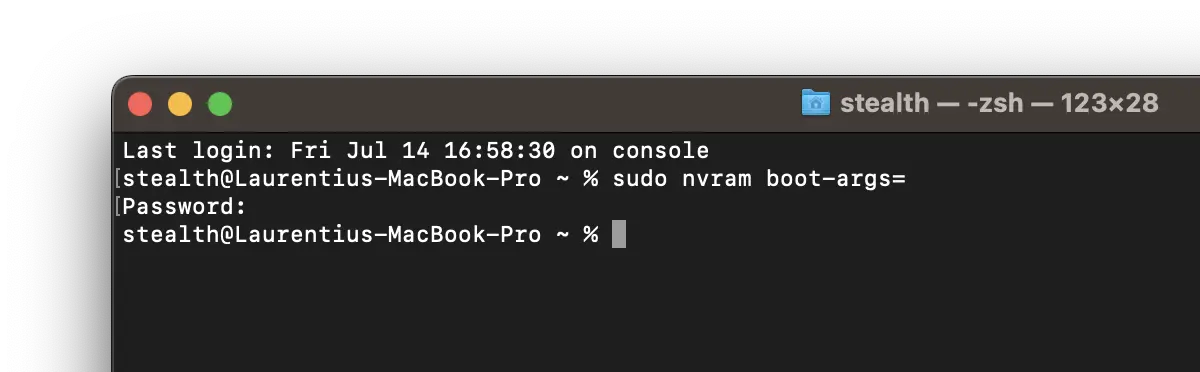
Command “sudo nvram boot-args=” is used to configure boot arguments (boot arguments) in the variable NVRAM (non-volatile random-access memory) of a macos system.
Once this command is executed, after the first restart the graphic interface (with the Apple logo) will appear instead of the sets with the command lines.


You may also be interested in...
