


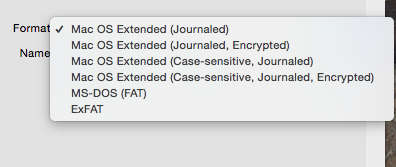
As a user of The x (MacBook Pro / MacBook Air / Mac) to be able to transfer / copy files on an extreme storage device, like hard disk or USB stick, this device must have the volume formed:
Mac OS Extended (Journaled)
Mac OS Extended (Journaled, Encrypted)
Mac OS Extended (Case-sensitive, Journaled)
Mac OS Extended (Case-sensitive, Journaled, Encrypted)
MS-DOS (FAT)
Exfat
On operating systems Windows, most hard disks used for storing pictures, movies, games and documents, are formatted NTFS. Compared to the volumes formed FAT, NTFS offers more reliability, data security and support for transfer of large files.
In the scenario we have in the house or office an external HDD formatted NTFS and we want to connect it to a MAC OS X, we will see that we can copy the files in one direction: from the external HDD on the Mac HDD. In the opposite direction being impossible.
Tuxer NTFS is an application dedicated to operating systems The x, which allows us to We copy / transfer files from the MAC hard disk to an external hard drive whose volume is formatted NTFS.
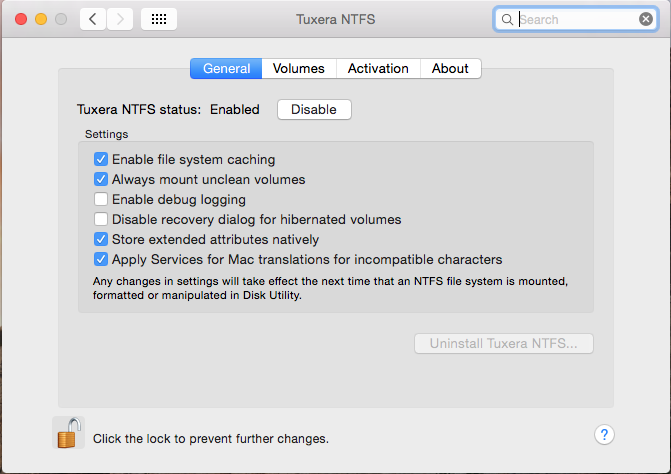
The application is installed very simply (like any other normal application) and although it offers us a package of management settings, it is advisable to leave it with the default settings.
In order to be activated and we can copy the files on the external HDD or on the USB stick, after installation it is necessary to restore the OS X.
“Apple’s OS X offers very limited support for Microsoft Windows NTFS formatted hard drives and other storage media out of the box. By default OS X can only read files from Windows-formatted hard drives leaving the users unable to edit, copy or delete anything. Tuxera NTFS for Mac solves this problem providing full read-write compatibility across platforms.”
Download Tuxera NTFS for Mac – Tuxera NTFS
The application is compatible on operating systems OS X Lion, OS X Snow Leopard, Os X Leopard, OS X Mountain Lion, OS X TIGER, OS X Mavericks and OS X Yosemite.


You may also be interested in...
