


Someone faced a "vital" problem the other day (he had a little time to format the PC. vviiirruuuusi!!). The calculator made "suspicious" sounds (beep) when he presses the key CAPS LOCK.
There was nothing wrong with the computer. Neither soft nor hard. The only thing was that he had activated it by mistake"Toggle Keys”. A utility of Windows XP/Vista, which warns the user when the Caps Lock key is accidentally activated.
Enable / Disable Toggle Key on Windows Vista
Open Control Panel, then go to Ease to Access.
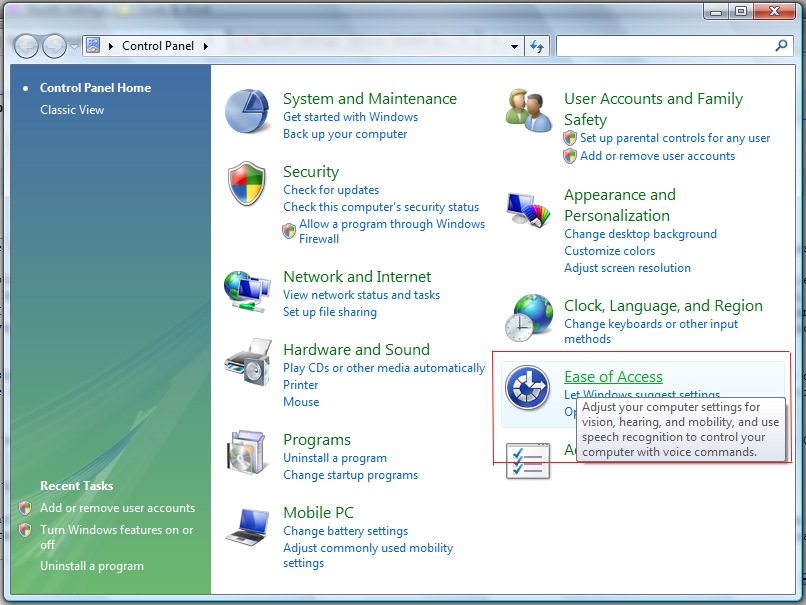
In Ease to Access you should find a link "Change how your keyboard works” (see the image below), which you must click on.
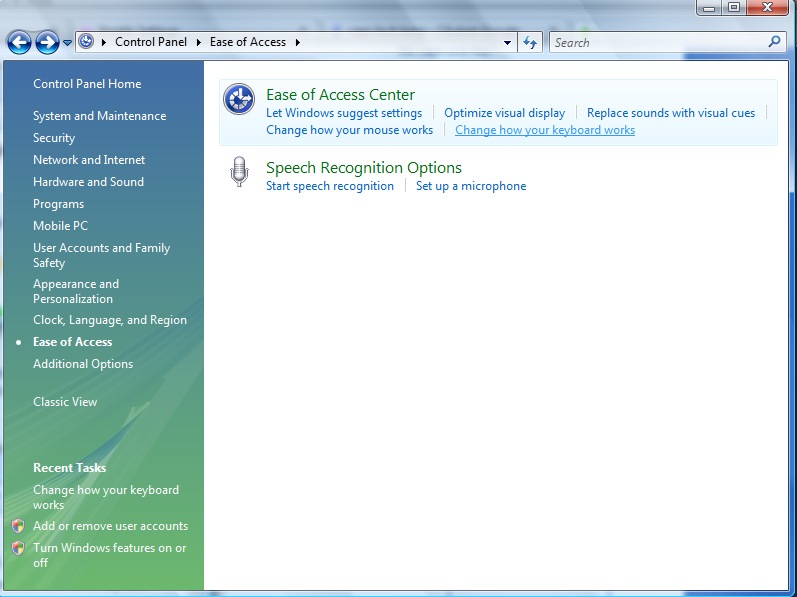
Sub “Change how your keyboard works" find exactly what you're interested in. The option to enable or disable the Caps Lock beep. "Turn on Toggle Keys”.
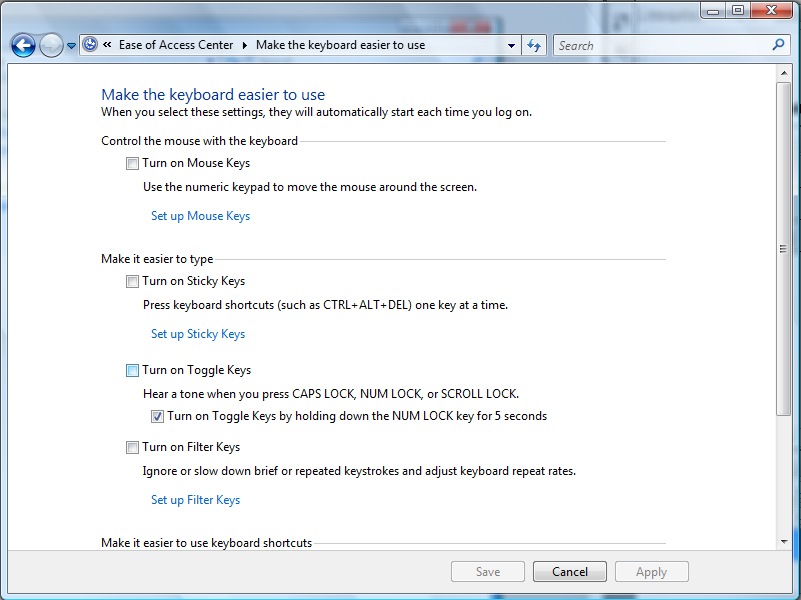
By checking or unchecking the box next to "Turn on Toggle Keys", you can choose whether you want to be notified or not when the Caps Lock key is pressed.
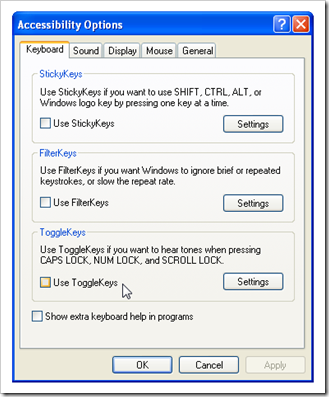
For Windows XP, the procedure is very similar. Open from Control Panel –> Accessibility Options, and in the Keyboard tab from Accessibility Options find the settings for Toggle Keys.
Have fun :)


You may also be interested in...
