

Currently, almost all email services block by default automatic display of images SI and dATES accessible through some servere third-party when the emails that contain them are accessed on the sites respective services (or through some email customers). The reason for using this policy is for compliance user privacy, considering that the automatic display of images contained by third-party servers can lead to the accidental reporting of information about them.
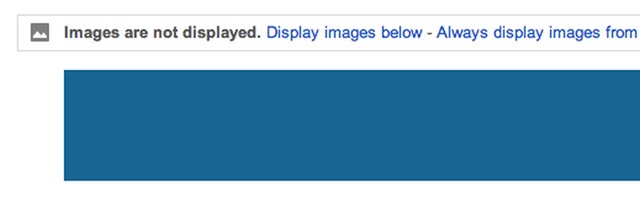
Until recently, Google's email service, Gmail, display the message Images are not displayed for emails that contained images, these being displayed only if the users wanted this (Display images below). Also, users had the option to add contacts in whitelist so that emails received from them in the future will automatically display the images contained.
Last week, however, Google announced that it is no longer necessary to self-block the display of images in Gmail service, due to the implementation of a proxy technologies which will allow them to be displayed directly from Google servers (which practically eliminates the risk of accidental disclosure of information). However, most likely there are also users who would still like to keep it auto-lock option in terms of displaying images contained in emails, considering that there is a risk that the emails will be harder to load.
How do we block the automatic display of images in Gmail?
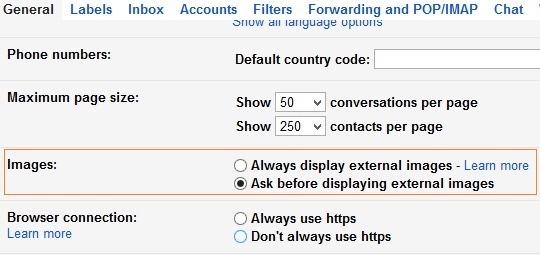
Fortunately, users have the ability to reactivate the auto-blocking of the display of images in Gmail through the option Ask before displaying external images, accessible in Settings > General. Users who already had the option activated Ask before displaying external content before this new change made by Google, they have activated in default mode and the option to auto-block the display of images.
Note: The new feature (which automatically displays images from Gmail) is currently being progressively implemented (in stages) for the desktop version of the email service. The mobile version of Gmail will receive this update at the beginning of 2014.
STEALTH SETTINGS – How to block automatic display of images in Gmail


You may also be interested in...
