

그가 어디로 사라졌는지 궁금하다면 Windows 11의 디스크 정리 그리고 삭제하는 방법 Windows.old, 이 튜토리얼에서는 수행해야 할 작업을 단계별로 보여줍니다.
콘텐츠
Windows 11의 디스크 정리
Microsoft Windows 11의 개발과 함께 많은 참신함 외에도 일부 유틸리티에 일부 변경 사항이 적용되었습니다.
디스크 정리 옵션 이는 디스크 공간을 확보하는 데 도움이 됩니다. 임시 파일, 은닉처 및 이전 버전의 Windows(Windows.old)는 더 이상 일반 메뉴에 존재하지 않습니다. 이 옵션은 이동되었으며 Windows 11의 첫 번째 버전, Windows 10 또는 이전 버전에서 사용했던 것보다 다소 고급입니다.
이전 기사에서 폴더가 무엇인지 보여주었습니다. Windows.old 시스템 파티션에서 Windows.old는 어떻게 도움이 되며 어떻게 삭제할 수 있습니까? Disk Cleanup.
~ 안에 Windows 11 Build 25163 옵션 Disk Cleanup 기존 메뉴에서 사라지자 Microsoft는 이 기능을 위한 새로운 시스템을 구현했습니다.
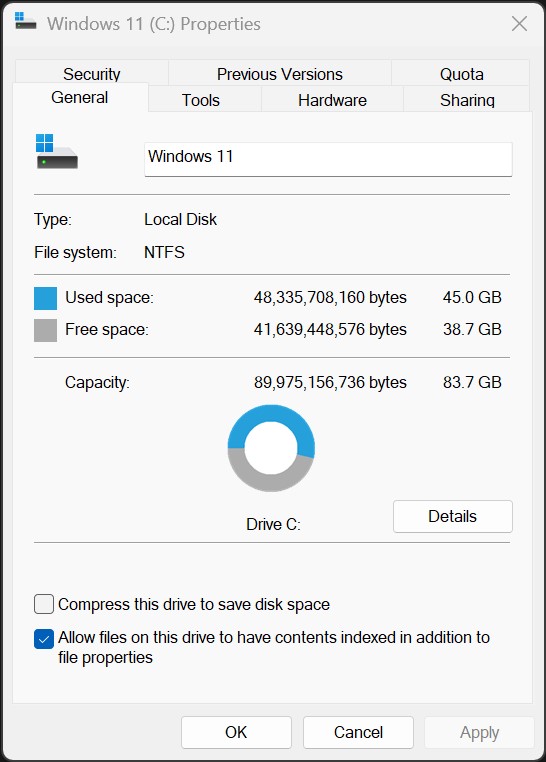
Windows 11에서 디스크 정리에 액세스하고 사용하는 방법
DACA 우리는 삭제하고 싶어 Windows.old Windows 11에서는 Disk Cleanup, 이전 버전의 Windows에서 방법이 변경되었습니다.
1. 우리는 열립니다 Windows 11 Settings, 왼쪽 바에서 다음으로 이동합니다. System → Storage.
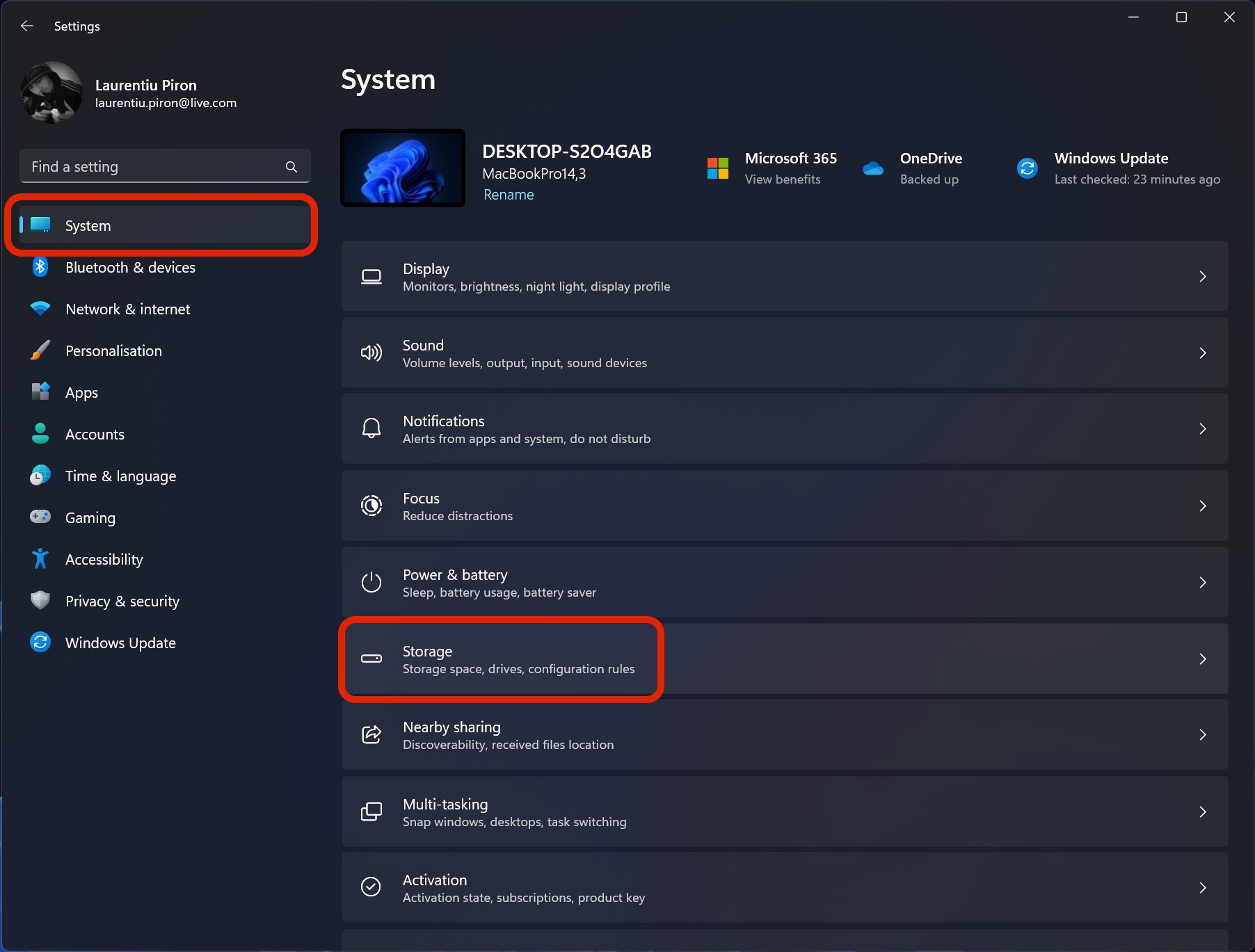
2 Windows 11 System Storage 첫 번째 부분에는 파티션에서 차지하는 공간, 임시 파일(Temporary Files) 및 운영 체제에 설치된 파티션이 차지하는 공간입니다.
이 정보와 임시 파일 삭제 옵션 뒤에는 하위 항목이 있습니다. Storage management 옵션 Cleanup recommendations.
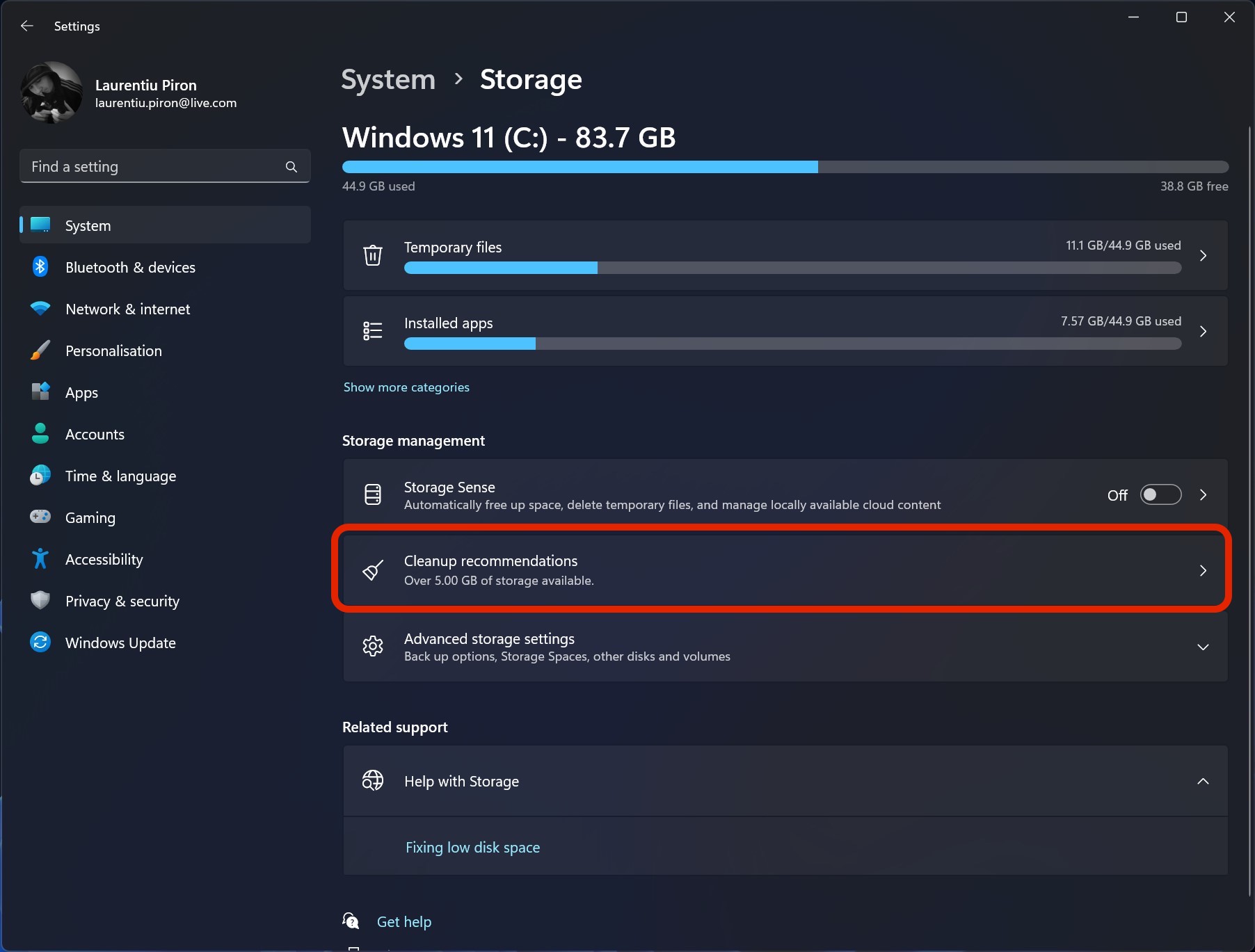
새로운 옵션 Storage 에서 System 그것은 기본적으로 오래된 것입니다 Disk Cleanup in Windows 11, 훨씬 더 발전된 또 다른 인터페이스로 제공되며 사용자는 안전하게 삭제할 수 있는 시스템 또는 응용 프로그램 파일을 정확히 확인할 수 있습니다. Windows 11의 올바른 작동에 영향을 주지 않습니다.
Windows 11에서 Windows.old 삭제
1. 접속 중이었는데 Cleanup recommendations 그런 다음 체크 “Previous Windows installation(s)” 삭제하다 Windows.old ~에 Windows 11.
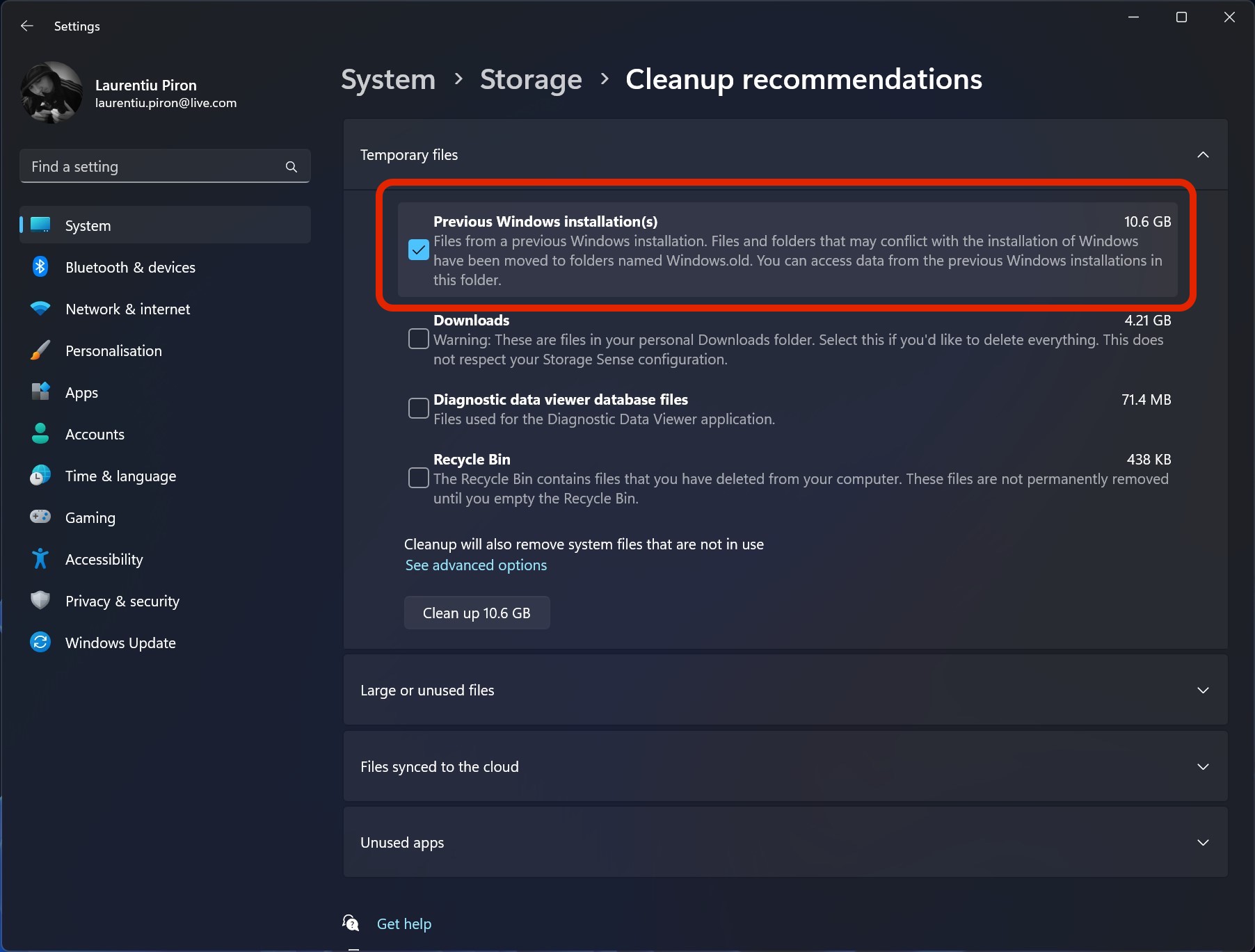
이전 Windows 설치
이전 Windows 설치의 파일. Windows 설치와 충돌할 수 있는 파일 및 폴더는 Windows.old라는 폴더로 이동되었습니다. 이 폴더에서 이전 Windows 설치의 데이터에 액세스할 수 있습니다.
2. 버튼을 클릭하십시오 Clean up 아래에서 확인합니다 “Continue“그러면 폴더 삭제 프로세스가 시작됩니다 Windows.old 시스템 파티션에서 Windows 11.
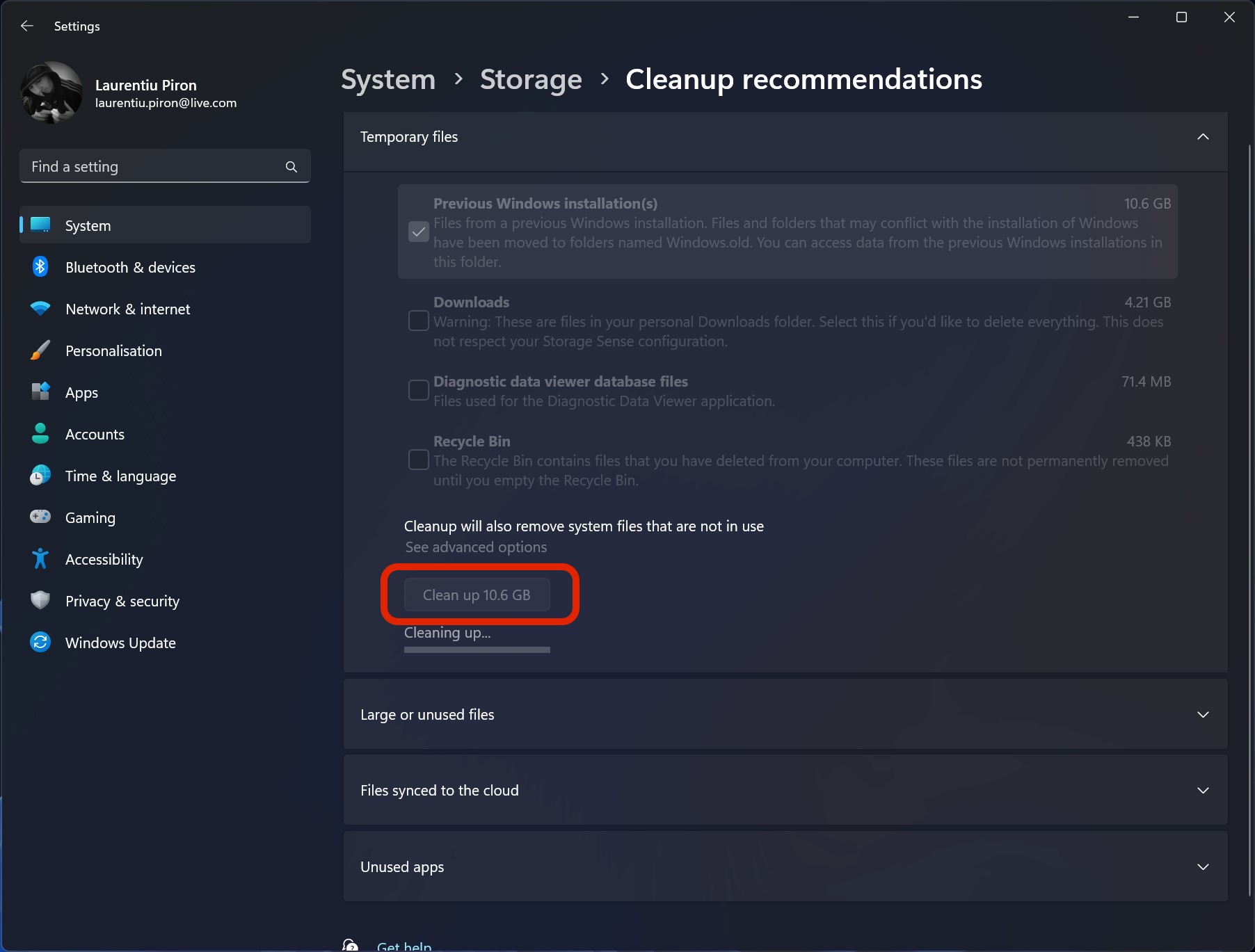
La finalul procesului, folderul cu vechea versiune de Windows va fi sters si veti avea mai mult spatiu liber pe disk.
Retineti ca odata sters Windows.old nu veti mai putea reveni la versiunea anterioara a Windows 11. System Restore va fi indisponibil.


당신은 또한에 관심이있을 수 있습니다 ...
