

Daudzi īpašnieki BlackBerry saskarties ar problēmām plkst SAVIENOŠANA ierīce, izmantojot Bluetooth cu Dators-Ul / piezīmju grāmatiņadzīve BlackBerry Desktop ManagerApvidū
BlackBerry Desktop Manager piedāvā divas iespējas savienots / laika noteikšana viedtālrunis kopā ar datoru. Ātrākais savienojums datu pārsūtīšanai un laika noteikšana (BlackBerry sinhronizēšana) ir cauri Cablu USB, bet ērta sinhronizācijas metode Kalendārs, Uzdevumi, MemoPad & Adrešu grāmata, ir caur Bluetooth.
Visbiežāk sastopamā problēma ir pieejamības trūkums Piesakieties Bluetooth intre BlackBerry Desktop Manager si klēpjdators / PC, pat ja tie visi ir instalēti autovadītāji Bluetooth savienojums (Bluetooth monitors / Bluetooth failu pārsūtīšana).
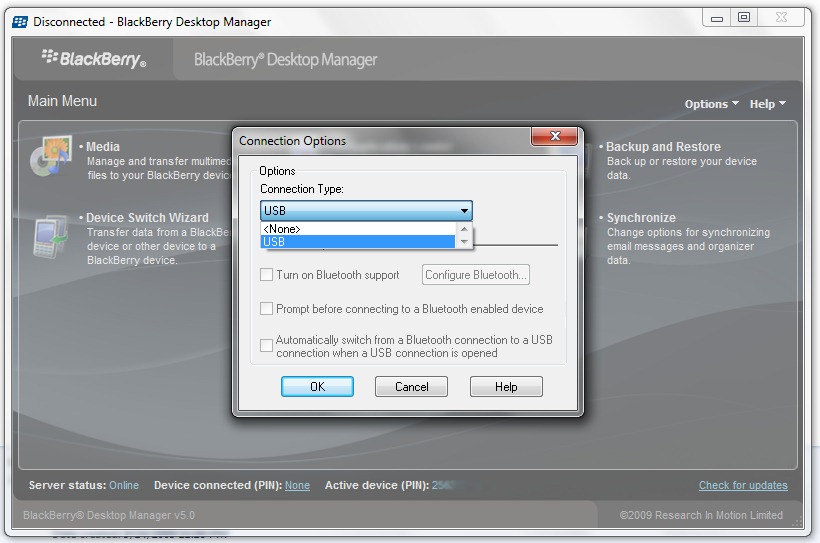
Palielinot attēlu, pamanīsit, ka nav iespējams izveidot Bluetooth savienojumu no BlackBerry Desktop Manager. Lodziņš opcijas labajā pusē Ieslēdziet Bluetooth atbalstu nav pieejams.
Mūsu gadījumā tā ir ierīce BlackBerry Curve 8320 jā, piezīmju grāmatiņa Toshiba Satellite A300 1QE (PSAGCE) / OS Microsoft Windows 7. Mēs sniegsim instrukcijas šīm ierīcēm, taču risinājums ir līdzīgs citiem ierīču modeļiem.
Kā iestatīt/aktivizēt Bluetooth atbalstu BlackBerry Desktop Manager.
Mēs pieņemam, ka jums jau ir instalēts BlackBerry Desktop Manager :-)
1. Instalējiet draiveri Microsoft Windows Bluetooth Stack & IESLĒDZIET Bluetooth adapteriApvidū
MS Bluetooth ir izplatīts draiveris, kas palīdz savienot citus mobilos tālruņus / viedtālruņus ar datoru / klēpjdatoru. (piem., Nokia, izmantojot NOKIA PC Suite)
2. Atinstalēt PC Bluetooth Stack no TOSHIBA !! Ir ļoti svarīgi, lai gan programmatūra, gan draiveri, kas iekļauti BT-Stack nedrīkst instalēt datorā/klēpjdatorā. Tas ir galvenais iemesls, kas neļauj Bluetooth savienojumam sākt BlackBerry Desktop Manager.
3. Lejupielādēt & Ievietot : WIDCOMM 6.2.0.8500 Bluetooth draiveri (Windows Vista un Windows 7 saderība). BROADCOM ir saderīgs Bluetooth draiveris lielākajā daļā datoru sistēmu / piezīmju grāmatiņasApvidū

Lejupielādēt Broadcom : WIDCOMM 6.2.0.8500 Bluetooth draiveri
Atskrūvējiet & palaist setup.exe no arhīva (AS35-Wireless Lan b+g (Broadcom).zip) iepriekš. Pēc uzstādīšanas jums jāiesniedz a restartētApvidū
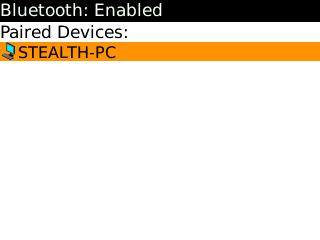
4. Ierīcē aktivizējiet un konfigurējiet Bluetooth.
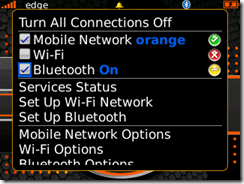
Ieslēgt Bluetooth: Pārvaldīt savienojumus Apvidū
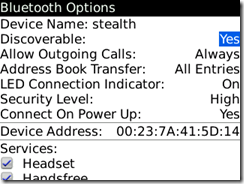
Bluetooth opcijas : Atklājams : JĀApvidū
Bluetooth pārī savienotās ierīces:
Izveidojiet savienojumu starp klēpjdatoru un BlackBerry ierīci. Nav nepieciešams startēt BlackBerry Desktop Manager. Savienojums (sapārots) ir jāizveido caur Bluetooth monitors (instalēts 1. darbībā.)
5. Atveriet BlackBerry Desktop Manager un dodieties uz Iespējas -> Savienojuma opcijasApvidū
Ieslēdziet Bluetooth atbalstu & Konfigurēt BluetoothApvidū
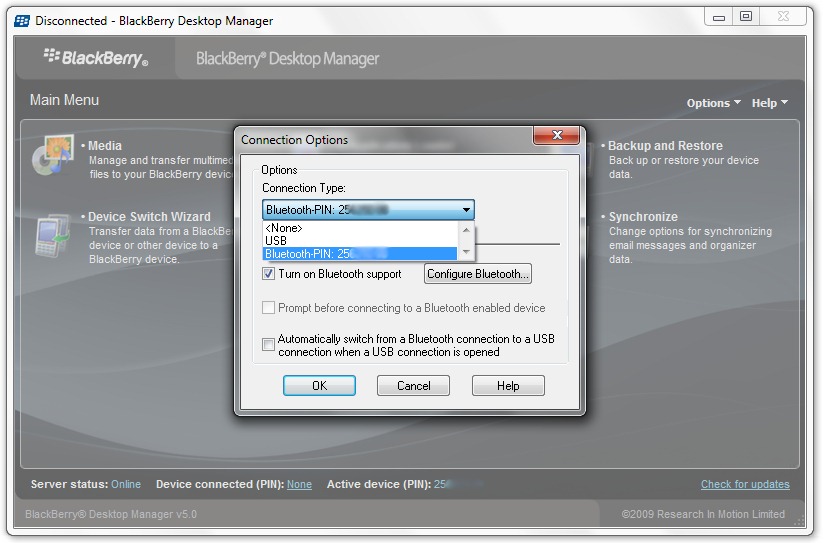
Labi. Ir izveidots Bluetooth savienojums starp BlackBerry Device un BlackBerry Desktop Manager. Tagad jūs varat izmantot BlackBerry sinhronizēšana par Kalendārs, Uzdevumi, MemoPad & Adrešu grāmataApvidū
Lai šis savienojums būtu iespējams arī turpmāk, atsakieties no Bluetooth Stack by TOSHIBA vai Bluetooth programmatūras savam datoram/klēpjdatoram. Mēs pārbaudījām tālāk klēpjdators-Uri Toshiba Satellite A300 / Toshiba Satellite A200 jā viedtālrunis-uri BlackBerry Curve 8320 & BlackBerry Pearl 8120Apvidū
Operētājsistēma: Microsoft Windows 7
BlackBerry OS: v.4.5.0.52
BlackBerry Desktop Manager v 5.0.
Lejupielādējiet citas BlackBerry programmasApvidū
– BerryBuzz — brīdinājumi, jūsu ceļš! [Lejupielādēt BlackBerry Apps]
– Interneta ātruma pārbaude BlackBerry — joslas platuma pārbaude
– CaptureIt — izveidojiet displeja ekrānuzņēmumus — BlackBerry Apps
Kā iestatīt/aktivizēt Bluetooth atbalstu BlackBerry Desktop Manager
Stealth Settings – BlackBerry lietotnes & Pamācības


Iespējams, jūs interesē arī...

5 domas par “Iestatīšanas Bluetooth savienojums BlackBerry Desktop Manager – Ieslēdziet Bluetooth atbalstu”