

One of the Feature Sites new with which it comes in the package Windows 8 it is Charms Bar-ul, and menu displayed when the mouse is passed over the lower-right or upper-right corners of the screen, and through which users can quickly access various choice and system settings.
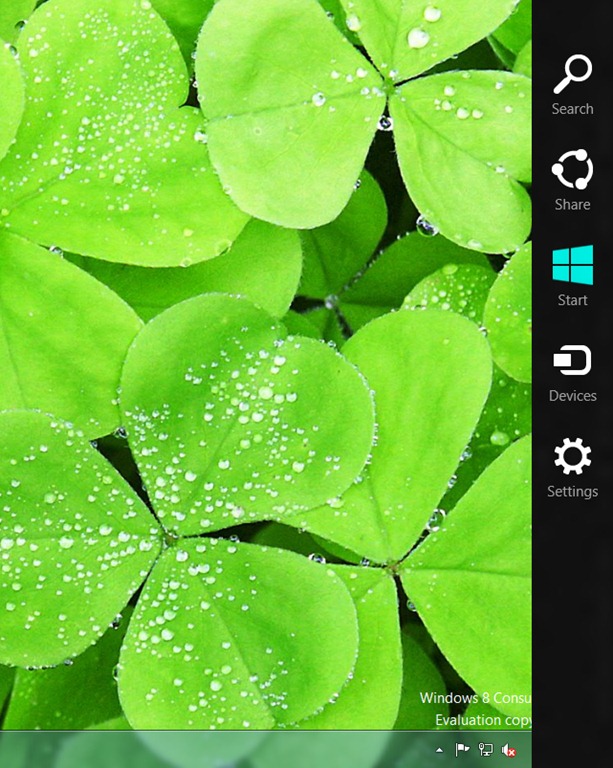
Although there are enough users Windows 8 who are not impressed by Charms Bar and I choose to disable, a lot of users have previous Windows systems (Windows 7, Windows Vista and Windows XP) want to test this menu. For the latter, the solution is Charms.
Charms It's a tool gratuit which clones perfectly Charms menu in Windows 8 and which allows Windows 7, Vista and XP users to use this menu on their operating systems.
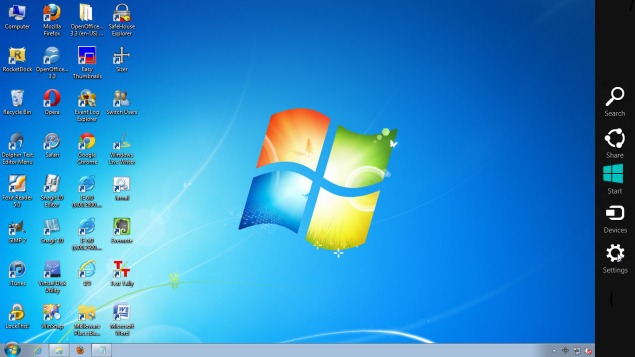
Charms can be accessed just like Charms bar in Windows 8, moving the mouse cursor to the upper-right and lower-right corners, and it works the same like this one. All Shortcuts are present in this menu perfectly functional And it offers options similar to Windows 8 Charms (power options, volume control, Control Panel etc.).
To close the application, users can either use End Task in Task Manager, or to open Settings in Charms, then click on Power while holding down shift key.
Note: Application compatible with all versions of Windows 7, Windows Vista and Windows XP, 32 and 64-bit.
Credit @valinet.ro
STEALTH SETTINGS – Add Windows 8 Charms menu to Windows 7, Windows Vista and Windows XP


You may also be interested in...
