


Every time Facebook make changes of interface, users are divided into three camps: those who like it and adopt the new look, those who don't care, as long as they can see virtual socialization keep quiet and, last but not least, considering that these are usually the majority, those who protest against the change. The situation is similar to Facebook Timeline.
Even if the new interface a Facebook profile brings users a lot feature-uri new and interesting (according to Facebook), many of them, who tested this interface, found it too loaded and difficult to use and they want the old look back. Also, there are users who didn't give the Timeline a chance from the start and who are clinging to it the old interface, as long as Facebook will allow them to do it (I am among the latter).

Eventual, Facebook will activate the Timeline for all users, regardless of their preferences or dissatisfaction, but those who want to continue viewing their personal profile or that of their friends with the old interface, will be able to do so with the help of a browser extensions, Timeline Remove.
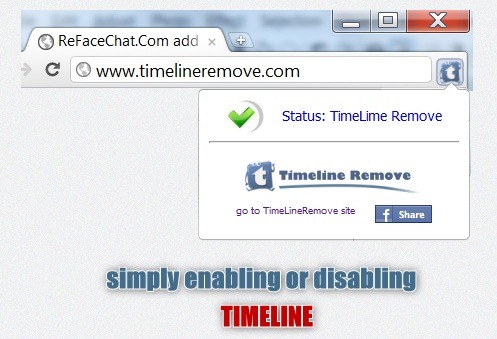
Timeline Remove is currently available for 3 browsers, namely Firefox Chrome and Internet Explorer, with the extension for Safari still in progress (more details on the website timelineremove.com). Facebook users who have activated Timeline and who will use these extensions, will be able to view their personal profile and the profiles of all their friends in the old interface, but their Facebook contacts will still see the Timeline interface when they visit their profile, except in cases where they will also use the respective extensions.
Download Timeline Remove for Firefox
Download Timeline Remove pentru Chrome
Download Timeline Remove for Internet Explorer
So, if you don't agree with the Timeline for the way it makes it available to other users information about you or personal pictures, Timeline Remove is not a solution, unfortunately. That's why we recommend all Facebook users to do it cleanliness in the information and pictures published on personal accounts, to be sure that they only share what they want, and to choose carefully online friendships for better privacy.
STEALTH SETTINGS – How to disable the new Timeline UI for Facebook


You may also be interested in...

2 thoughts on “How can we disable the new Facebook Timeline interface”