


iTunes is the most important application ever released by Apple, this having a very important and well-defined role both in operating systems The x and IOS, as well as for a fairly large part of Windows users which use in parallel a Apple device. Desi iTunes it is no longer necessary for use for several years iOS devices (users needed this application at least for data transfer) and was never mandatory for operation The x, is still used by the vast majority of users of these systems as an application for backup, Magazine online For various applications and music and player audio/video.
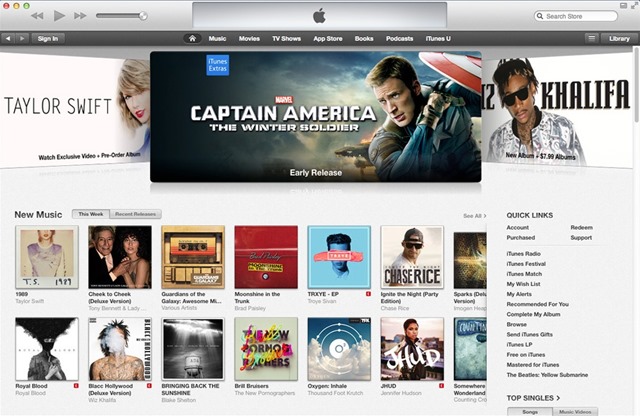
However, there are also users The x which they do not want to use iTunes for various reasons, preferring to call certain ones Third-Party applications to perform the actions described above. And since it is a native Apple application, which comes bundled with the OS X operating system, it does not have the option of uninstallation, being listed as application "required" for the system.
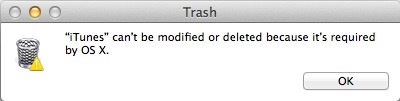
Fortunately, however, for OS X users care I don't use iTunes and consider that it takes up space for nothing (or simply want to get rid of it), there is a way I can uninstalled this application from the system.
How do I uninstall iTunes from OS X?
- open the folder Applications and locate the application file iTunes (/Applications/iTunes.app)
- then right-click (or Control-click) pe iTunes.app and select Get Info from the displayed menu
- in the opened window, click on the icon in the form of closed lock displayed in the lower-right corner, then enter administration password to be able to make changes in application permissions
- then open the section Sharing & Permissions (if it is not already open), and change the permissions to Read & Write for all system users (everyone)
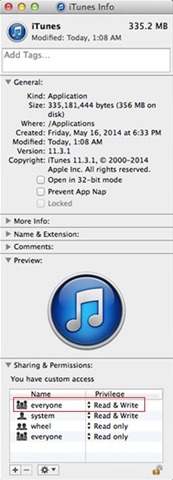
- after making this change, close the window Get Info and simply drag the iTunes application to Trash (then hit Emply Trash to finish the uninstall process)
And ready. Following the above instructions you will be able to uninstall the iTunes application from OS X. In case you later want to reinstalati iTunes, open either section Software Update FROM Mac App Store (or run the application Software Update If you use a version The x older than Mountain Lion), and this will be offered to automatically install iTunes in your system. You can also download the application manually from site-ul Apple, using link-ul this.
Note: Uninstalling iTunes from OS X does not affect the media files stored in the system, as they are not related to the deleted file, and after reinstalling the application, you can re-access the same library (library) previously used with it.
STEALTH SETTINGS – How to uninstall iTunes in OS X


You may also be interested in...

One thought on “How can we uninstall iTunes in OS X”
unrelated, but after completing all the steps it still doesn't work :(((