

Most likely, you have had the opportunity to meet with quite a few files .nfo since you started using COMPUTER, especially if you are used to downloadati from websites of torrent (the .nfo files usually come bundled with the downloaded files). If you have ever wondered what exactly these files are and why they are included in the package when you download something from internet, well .nfo files they are encoded text files ASCII which, as their name suggests, contain information about Softwares, documents or files (video, audio, etc.) that accompany them (usually there is information about the version, developer, credits, logos or, in the case of torrent files, information about those who uploaded the packages available for download).
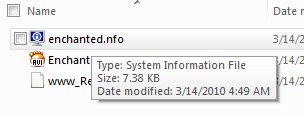
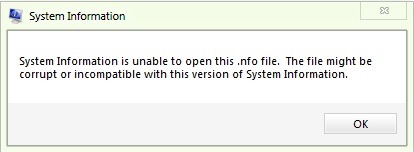
If we try to open a .nfo file directly, by clicking (or double-clicking) on it, either will be displayed information about the operating system instead of displaying the information stored in the respective file, either one will be displayed error message which will tell you that the file is corrupt or incompatible with System Information (this happens because in Windows .nfo extensions are by default associated with System Information/msinfo32.exe).
NFO Reader It's O utility small (~300kb) that allows users Windows to view all the information stored in .nfo files existing in their computers.
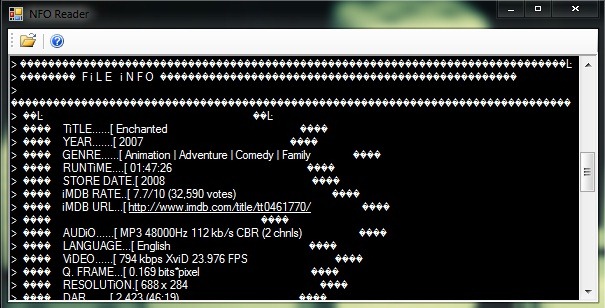
How to use NFO Reader?
Download also install the application, then, whenever you want to view a .nfo file, open NFO Reader, click on Open (top left corner) and select the respective file.
If you don't want to use third-party applications to view the information in the .nfo files, you can try opening the files in Notepad (right-click on the file and select Open with) or others text editors, but there is a (quite high) risk that they cannot be read or become corrupted.
STEALTH SETTINGS – How to read .nfo files in Windows


You may also be interested in...

2 thoughts on “How can we view the information stored in .nfo files”