


Although most internet users know how to set a browser (homepage, cookies, security, private data, etc.), lately I have met many people who did not know how to set that homepage the website or search engine they wanted, however hard it may be to believe. The setting is very simple and approximately the same for all browsers.
content
Internet Explorer
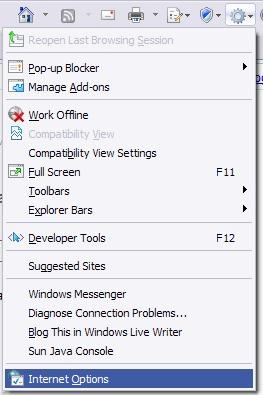
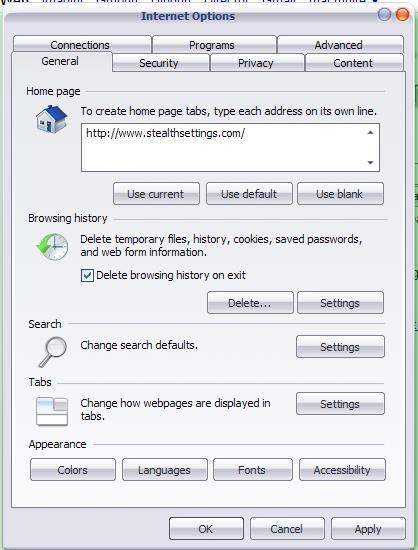
Click on Tools (top-right corner, under the bar of Search) or press the key combination Alt+O. In the displayed menu selected Internet Options, then click on the tab General from the open window. In the option Home Page you can change the default home page to the one you want. Click Apply then OK.

Firefox / Flock
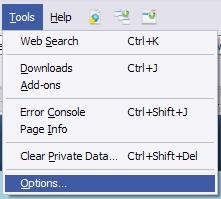
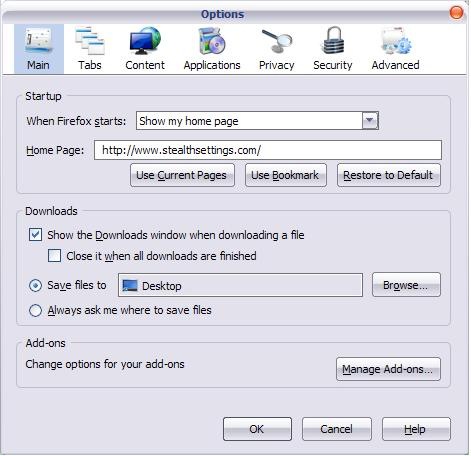
Go to Tools (top left, near File, Edit, etc.) and select Options from the displayed menu. In the tab Main, the menu of Startup, you have the option to change the homepage to the one you want.


Opera
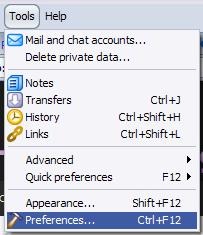
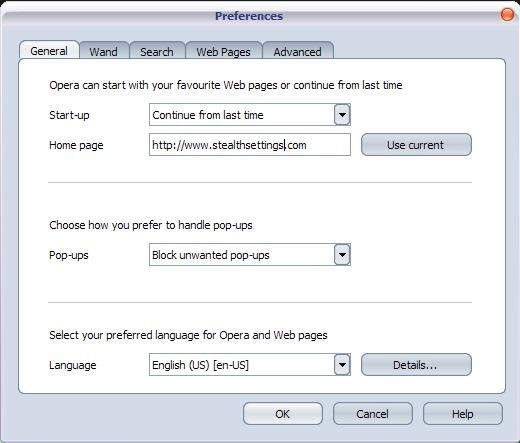
Click Tools and select Preferences from the menu. In the displayed window select General, then change the home page to the one you want.
Safari
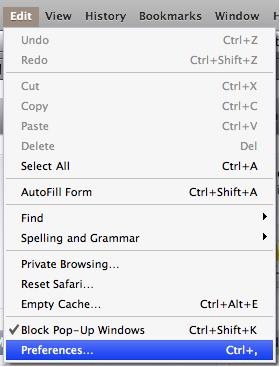
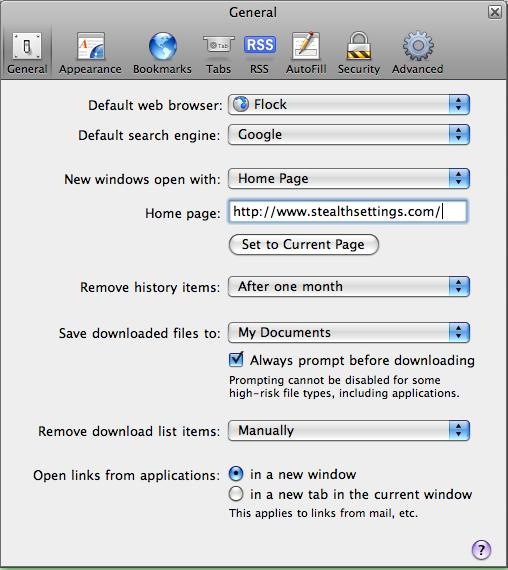
Go to Edit (don't look for the option Tools, because Safari doesn't have it in the toolbar) and select it Preferences from the menu. In the tab General you have the option to change the homepage.
 |  |
Google Chrome
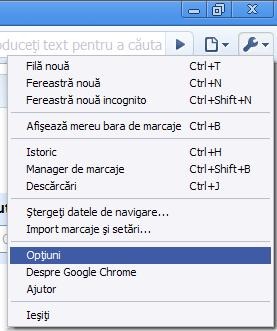
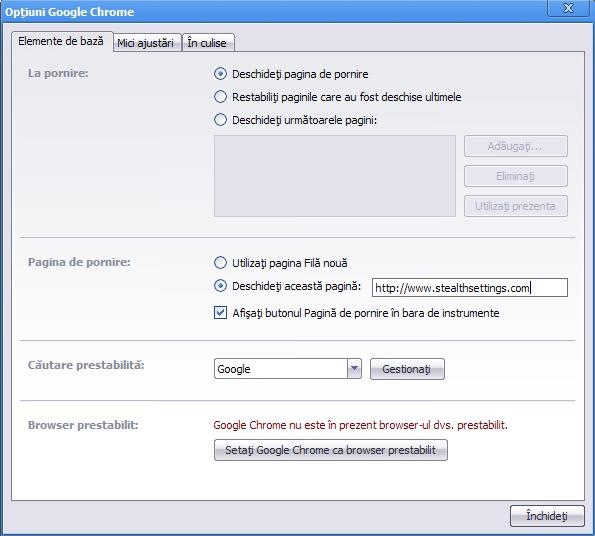
Go to Google Chrome menu (top-right corner) and click on Options (choice in the ro version). In the displayed window you have two options to change the homepage:
- in the menu At startup (Startup) Select Open the home page, and in the menu Homepage Select Open this page and write the address of the page you want as homepage;
- in the menu At startup Select Open the following pages and add the address of the page you want as homepage.
 |  |
Succes! :P


You may also be interested in...

One thought on “How to set a homepage on Chrome, Firefox, Opera, Safari”